


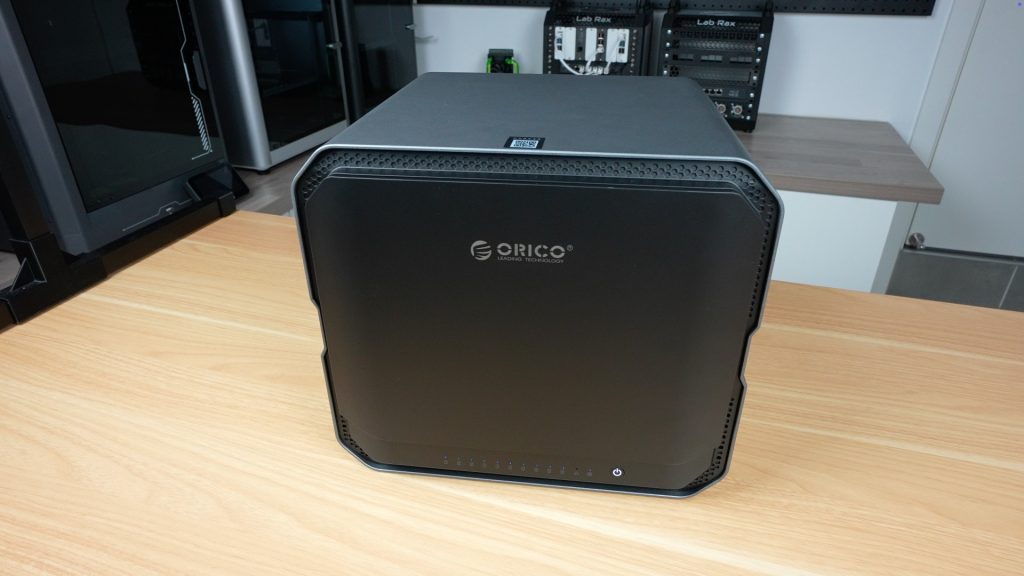
Today we’re diving into a NAS that’s built for much more than simple home backups, the CyberData CF1000 by Orico. This is the flagship model from their newly released CyberData NAS series, which includes eight different configurations featuring a variety of CPU, memory, and storage options, all packed into a stylish, unified design.
Orico is a brand that’s long been recognized for its USB storage solutions, enclosures, and docking stations, but the CyberData line marks a bold and serious step into the NAS (Network Attached Storage) market.
Here’s my video of the CF1000, read on for my written review;
Where To Buy The Orico CyberData CF1000
- Orico’s CyberData range is currently crowdfunding through Kickstarter – Campaign Link
- WD RED NAS Drives – Buy Here
Equipment Used
- Video Capture Card AVerMedia GC513 – Buy Here
- Infiray P2 Pro Thermal Camera – Buy Here
- Sound Level Meter – Buy Here
- Power Meter – Buy Here
- USB C Pencil Screwdriver – Buy Here
Power and Performance Specs
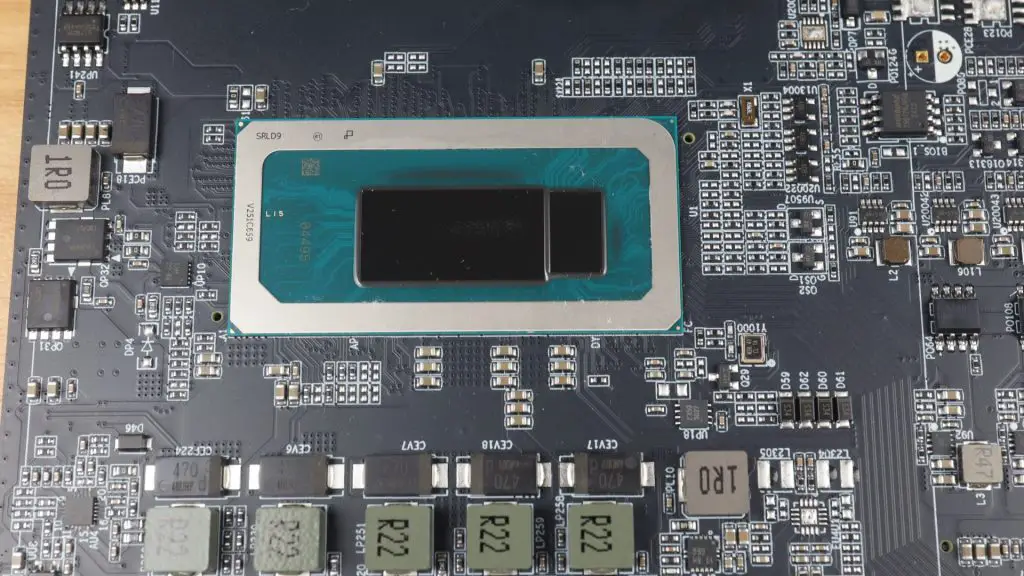
Powering the CF1000 is a 12-core Intel i5-1240P processor with 16 threads,
It also has dual 10G Ethernet ports, and support for up to 256TB of storage. It’s a NAS built with power users, small businesses, and creative professionals in mind.
Let’s start with the unboxing experience.
Unboxing the CF1000
The CF100 is very well protected in it’s packaging, although the box is large for a 10-bay NAS, that’s mainly due to the thick foam padding keeping everything secure.
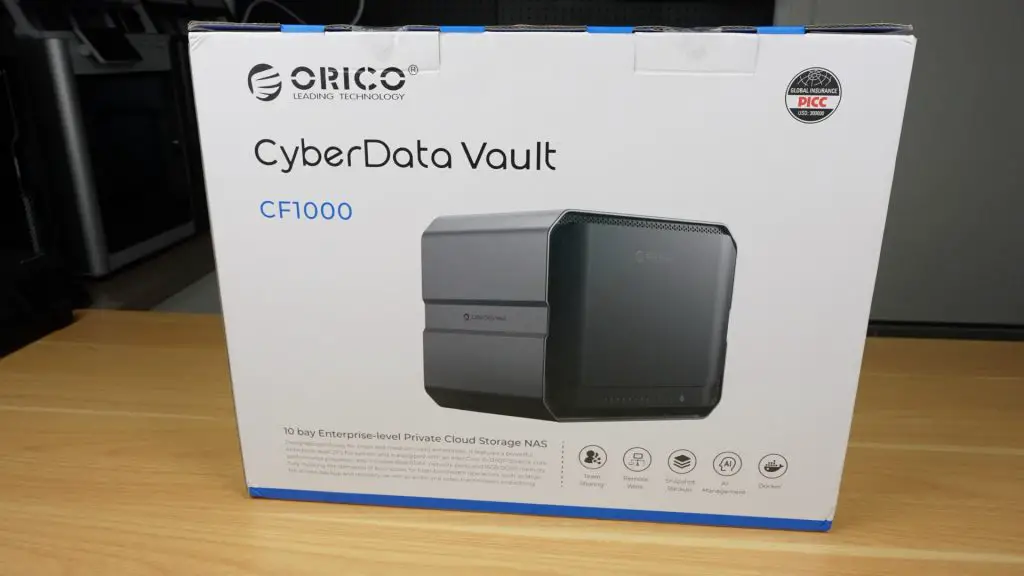
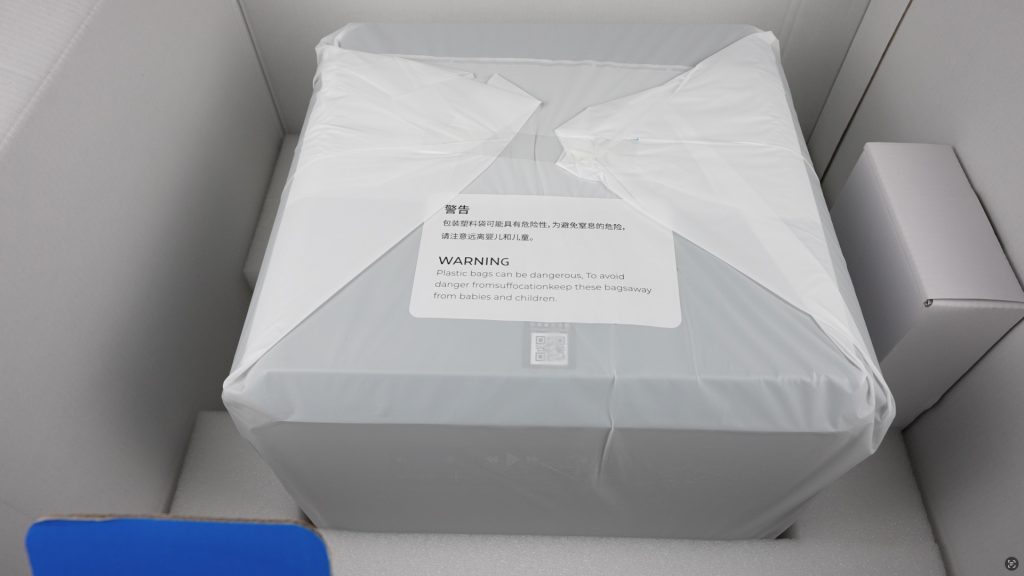
Inside the box, you’ll find:
- The CF1000 NAS wrapped in an antistatic bag
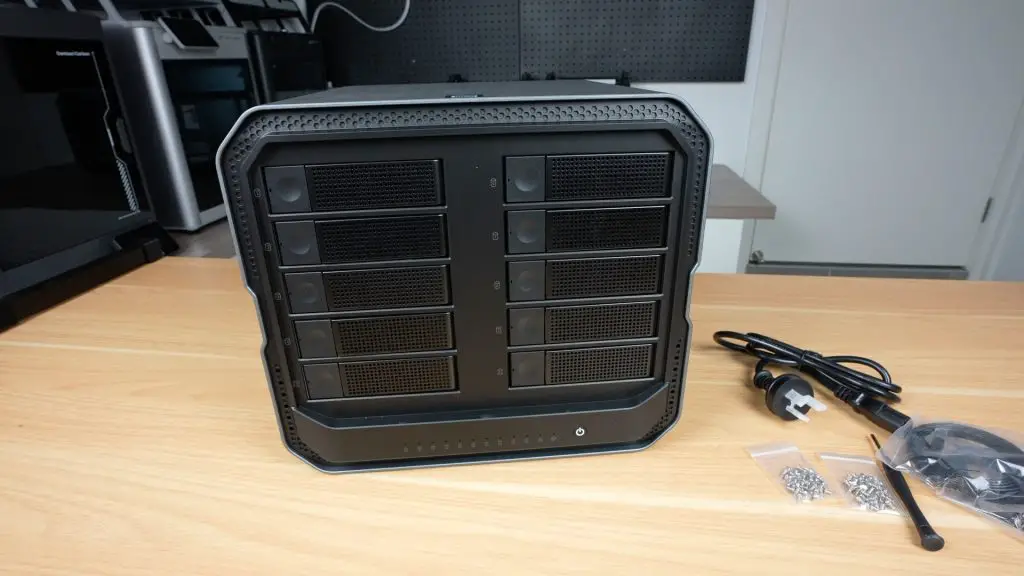
- A smaller accessory box containing the power cord, screws, screwdriver, two network cables, and a manual
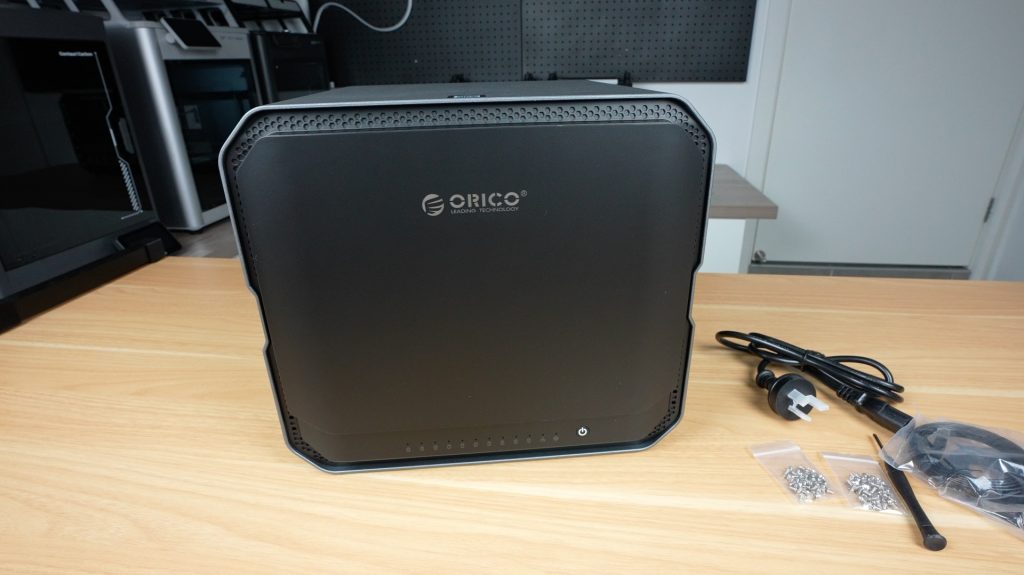
The CF1000 itself looks and feels fantastic. It’s sleek, minimalistic, and well built with a premium solid cast aluminum chassis.
A Closer Look at the Hardware
Front Panel
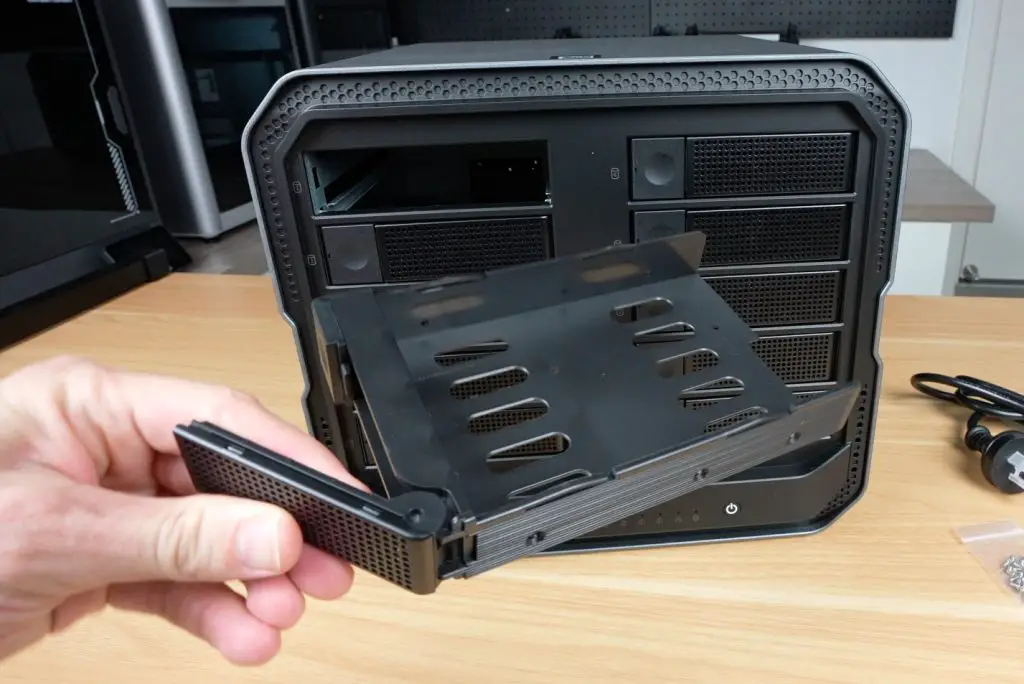
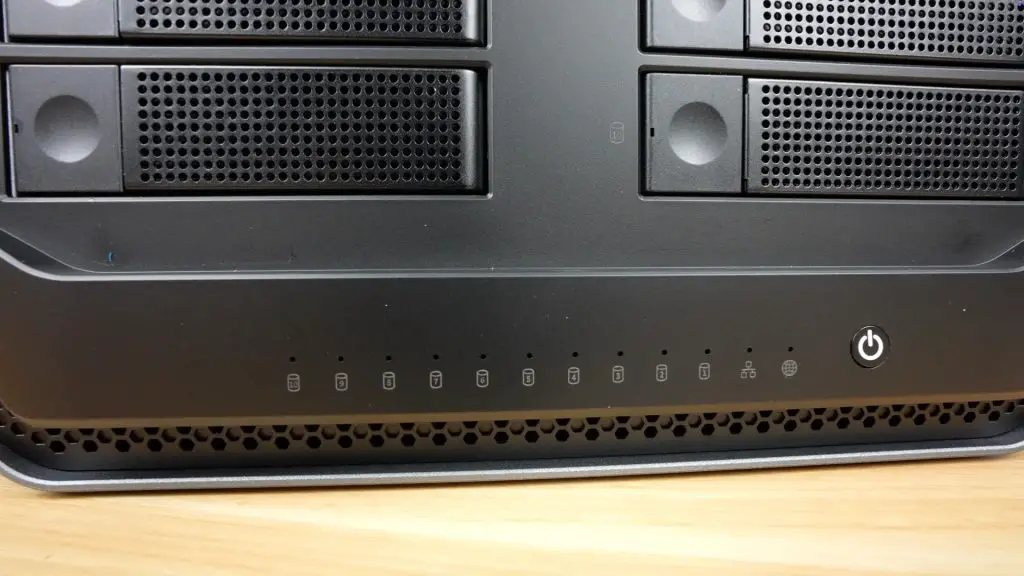
Behind a magnetic front cover are 10 hot-swappable 3.5” drive bays, arranged in two vertical columns (1–5 and 6–10). Under the drive bays are LED indicators, although these are a bit strangely numbered backwards from 10 to 1, and then we’ve got status LEDs for network and system health.
Internal Expansion
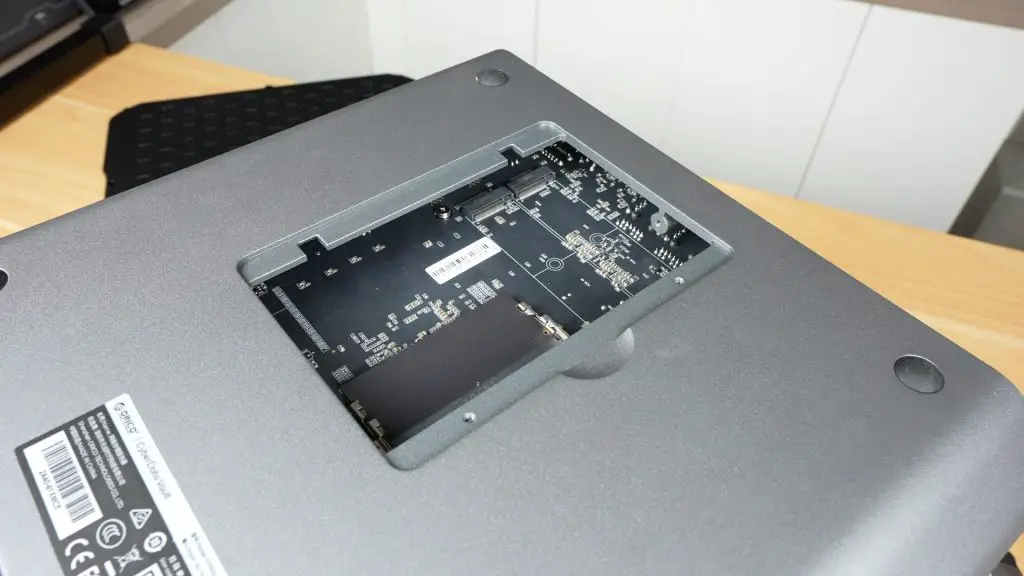
Internally, we’ve also got space for:
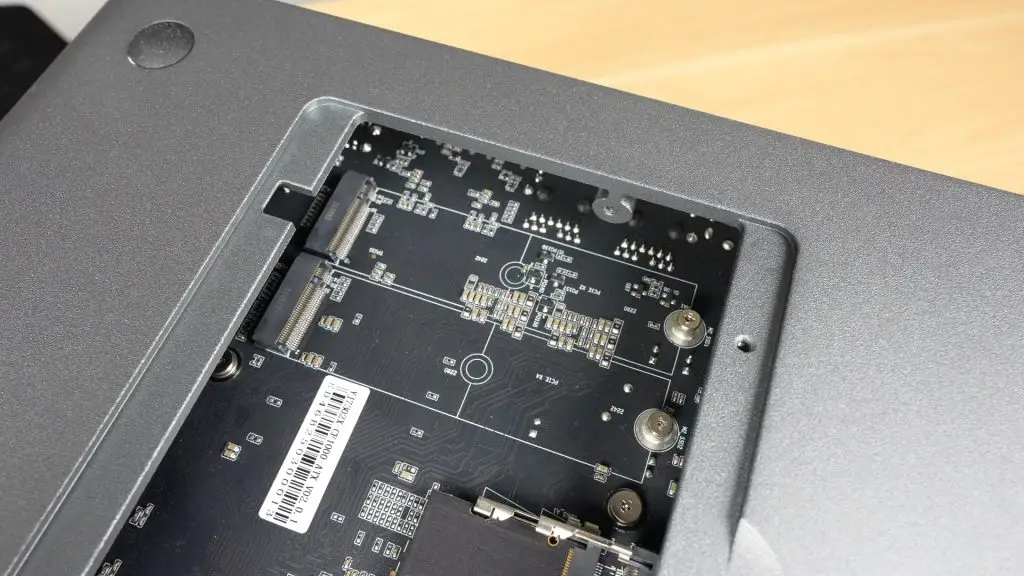
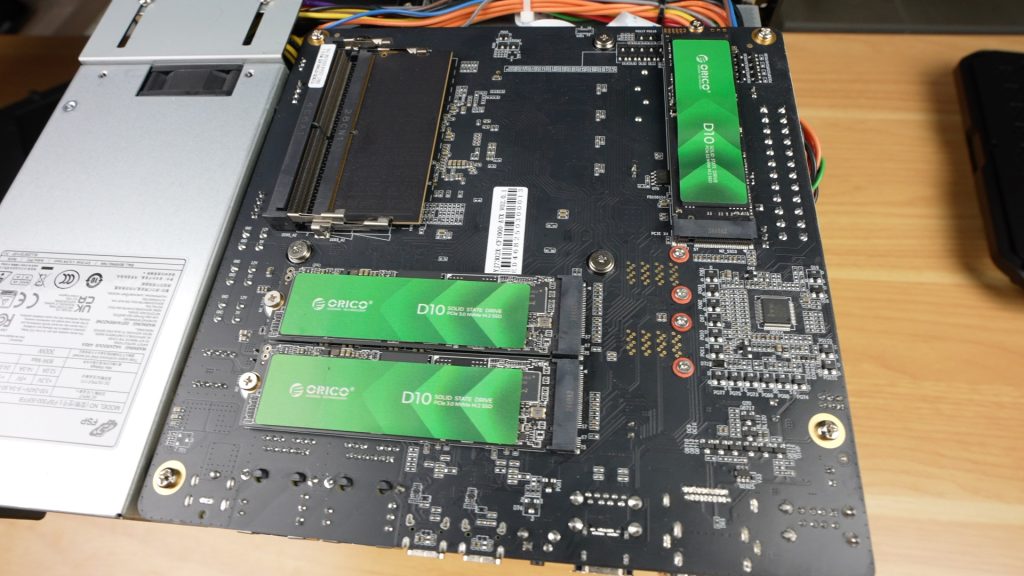
- 2 x M.2 NVMe SSDs (for caching or high-speed access)
- 1 x 128GB NVMe SSD (preinstalled for the OS)
These M.2 drives are easily installable through a bottom access hatch, which is a great feature on the CF1000.
Rear I/O Ports
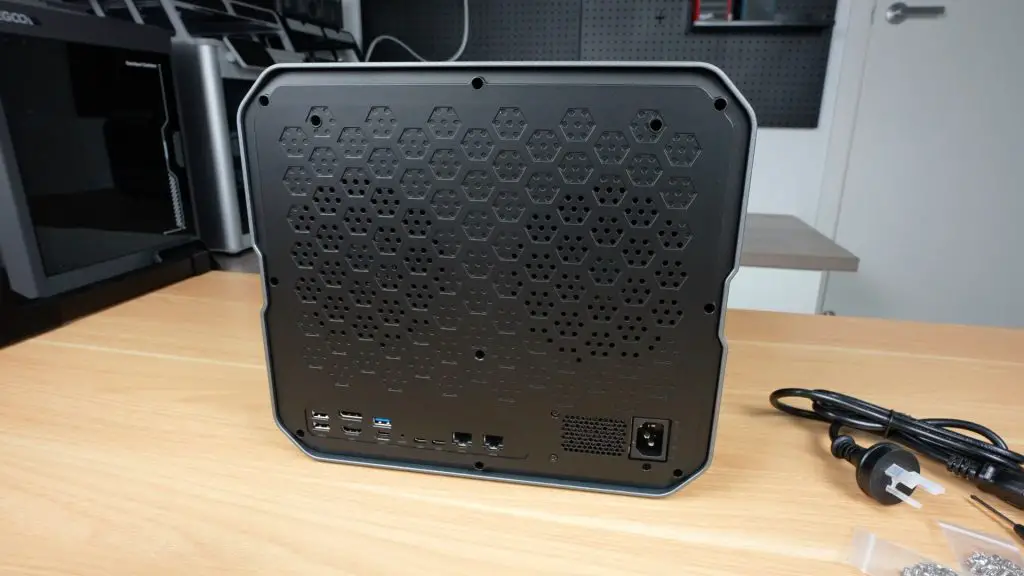
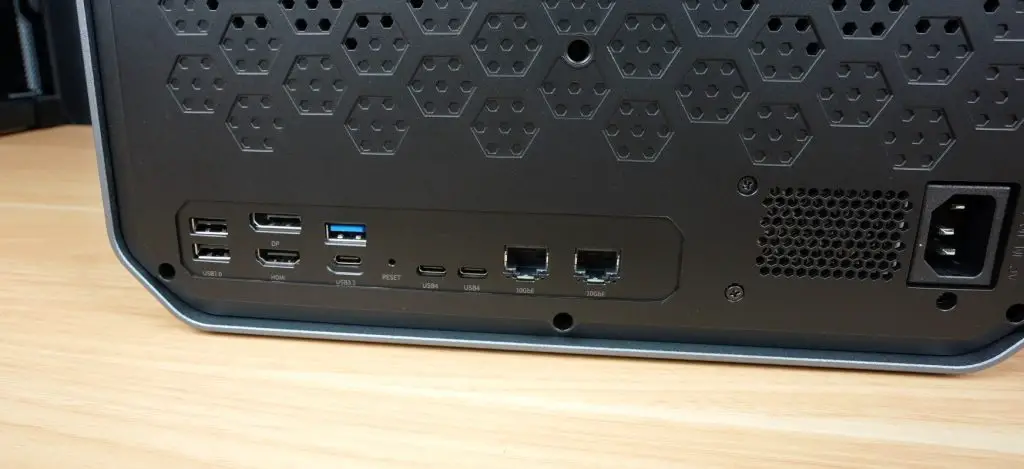
Around the back, we’ve got;
- 2 x Cooling fans
- 2 x USB 2.0 ports
- 1 x DisplayPort and 1 x HDMI
- 2 x USB 3.2 (Type-A and Type-C)
- 2 x USB4.0 (40Gbps capable)
- 2 x 10Gb Ethernet ports with link aggregation support (up to 20Gbps)
- Integrated PSU, so there is no additional power brick required.
CPU and RAM
The Intel i5-1240P is a 12-core mobile CPU from 2022, with 4 performance cores running at up to 4.4GHz and 8 efficiency cores running at up to 3.3GHz. It supports DDR5 memory, Thunderbolt 4, and has 20 PCIe lanes. It’s both powerful and power-efficient, ideal for a NAS setup that’s going to be running 24/7.
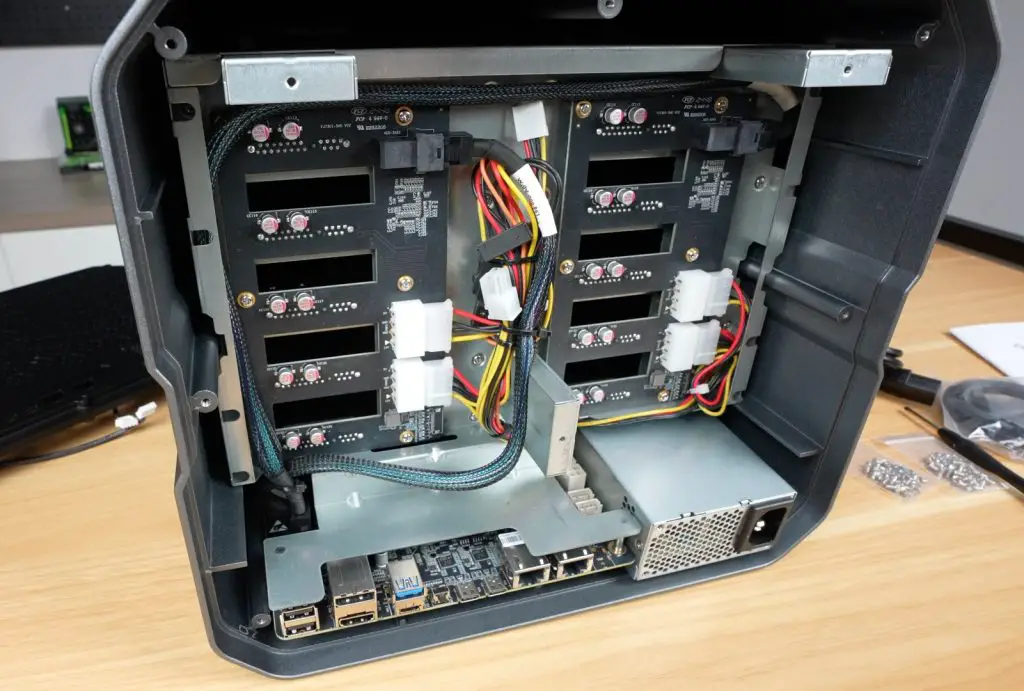
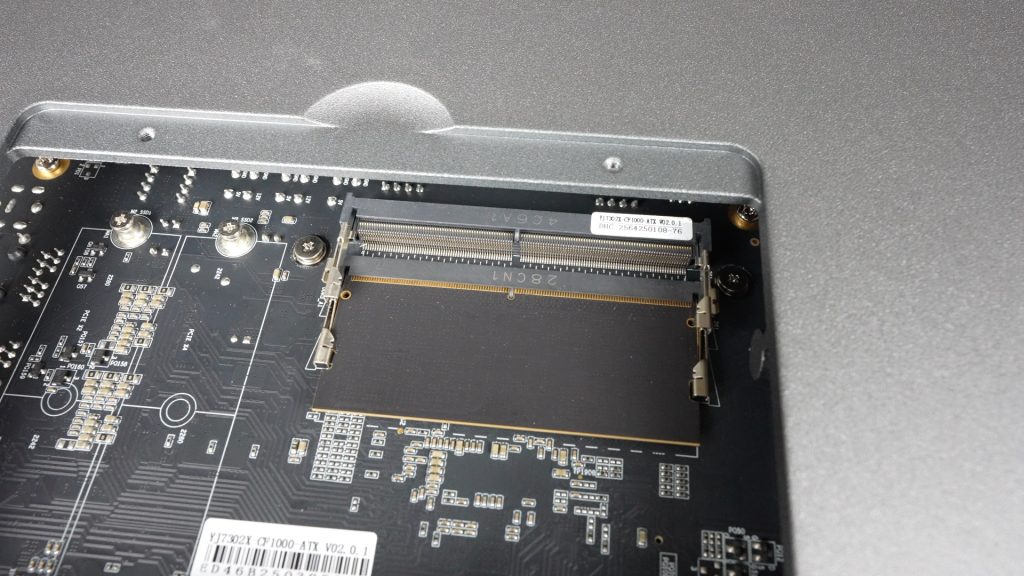
The CF1000 comes with 16GB DDR5 RAM (4800MHz) installed via a single stick, so you’ve got an easy upgrade path to 32GB and it’s expandable up to 64GB in total.
Storage Capabilities
The main storage feature of the CF1000 is obviously the 10 drive bays, but in addition to these we’ve got the two M.2 slots for additional storage or caching. This gives the NAS a total storage capacity of 256TB (10 x 24TB HDDs and 2 x 8TB SSDs) and it supports a range of hardware RAID options including RAID 50 and RAID 60.
- 10 x 3.5” HDD bays
- 2 x M.2 NVMe SSD slots
- Built-in 128GB SSD for the OS
- Up to 256TB of total storage capacity
- Hardware RAID support, including RAID 50 and RAID 60
Setting Up The ORICO CF1000
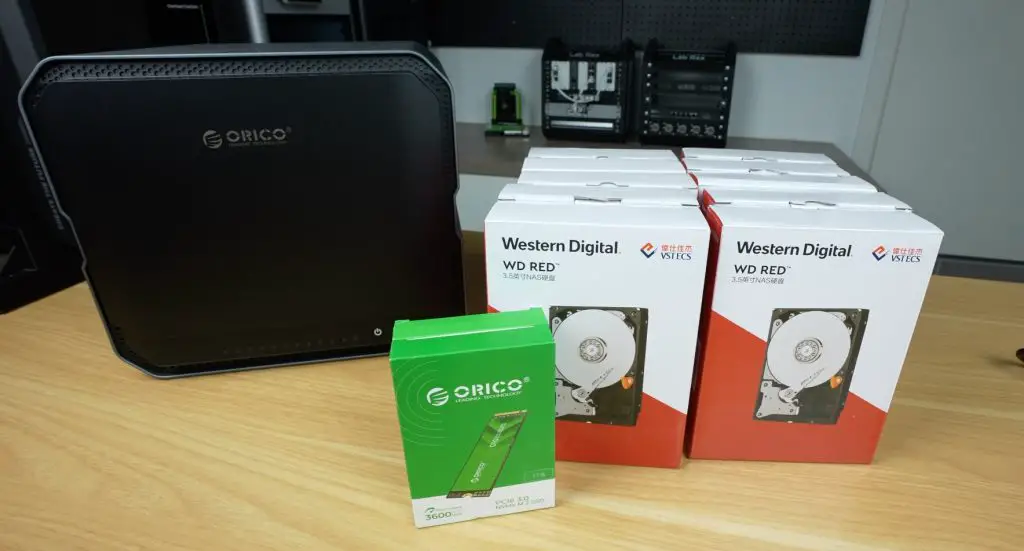
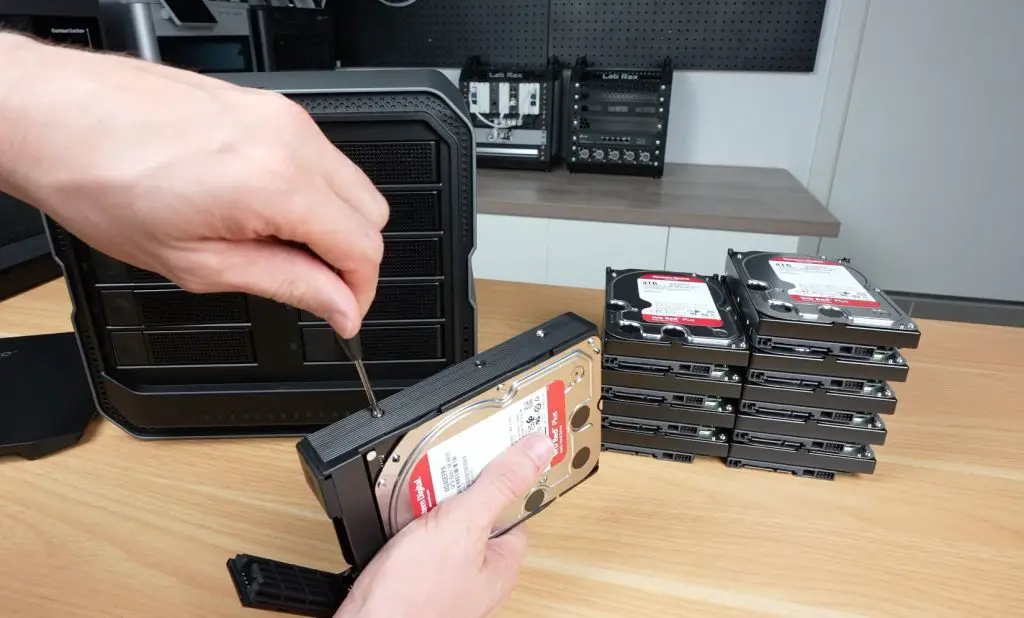
For testing the CF1000, I installed:
- 10 x 4TB WD Red HDDs
- 2 x Orico D10 NVMe SSDs
Once powered and connected to the network, the system boots into CyberData OS, Orico’s custom NAS software. Setup is handled through their CyberData client app for PC or mobile.
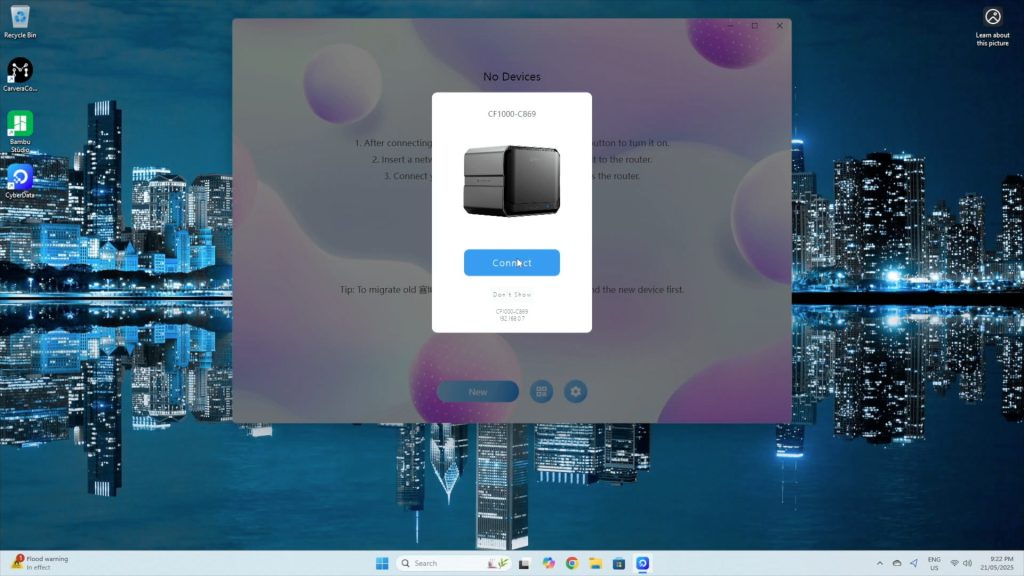
It’s worth noting that you can’t access the NAS via a standard web dashboard, a feature common to other NAS brands. Hopefully, this will be added in future updates as it’s a bit inconvenient to have to install software to change a feature rather than just going to a web dashboard.
Storage Pool Setup
Once an admin account is created, the software detects the installed drives and allows you to configure your storage pool and RAID level. I opted for RAID 6, which provides 80% usable capacity (32TB) and tolerance for up to two simultaneous drive failures. It does reduce write speeds due to dual-parity overhead, which also gives us a chance to test how the CPU handles this load.

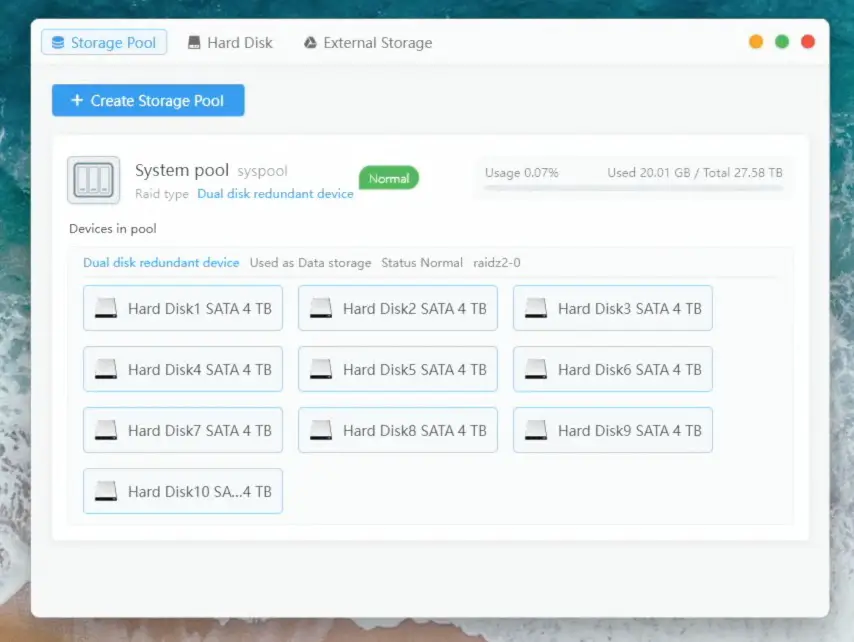
Setup was really quick, taking only a few minutes.
CyberData OS Interface & Basic Features
CyberData OS feels intuiative and easy-to-use with its Windows desktop-style interface.
Key features include:
- User permission management
- Samba, FTP, WebDAV, DLNA, and Time Machine support
- AI-based photo sorting
- Movie/TV show metadata fetching
- Offline video transcoding
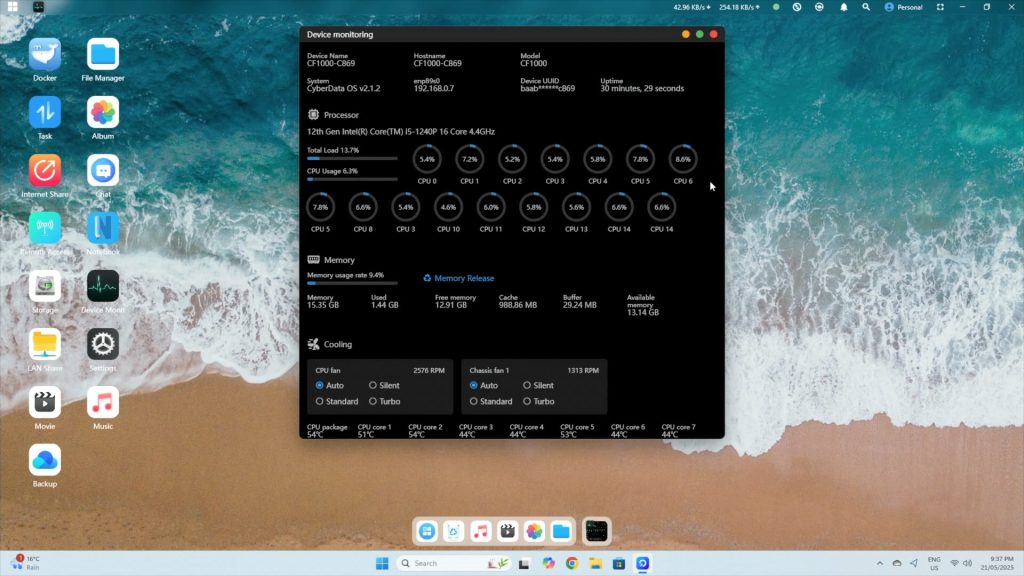
Under the system monitor, you can view:
- CPU stats (12 cores, 16 threads)
- RAM usage
- Drive and CPU temps
- Fan controls (auto, silent, standard, turbo)
The storage panel shows:
- System storage pool with usable space (~27.5TB for my RAID 6 configuration)
- Drive SMART details
Storage Performance As A NAS
To test how the CF1000 performs as a NAS, I created a second storage pool on the NVMe drives to test raw speed differences.
Note: While NVMe can be used for caching, ZFS already handles asynchronous writes effectively using RAM, so there’s not much benefit in small office or home scenarios. CyberData OS warns you about this when you work through the drive pool setup process.
Automated Benchmarks
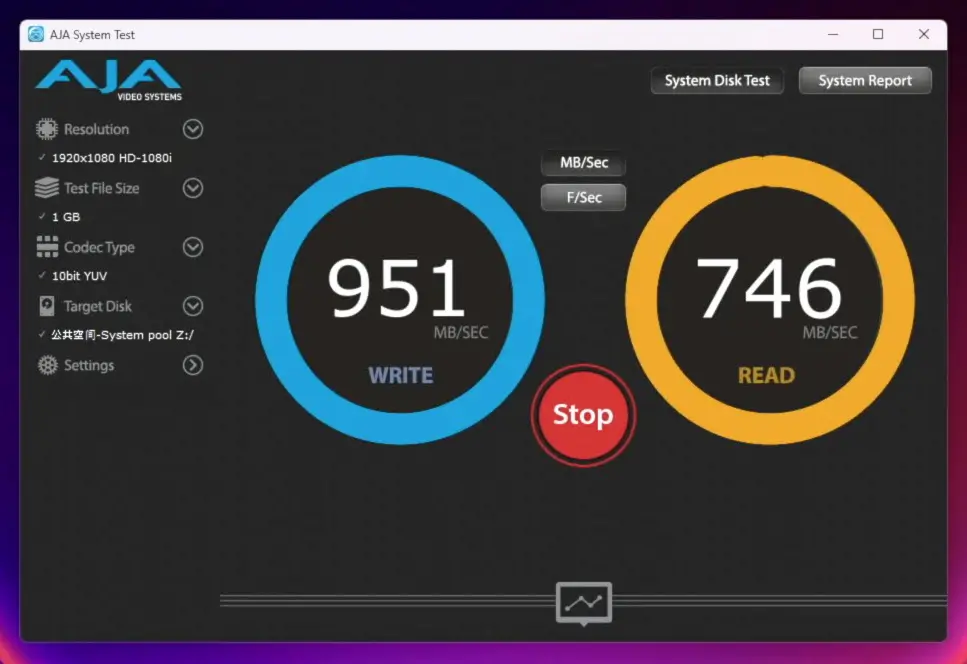
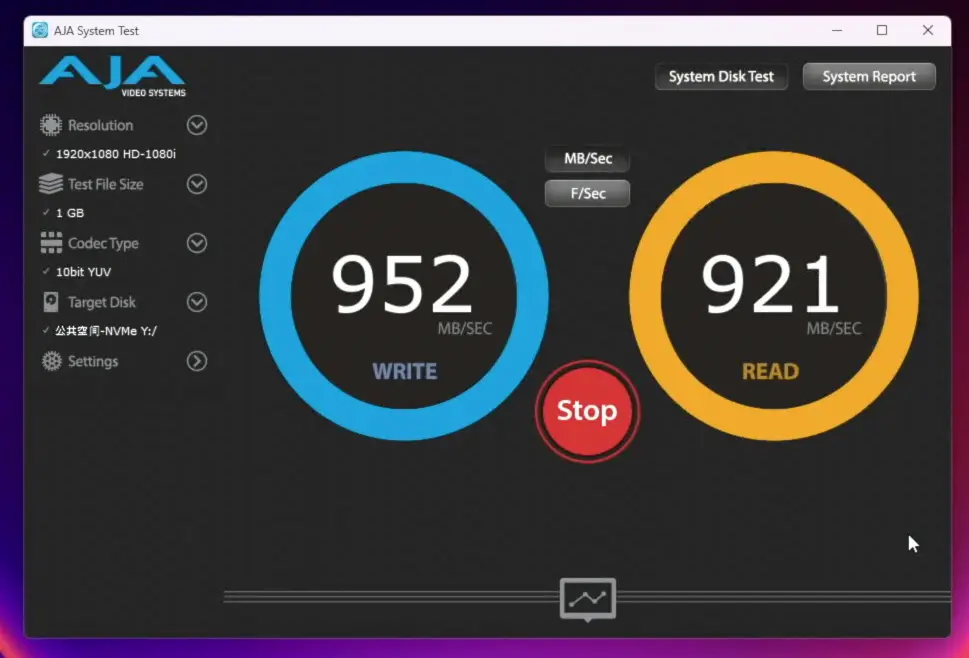
I started out by running some automated tests using AJA System Test over the 10G network connection.
Main HDD Storage Pool (RAID 6):
- 1GB file: ~940MB/s writes, ~930MB/s reads (some dips)
- 16GB file: Similar writes, ~850–920MB/s reads
- 64GB file: Consistent writes, reads around 830–840MB/s
NVMe Storage Pool:
- 1GB file: ~950MB/s writes, ~900–950MB/s reads
- 16GB file: ~940MB/s writes, ~920MB/s reads
- 64GB file: ~920MB/s writes, reads just under 900MB/s
Real-World Transfers
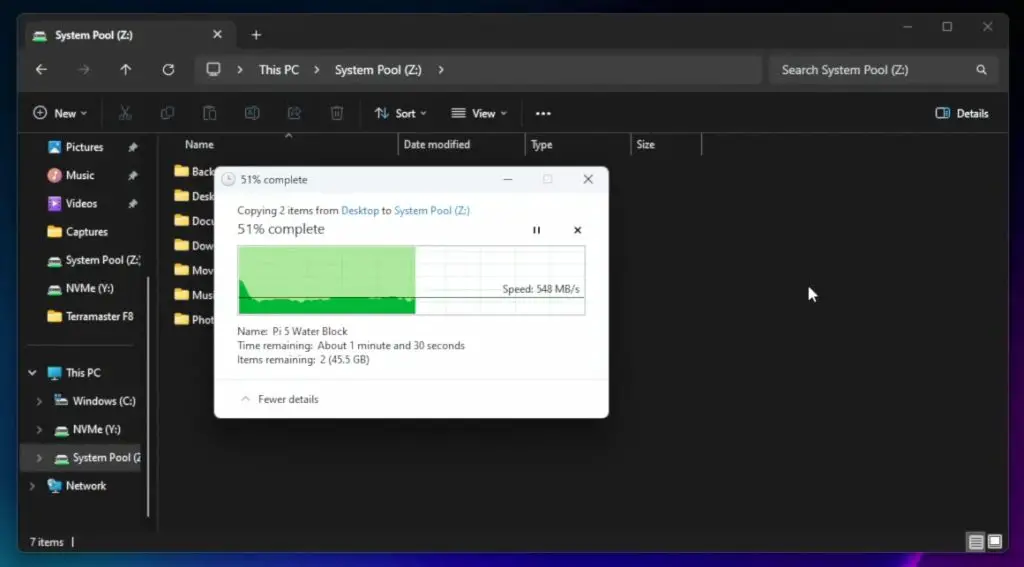
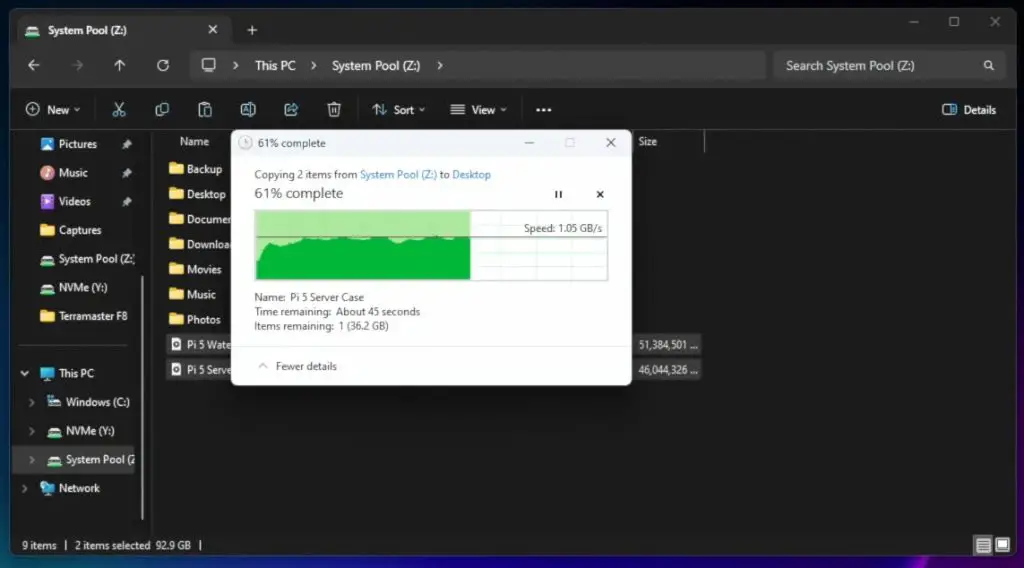
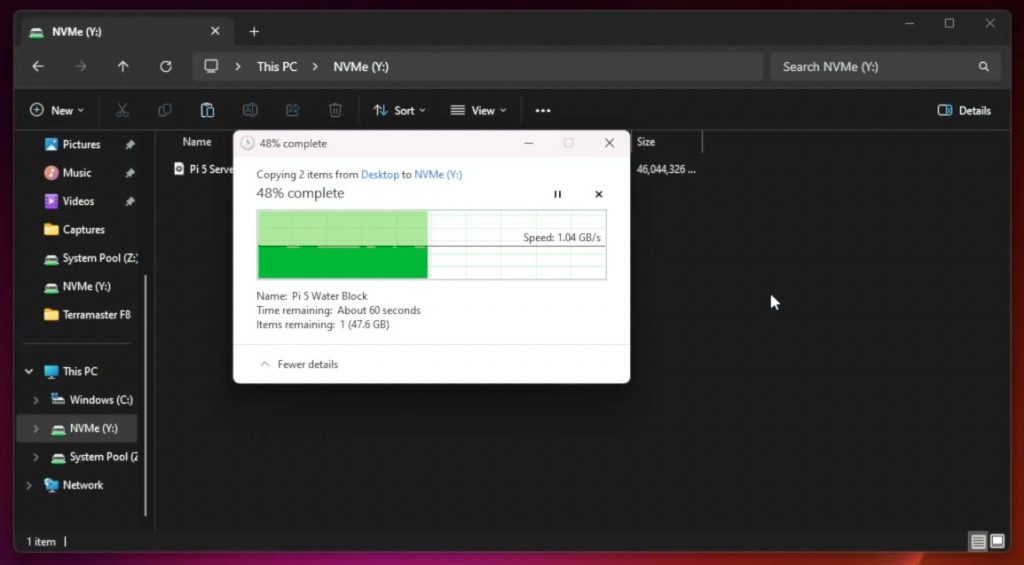
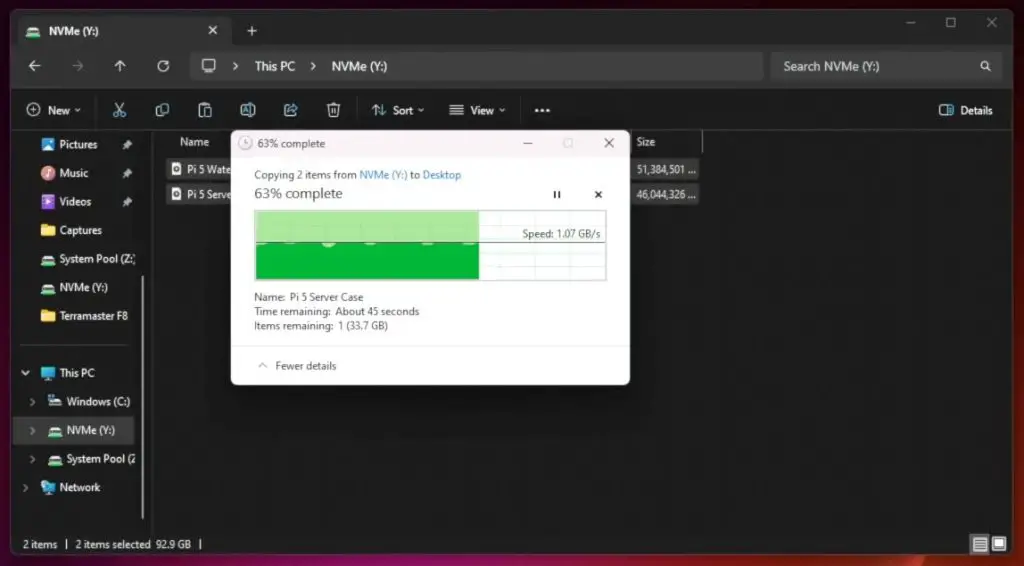
I then also ran some realworld tests transferring two large video files totalling around 90GB to and from each volume, again over the 10G network connection.
- HDD volume: ~540MB/s write, ~1GB/s read
- NVMe volume: >1GB/s write, ~1.1GB/s read
Thermal Performance
I decided to take a closer look at thermal performance since we were getting low reading and writing speed when using the RAID 6 main storage volume. These workloads caused high CPU temps (~90°C package, cores >70°C), which suggested we may be running into thermal throttling. The CPU usage hovered around 25–30%, meaning performance is limited by cooling rather than raw processing power.
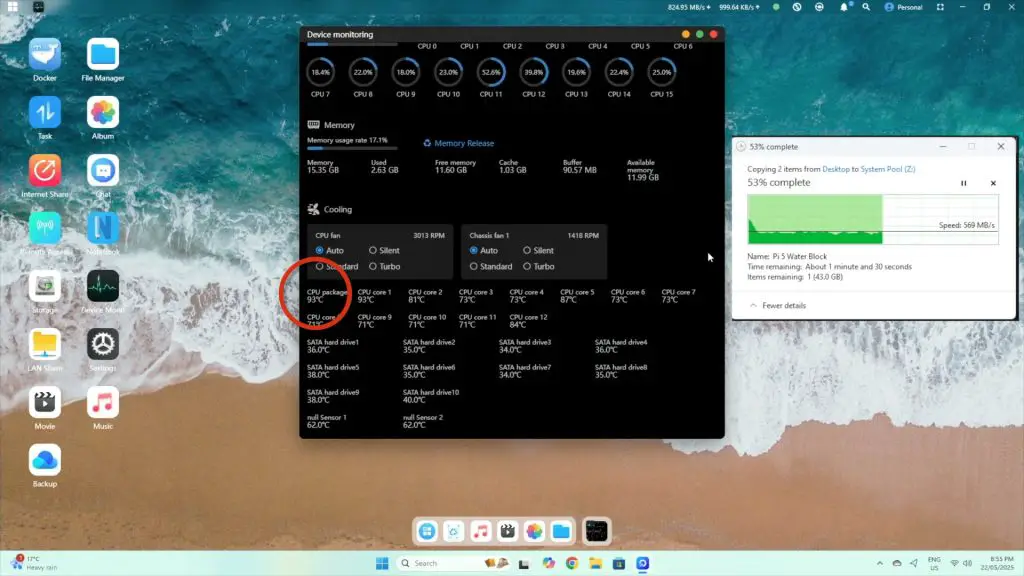
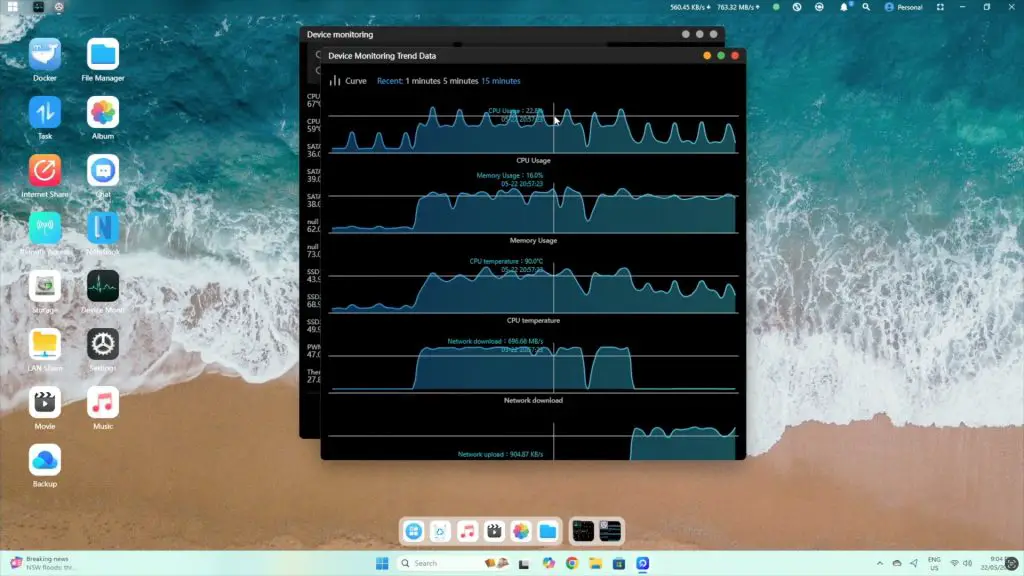
Switching fan modes to Turbo didn’t help much, the thermal limitations remained. This indicates that the heatsink is just not capable of getting the heat away from the CPU.
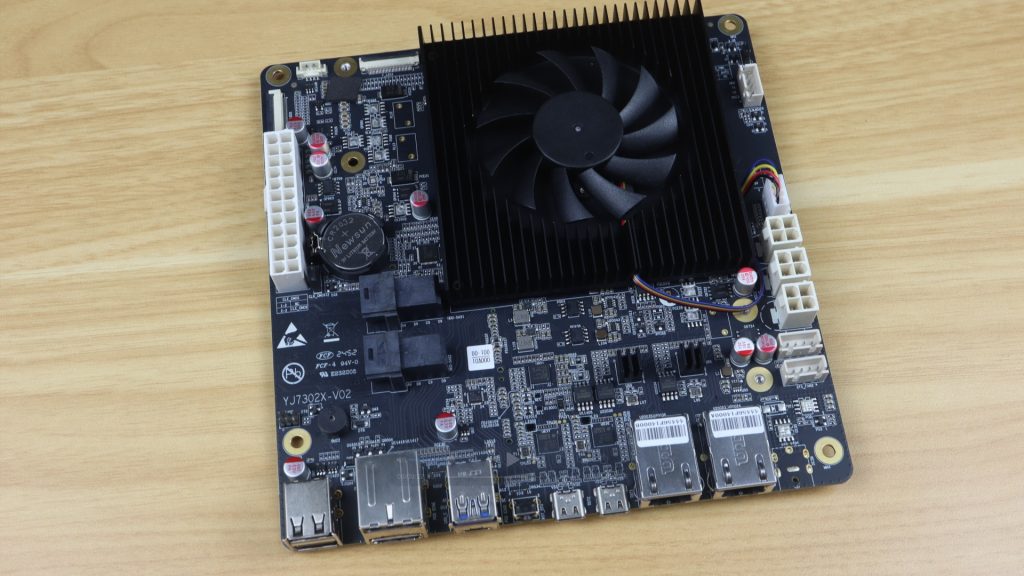
The good news is that Orico has since upgraded the cooling system, replacing the aluminum heatsink with a larger copper one and improved ducting. This should significantly reduce thermal issues.
Noise & Power Consumption
Noise levels (measured at 15cm):
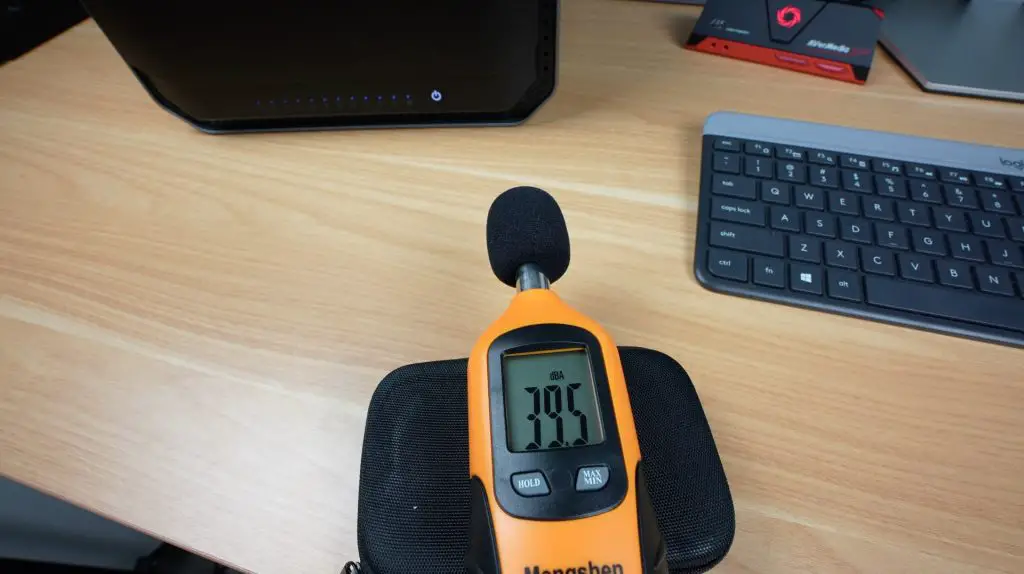
- Silent mode: ~39dB (very quiet)
- Auto/Standard: ~47dB
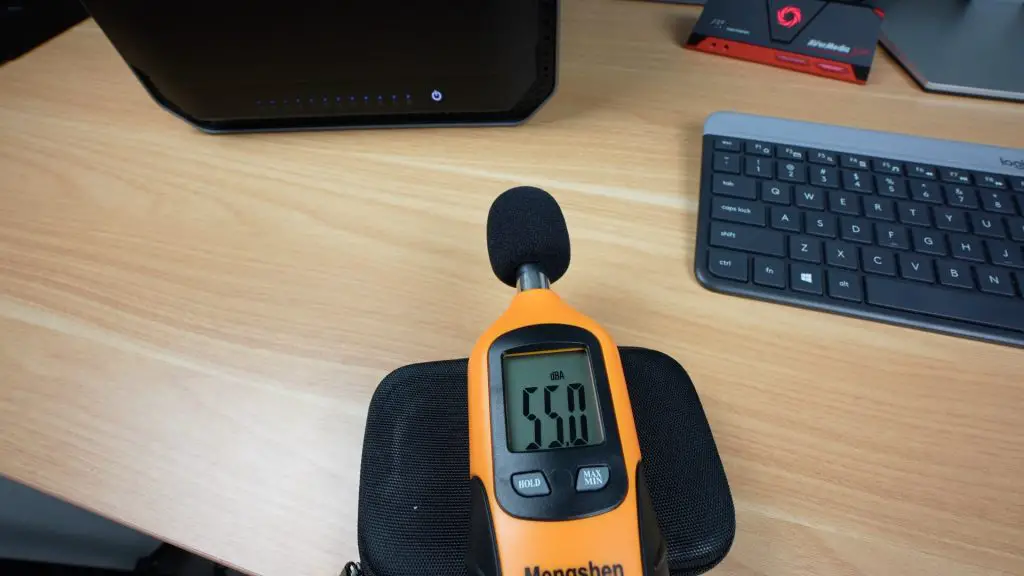
- Turbo: ~55dB
Even in Turbo, the fans aren’t overly loud. The sound of the 10 mechanical drives is more noticeable than the fans.
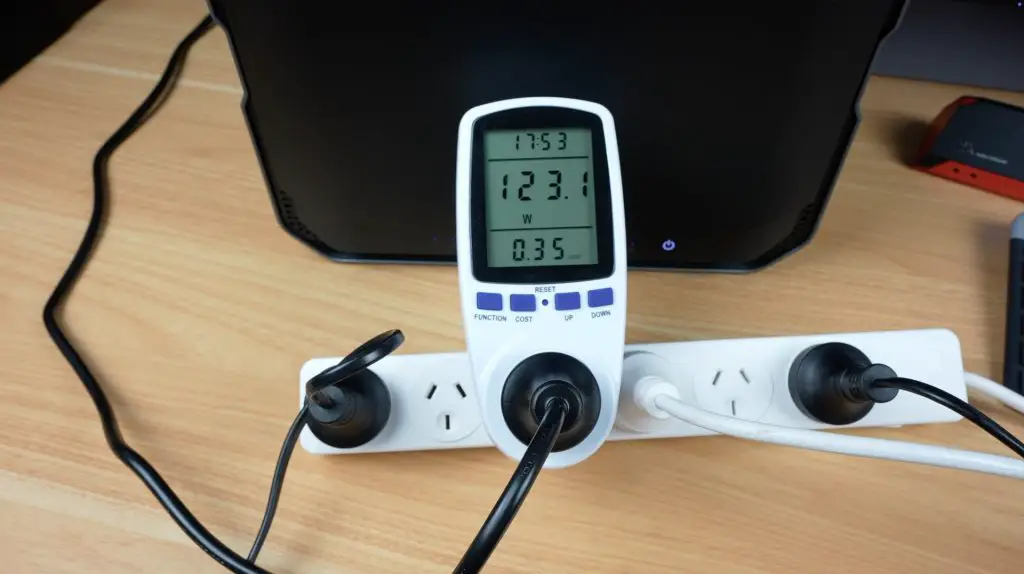
Power draw:
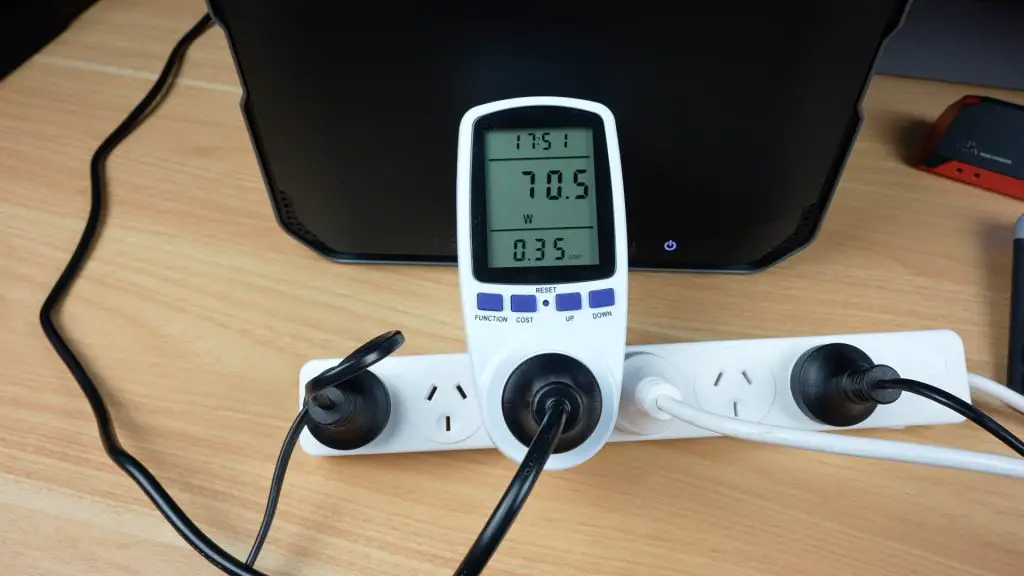
- Idle (drives on): ~70W
- Full load: ~120W
- Idle (no drives): ~25W
These figures are very reasonable for a system of this scale. It’s great to see that the power draw is realtively low since this is expected to run 24/7, so overall power consumption can become significant over time.
Privacy and Software Flexibility
I know some of you are probably wondering about privacy and people often have valid privacy concerns when using products with preloaded OS’s by the same company, but there is some good news here, this NAS fully supports local-only use, it doesn’t require an internet connection, cloud linkage or an online account to set it up. You can even turn off it’s internet connection or isolate it on your network if needed. There is no mandatory cloud syncing or forced telemetry.
- No internet or cloud connection required
- Fully local setup possible
- No mandatory telemetry or account login
That said, the software still needs some refinement. At the time of writing this review, there is:
- No web dashboard
- Limited documentation and no official community support
- Missing enterprise features like iSCSI
However, Orico is making steady progress. Since May, there have already been three version updates, which have added:
- Bug fixes and translation improvements
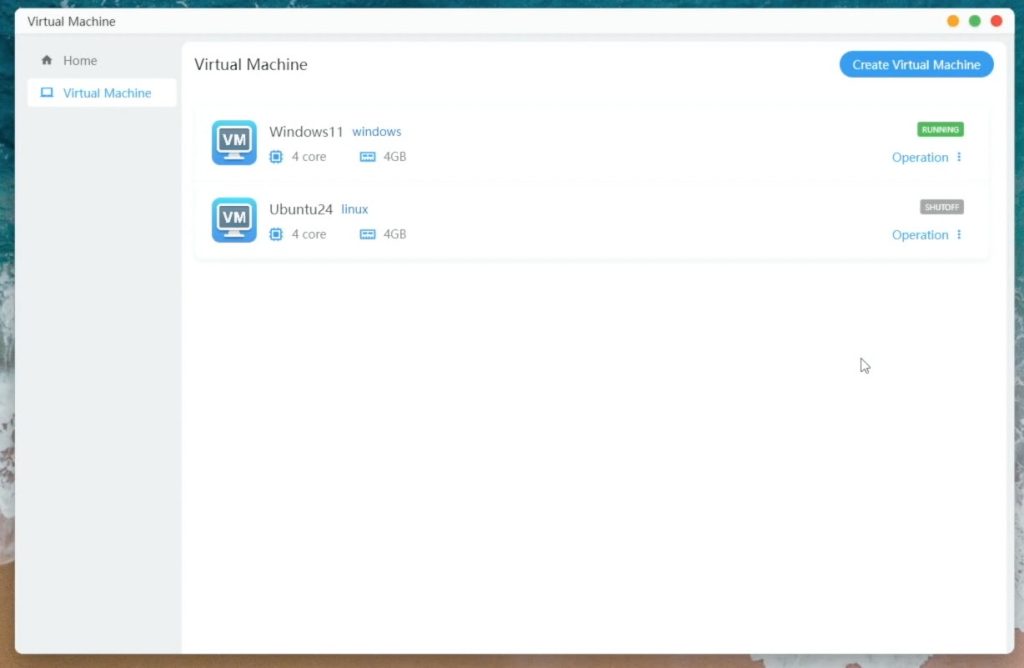
- Virtual machine support
- One-click Docker Compose
- Preconfigured AI models (e.g., DeepSeek)
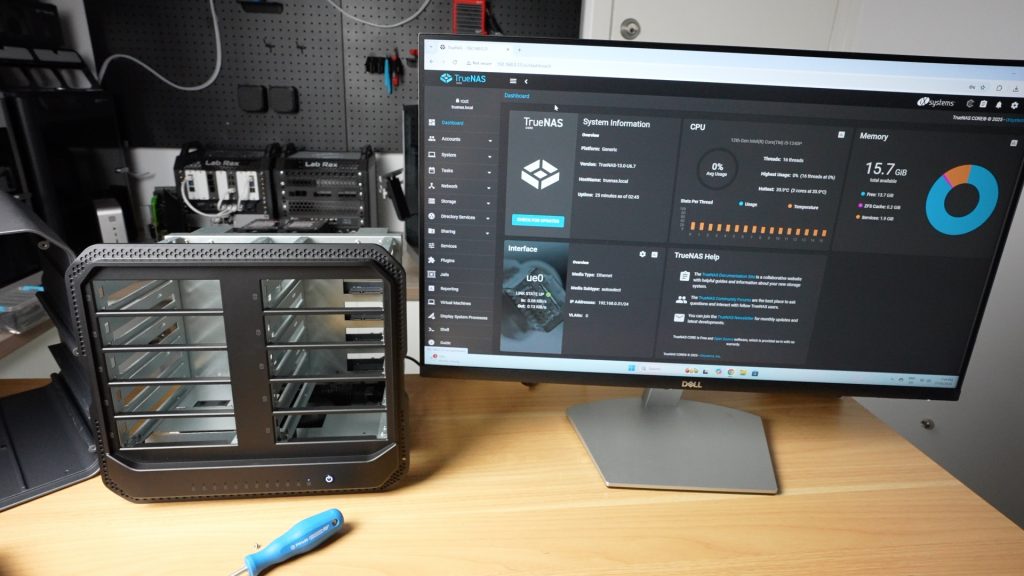
Also, the NAS is not OS-locked—you can install alternatives like Unraid or TrueNAS. I found Unraid works better out of the box, as it includes drivers for the 10G NICs.
Final Thoughts On The ORICO CF1000
If you only need basic backups or streaming 1080p content, the CF1000 may be overkill, but this is just one product in their new CybderData range, so you should consider one of Orico’s lower-end models.
The CF1000 is well suited and worth taking a look at if you:
- Work with 4K video
- Run multiple services or containers
- Need lots of fast, redundant storage
It’s also well-designed, powerful, and looks fantastic too.
Currently, the CF1000 is only available through Kickstarter, with the campaign running until August 7th. Here’s a link to it if you would like to get your own CyberData NAS.
One Final Note on Crowdfunding
As always with crowdfunded products, there’s a degree of risk. Orico is a well-established company, and I’ve tested a fully working pre-production unit. But the final product may still undergo changes. They’ve clearly invested a lot into development already, and it’s usable as-is, but it’s important to approach any crowdfunded product with realistic expectations.
Let me know in the comments section below what you think of the CF1000 or Orico’s broader CyberData NAS range.
at this size no ecc is a dont buy it
You said, can install other os how did you get into the bios ?
Mit “F12” bei angeschlossener Tastatur beim Start, kommst du in den BIOS. Ich habe mich von der Software getrennt und den ARC-Loader installiert.