Home Blog Page 42

Try A Creative Resume To Land Your Dream Job

With the number of job applicants increasing significantly over the last few years, you need to do something to stand out from the crowd. According to GoResume.com, old traditional resumes will be out of style in the near future, and using a more modern resume is fast becoming the norm. So make the change and try out a creative resume template while there’s still a chance for you to stand out from the competition and be different.

What Is A Creative Resume Template?

A creative template is one which differs from the traditional, some might say “boring”, plain white format. A creative template generally makes use of some colour, icons, layout variations and different fonts in order to catch the eye of the recruiter.

Here Are Some Examples On Offer From Go-Resume:

You Only Have 6 Seconds To Impress

Recent studies have shown that good resumes grab the attention of the recruiter within the first 6 seconds. It is therefore important to have an eye-catching and professional resume. If you were given hundreds of boring white versions and only ONE visually appealing one, which one would you remember?

You Need Call Backs

Before worrying about attending an interview, you need to get invited for one. More and more individuals don’t put enough effort in this crucial aspect of the application process and send out numerous applications. A modern resume template for Adobe Illustrator and Microsoft Word will help you get noticed, this means call backs and interview invitations.

Go Resume has a range of templates in both eps format for editing in Adobe Illustrator and docx format for editing in Microsoft Word, many of which are mobile device friendly and can be edited right from your phone or tablet.

So make the switch today and try a creative template. You’ll be surprised by the results!

Remove Hard Water Stains with this DIY Epsom Salt Scrub

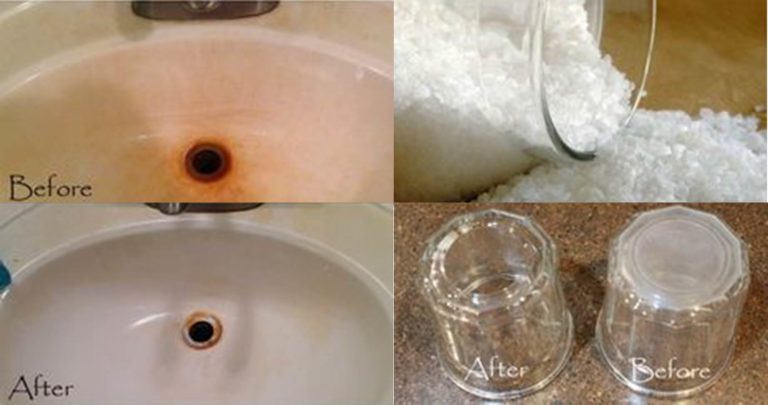
If you’ve got glass shower doors or tiles that show every hard water stain in your bathroom, then you understand the constant frustration of keeping everything looking clean. Hard water stains make things look dingy — even when they’re not. Stop scouring with harsh chemicals and attack hard water stains with eco-friendly Epsom salt that leave your shower sparkling. Think of it as an exfoliating scrub for your bath!

If you’ve got tile in your tub or glass shower doors that show each and every hard water stain, here’s a simple Epsom salt scrub that will make things sparkle.

What You Need To Make The Epsom Salt Scrub

How To Make The Epsom Salt Scrub

Put all of the ingredients together in a mixing bowl and blend them together well. Don’t use an electric mixer as you don’t want to break up the salt or baking soda granules, they assist with scouring.

To remove hard water stains, cover the stain in the mixture and then srub the stain gently with a soft scouring pad or a brush. Allow the salts to do the work, you don’t need to apply too much pressure to work the stain away. Within a few seconds you should already see a significant reduction in the size of the stain and it should be completely gone in a minute or so.

For harder stains, scrub for a few seconds and then allow the mixture to sit on the stain for two to five minutes before scrubbing again. This allows some time for the salts to work on the stain.

Do you have any tips and tricks for removing hard water stains around your kitchen and bathrooms? Let us know in the comments section below.

DIY Spa Night for Dry Skin, the Perfect Pamper Evening

0

Do you feel like you need to take an evening off to relax and rejuvenate your dry skin? Or treat your partner to a romantic evening by putting this spa evening together for her/him. This guide uses objects you find around the house to produce an at-home spa for another person. While most of the items you’ll need are commonly found around the home, we’ll provide a comprehensive list of items to prepare before you begin the spa experience.

Setting the Scene

setting the scene

Right before the spa, relax and prepare a relaxing environment.

  1. Invite your friend or partner to take a relaxing shower or wash his/her face, hands, and arms with warm water.
  2. Make sure there are no harsh or bright lights in the room. Light the room with a lamp or candles. Avoid overhead lights since your friend will spend time with his/her face towards the ceiling.
  3. Use a comfortable area. A reclining armchair is ideal, but a couch or a bed could work, too. Ensure that your friend is comfortable before beginning the spa treatment.
  4. Set the mood with comfortable audio. Play soft, calming music during the entirety of the spa. If the music’s audio is less than 30 minutes, then plan a playlist beforehand so DJ needs do not interrupt your work.

This will be a two-part spa. It will involve a facial and a foot treatment. The entire foot treatment could happen during step 11 of the facial. Read over all the instructions before beginning the spa treatment to make sure you have everything ready when it’s needed.

Spa Facial Ingredients

facial ingredients

[From left to right: toner, facial, and body scrub. Body scrub recipe and directions not included in this tutorial.]

You will need:

  • 1/2 ripe avocado
  • 1/4 cup of plain whole oats (not “quick oats”)
  • washcloth towel face cleanser (any kind; a bar soap or liquid cleanser is okay)
  • hot-to-boiling water
  • 1 tablespoon apple cider vinegar
  • cotton balls or pads (optional)
  • table or breakfast tray

How To Do The Facial

facial steps

At-home facials are quick, easy, and inexpensive. Natural foods are full of moisturizing properties to soothe your dry, tired skin. Avocados and oatmeal are popular bases for DIY facials for dry skin. This recipe combines the two for a simple, relaxing experience.

  1. Prepare the oatmeal. Put 1/4 cup of plain whole oats (any kind but quick oats) in a microwave-safe bowl. Add 1/2 cup of water. Microwave for 1 minute. The oatmeal should be soft and mushy; if it isn’t, cook it for 30 seconds and repeat until soft.
  2. Prepare the avocado by removing the skin and the pit. Set aside the half you don’t plan to use.
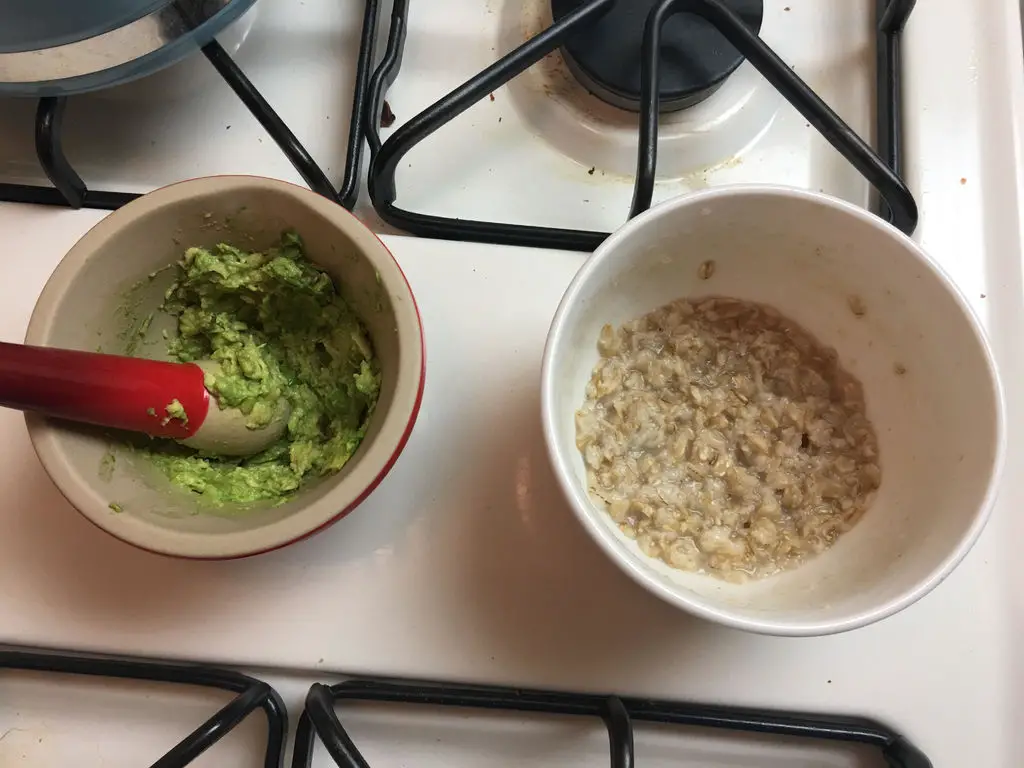
  3. Mash the avocado in a bowl until smooth. Add the oatmeal into the bowl and stir with a spoon until the mixture is an even texture.
  4. Boil about 8 cups of water in a large pot. This may take anywhere from 10 to 20 minutes depending on your stove.
  5. While the water is boiling, have your friend wash his/her face with warm water (NOT the boiling water) and a face cleanser.
  6. Pour the boiling water into a bowl. The bowl could be on a table and your friend could be on a chair at the table. Alternatively, if you have a breakfast tray, your friend could sit on a couch or a recliner and set the bowl of boiling water on the tray.
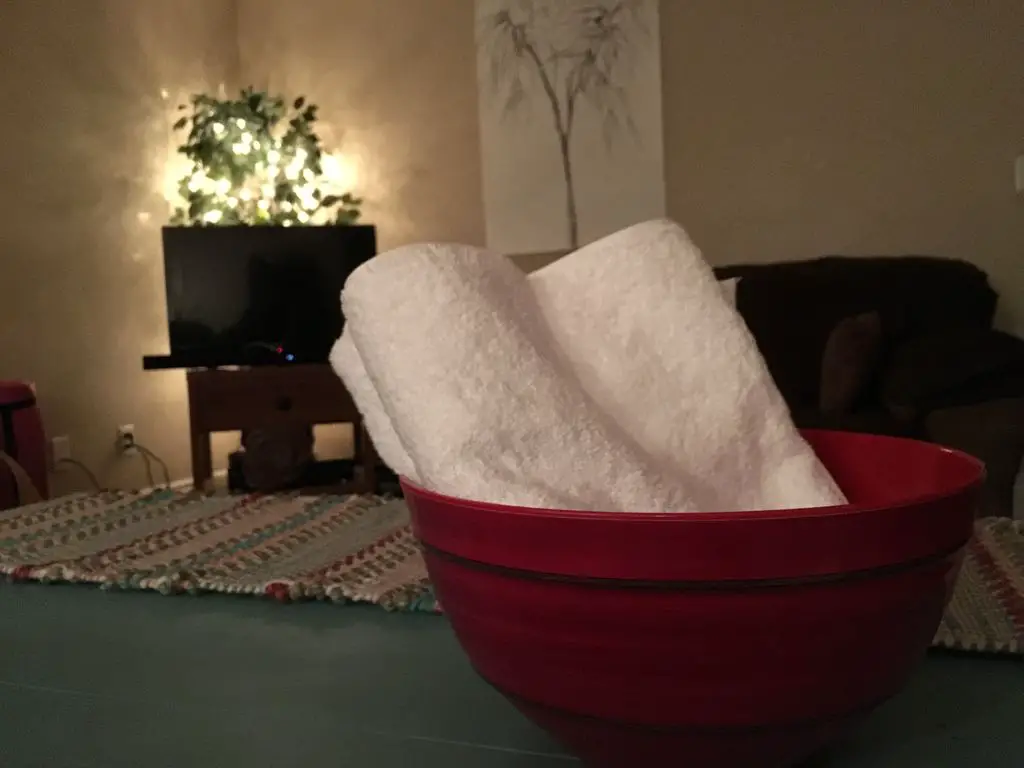
  7. Have your friend hover over the steaming bowl with a towel over his/her head. Drape the towel over the head like a tent, forming an enclosed shelter around the head and shoulders. He/she should breathe the steam in for 5 to 10 minutes, removing and replacing the towel for fresh air as needed.
  8. Have your friend lean back into a comfortable reclining position and set the bowl of hot water aside.
  9. Pat his/her face with the towel.
  10. Apply the facial. Spread the avocado-oatmeal mixture evenly all over your friend’s face, being careful to avoid the eyes. You may not use all of the facial; this is okay. Make sure that the skin is covered.
  11. Let the facial sit for 15 minutes or until it hardens. If it is still wet and goopy after 15 minutes, fan your friend’s face or invite your friend to pace the room to dry the facial.
  12. Wash the facial off your friend’s face with warm water and a washcloth (if he/she is more comfortable doing it alone, encourage him/her to use the washcloth). You will probably want to do this in a sink with a garbage disposal or a strainer.
  13. Have your friend rinse his/her face with warm water.
  14. While your friend is rinsing off, prepare the toner by mixing 1 tablespoon apple cider vinegar with 1 tablespoon water.
  15. Splash your friend’s face with cold water.
  16. Apply the toner over your friend’s face with small patting motions, avoiding the eyes. It will help if you use cotton pads or balls, but it isn’t necessary.
  17. Apply your usual facial cream or lotion quickly.

Spa Pedicure and Foot Treatment Ingredients

Prepare beforehand:

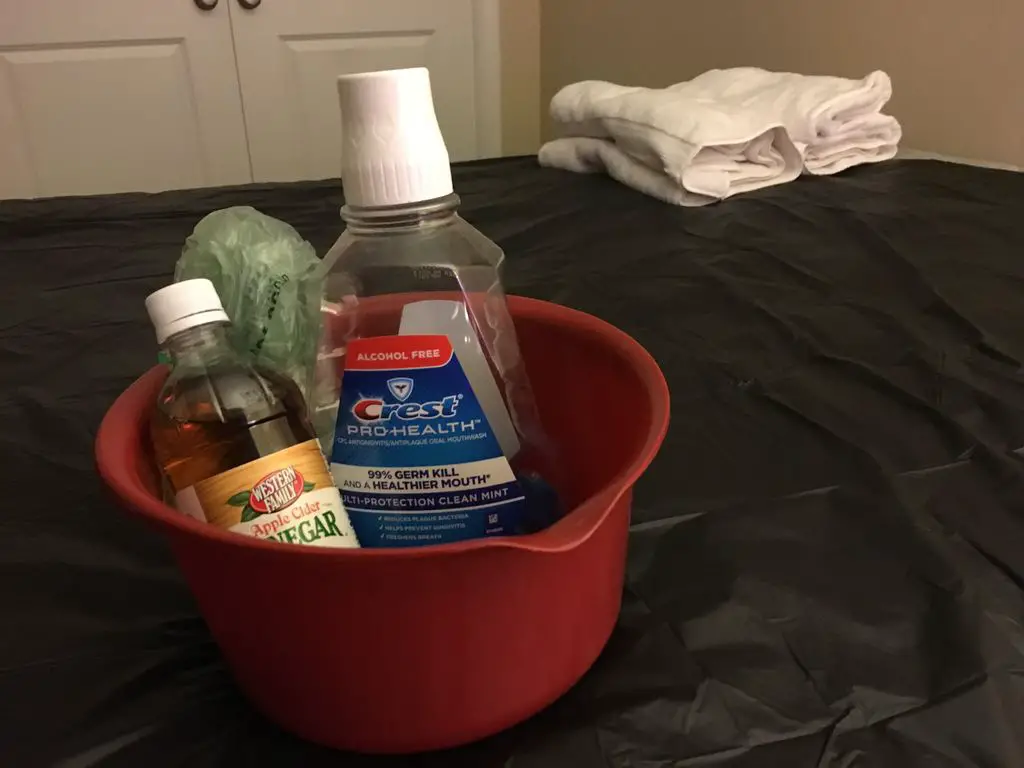
  • 1 cup of mouthwash
  • 1 cup of vinegar
  • 2 cups of warm water
  • Foot file or pumice stone
  • Dried herbs (optional; for scent only. Consider lavender, eucalyptus leaves, mint, or basil)
  • Towel
  • Nail clippers
  • Nail file
  • Lotion

How To Do The Pedicure & Foot Treatment

pedicure and foot treatement

(You could do this while the facial is sitting.)

  1. Combine mouthwash, vinegar, and water in a bowl large enough to fit your feet in. Sprinkle in dried herbs for a comforting scent.
  2. Let the feet soak for 10 minutes.
  3. Pat your friend’s feet dry.
  4. Scrub dry patches of feet with foot file or pumice stone over a towel. This will remove the dried skin that the food bath has loosened. Make sure you communicate with your friend to ensure that he/she is comfortable and the filing does not hurt.
  5. Clip your friend’s lunula (the white, crescent, excess part of the toenail) over the towel. File down any rough or jagged edges.
  6. Spread lotion across your friend’s feet and rub it in. Consider incorporating motions from this video on foot massages as you rub the lotion into the skin.

Your spa evening is now complete.

Do you have any other inclusions for your own home spa days? What are some of your homemade treatments? Let us know in the comments section below.

Share This Guide

DIY Spa Night for Dry Skin

This post is based on DIY Spa Night for Dry Skin by 410R MBS Group and has been used and modified under the Creative Commons license CC-BY-NC-SA.

How To Clean Your House In Under 2 Hours

Keeping your house clean may be a struggle. Here are some tips to help keep it manageable, you only need to run through this list once or twice a week to keep your house clean. Well most of the time at least! This list helps keep your cleaning manageable so it never feels overwhelming.

Let’s get started…

P.S. These London cleaners can clean your house even faster

Bedding & Laundry

If dong the laundry is going to form part of your cleaning tasks then you’ll want to get it started so that your washing machine can do the work while you’ll doing the cleaning. Go around the house and collect all of the bedding and dirty laundry, towels etc. Refresh your bed by sprinkling some essential oils and baking soda onto the mattress to freshen it up, leave it to absorb any dirt and moisture while you’re cleaning the rest of the house.

Take all of your collected laundry and stick it into the washing machine, check the time so you know when to switch loads or take the clean laundry out of the machine and put it into the dryer. While you’re busy with appliances, put all of the dirty dishes into the dishwasher and run it as well, you’ll now have your dishwasher and washing machine working for you while you clean the rest of the house. If you haven’t quite filled up a load of dishes, have a look at these other items which you can put into the dishwasher to clean.

Tidy Up And Dust

Now grab your empty laundry basket and move from room to room collecting anything that doesn’t below in that room and moving it to its correct place. Do this with a dusting cloth and some dusting spray, give all of the counters and surfaces a wipe down as you go through each room. Also tidy up as you go to make sure everything looks nice.

Clean The Bathrooms & Kitchen

Once you’re done tidying up, move onto the bathrooms. Grab a bucket with some warm soapy water and a cloth and start wiping down the walls, mirrors, cabinets and counters. Throw a fizz ball or some toilet cleaner into the toilet, when you start cleaning the bathroom and it’ll be done working when you’re finished. If you’ve got a spare set of towels, hang these up now so that you can simply pack the cleaned ones away when the laundry is complete.

clean bathrooms and kitchen
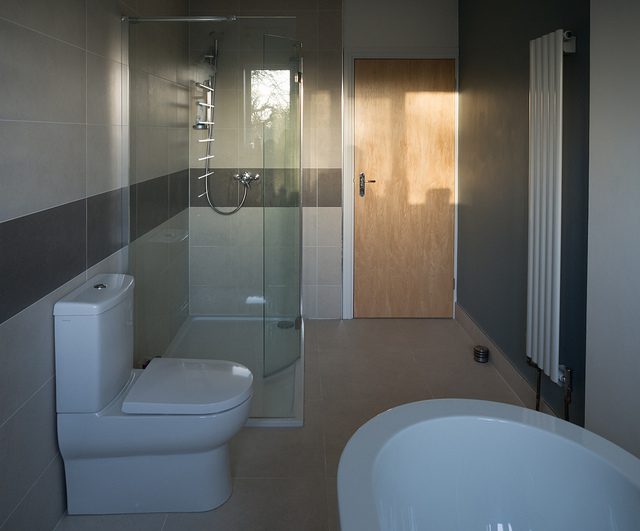
Bathroom by Brett Jordan

Move on to the kitchen when you’re done with the bathrooms, clean all of the counters, cabinets, surfaces and the sink. Wipe the front and sides of your appliances and tidy up anything which is out of place.

Sweep & Mop The Floors

Sweep the dirt on the floors into neat piles which can be vacuumed up in the next step. You can also sweep the dirt onto a carpet in each room, it’ll be vacuumed up soon. Now take a floor cleaner or mop and mop the floors to remove and dirty patches.

Vacuum The Carpets

Get the vacuum cleaner out and vacuum the carpets, also remember to collect the dirt piles you made when you were sweeping. If you’ve sprinkled baking soda and essential oils onto your mattresses, vacuum that up while you’re in each room.

Finish Off Your Cleaning

All that’s left to do now is to grab the laundry out the dryer, fold it and put it away. Make any beds which you took the linen off of and replace any towels you removed from the bathrooms. Finally, unload the dishwasher, pack all the dishes away and you’re done.

What are some of the things you do to keep your home clean? Do you have a cleaning routine? Let us know in the comments section below.

Cover Image: new pillows and rug by tifotter. All images in this post are used under CC BY 2.0.

40 Frugal Tips To Save Money On Living Expenses

Think how much money you would save if you packed your own lunch and made your own coffee to go this week? What is you car pooled as well? One of these tips may save you $5, two or three may save you up to $100 a week and soon you’ll be well on your way to paying off your debts or going on a family vacation. Here are 40 ways you can save money on your living expenses.

  1. Use the cash only envelope system
  2. Ride your bike, walk or use public transport
  3. Do your own repairs
  4. Sell stuff you don’t use
  5. Don’t buy stuff to impress people
  6. Cut up old shirts and use them for cleaning rags
  7. Purchased used, vintage furniture instead of new furniture
  8. Compost your food waste
  9. Shop local
  10. Use coupons when you grocery shop
  11. Install low flow toilets and shower heads
  12. Buy energy efficient appliances
  13. DIY your gifts
  14. Plan staycation holidays
  15. Plan your errand to save time and gas
  16. Buy cheaper cuts of meat or opt for meatless meals
  17. Freeze your leftover vegetables to use in soups and bone broths
  18. Eat more beans and rice dishes
  19. Cut down on the electronic use, unplug and enjoy family time
  20. Drink more water and less pop and juice
  21. Run your washing machine and dishwasher only when full
  22. Run your washing machine on the cold water cycle
  23. Turn off lights that aren’t being used
  24. Cancel your landline telephone
  25. Fix leaky faucets
  26. Ditch your single use paper and plastic items
  27. Save your coins in a jar
  28. Stop using the pay as you go apps on your phones
  29. Unplug appliances that aren’t being used
  30. Turn the heat down and save on electricity
  31. Buy bulk, divide and freeze
  32. Cook from scratch
  33. Pack a bag lunch
  34. Plan an eat what you have meal plan for the week
  35. Ensure your furnace and hot water tank are maintained
  36. Weatherstrip the windows and doors
  37. Learn to say no
  38. Only fill the bath 1/2 full for bathtime
  39. Learn to use household tools
  40. Replace all your light bulbs with LED bulbs

Do you have any other tips for saving money on living expenses? Let us know in the comments section below.

Arduino Parking Assistant, Perfect For A Small Garage

Those of us who have small garages know the frustration of parking a little bit too far in or a little too far out and not being able to walk around the vehicle. We recently bought a larger vehicle, and it has to be parked perfectly in the garage to walk around the front and back. So here is an Arduino based parking assistant to help you park in exactly the same spot every time.

This project assumes you know the basics of Arduino programming, otherwise read our article on getting started with Arduino.

What You Will Need To Build An Arduino Parking Assistant

Materials:

  • 1x 2×4 – at least 8″ long – Buy Here
  • 8x Philips Screws – Preferably 1″ Long – Buy Here
  • 1x Power Supply – 5 volt, 850mA – Buy Here
  • 1x Arduino Pro Mini – 5 volt, 16MHz – Buy Here
  • 1x HC-SR04 Ultrasonic Distance Sensor – Buy Here
  • 12x 220 ohm, 1/4 watt Resistors – Buy Here
  • 8x Green LEDs – 5mm – Buy Here
  • 4x Red LEDs – 5mm – Buy Here
  • 1x Tactile Pushbutton – 6mm – Buy Here
  • 3x Four Conductor Wire Sold by the Foot – 22 gauge – Buy Here

Tools:

  • Wire Stripper
  • Bandsaw
  • Soldering Iron
  • Solder – I use 60/40 Rosin Core
  • Hot Glue Gun
  • Speed Square
  • Stick Glue
  • Philips Screwdriver
  • Pencil
  • Drill
  • 7/64″ Drill Bit – this depends on the size of your screws
  • 3/16″ Drill Bit
  • 1/4″ Drill Bit
  • 1″ Forstner Bit
  • Computer with the Arduino IDE
  • FTDI Programmer

How To Make Your Arduino Parking Assistant

Make The LED Display Box
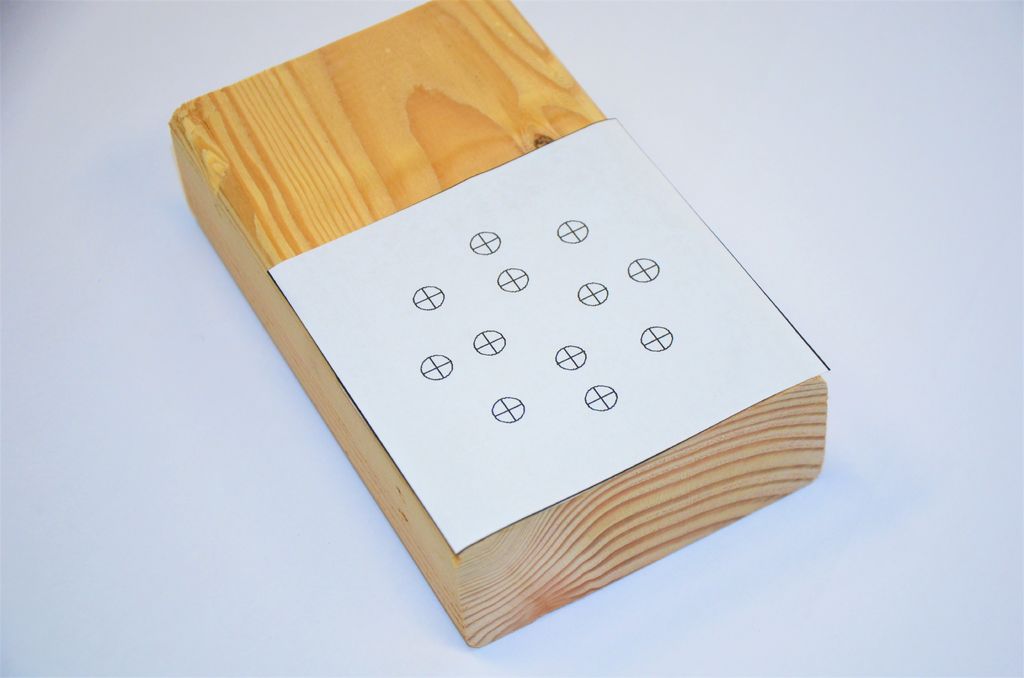
led template to create led display box

The first step in this project is to make the enclosure. Print the PDF Pattern included below. Be sure you’re set to print at 100% scale. Now cut out the pattern and glue it to the 2×4. Be careful to line it up with the edges. It’s only temporary, so only glue it lightly.

LED Pattern.
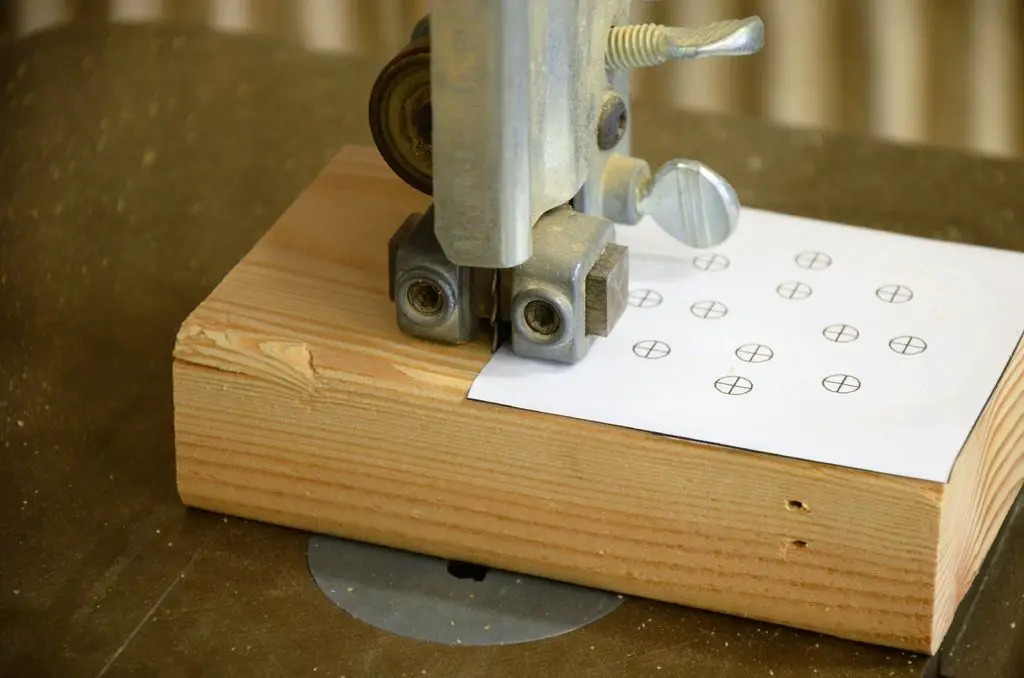
cut the block with a band saw

Use your bandsaw to cut the 2×4 along the edge of the pattern. You could also use a chop saw or table saw.
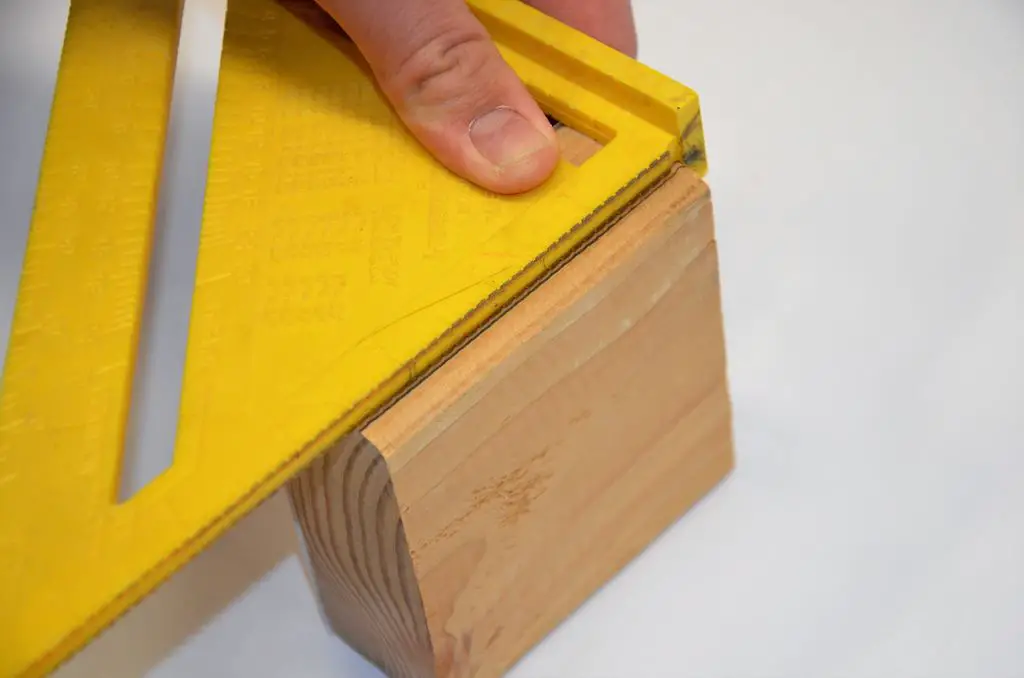
cut the lid for the box

Now we need to turn this thing from a 2×4 into a box! Use your speed square to mark a line lengthwise on the side of the 2×4 about a quarter of an inch from the back of the box.

Go back to the bandsaw and cut directly on the line. This will cut a separate piece that will become our lid. You’ll be cutting close to your fingers; Please be careful!
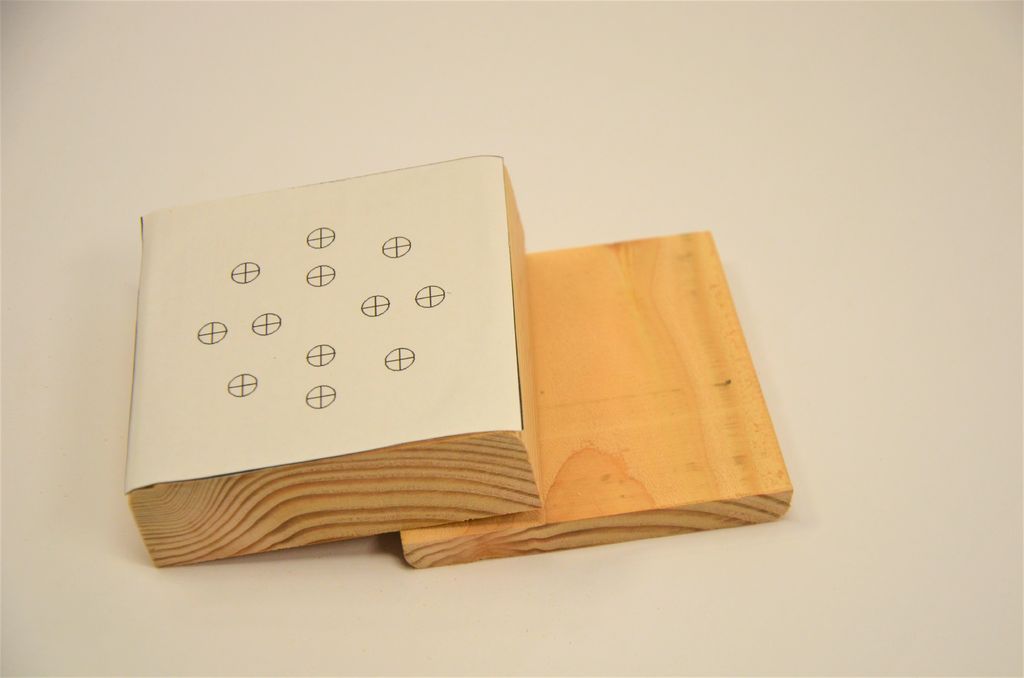
the box lid cut off

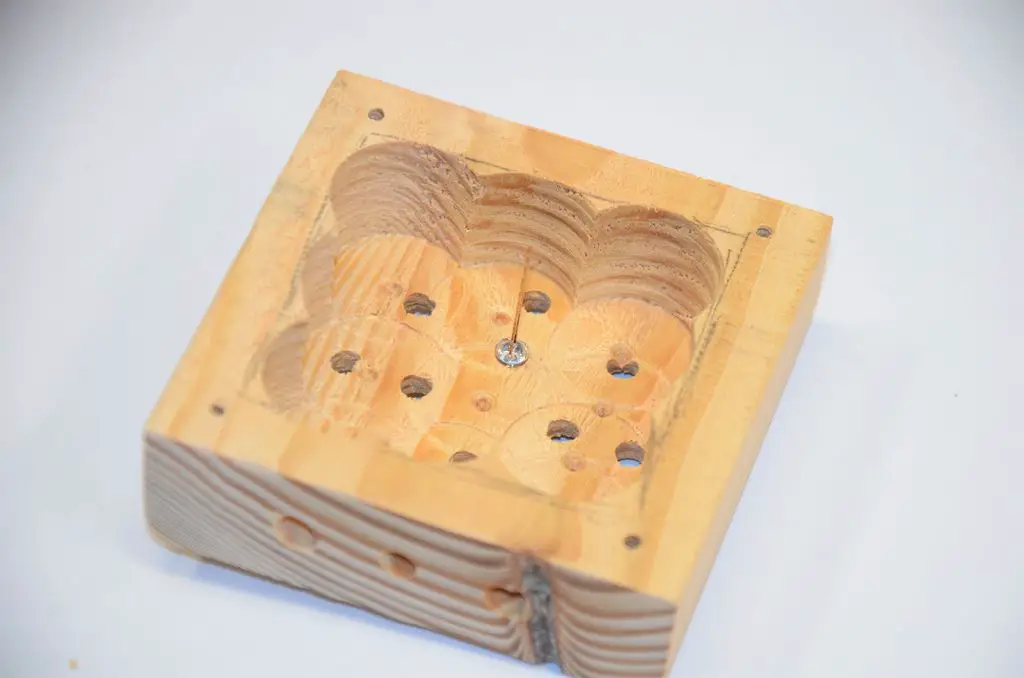
Using your pencil, mark a rough square on the back of the larger block about a half inch from all the edges.
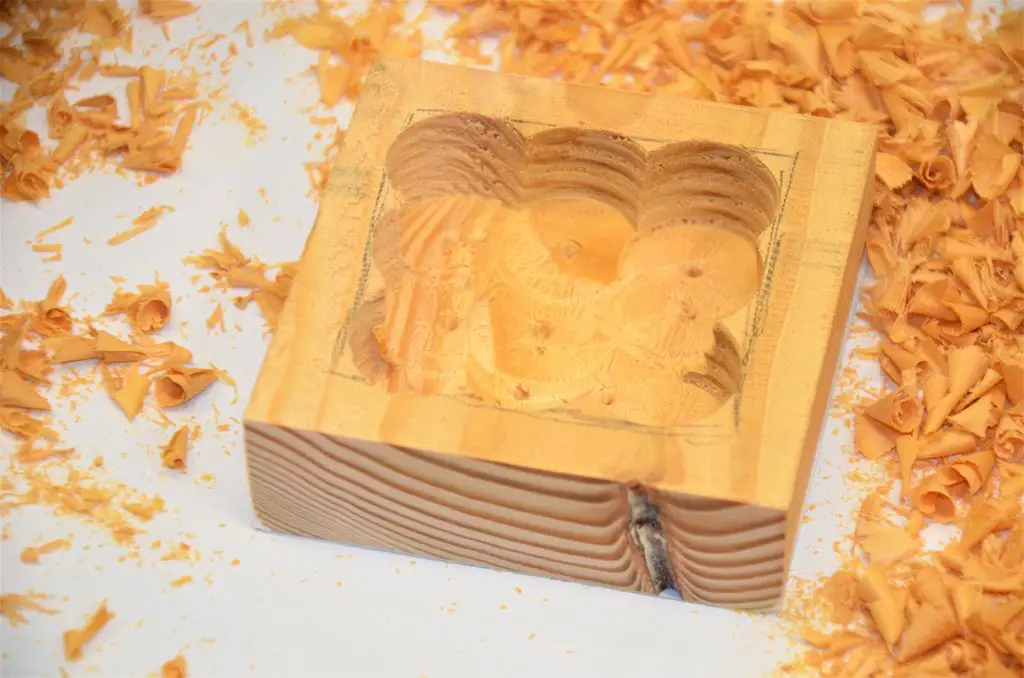
bore out the box

Now use your 1-inch to drill bore out the rectangle. You need to drill as deep as possible without coming through the front. Don’t drill too deep!
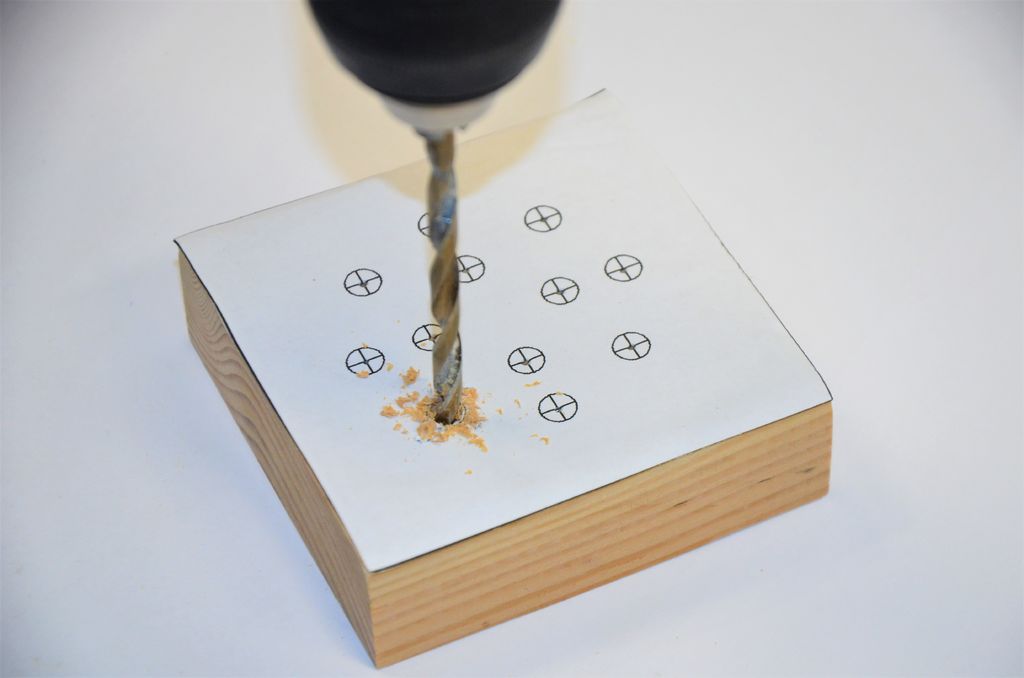
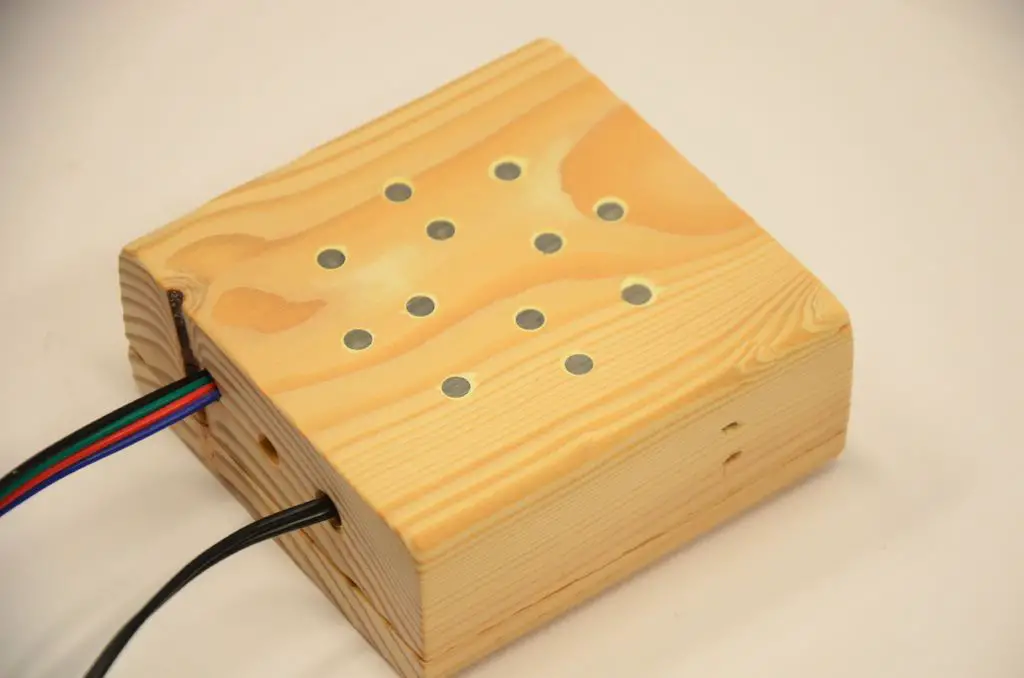
drill holes for the LEDs

Chock up your 3/16 inch drill bit and carefully drill each of the holes marked on the front of the pattern. I found it works best if you make a small indention with an awl before you drill.

Next drill a 3/16 inch hole roughly in the center of the bottom. This will be the hole for your calibration button.

Now use your 1/4 inch drill bit to drill two more holes in the bottom. These will be the holes for the wires.
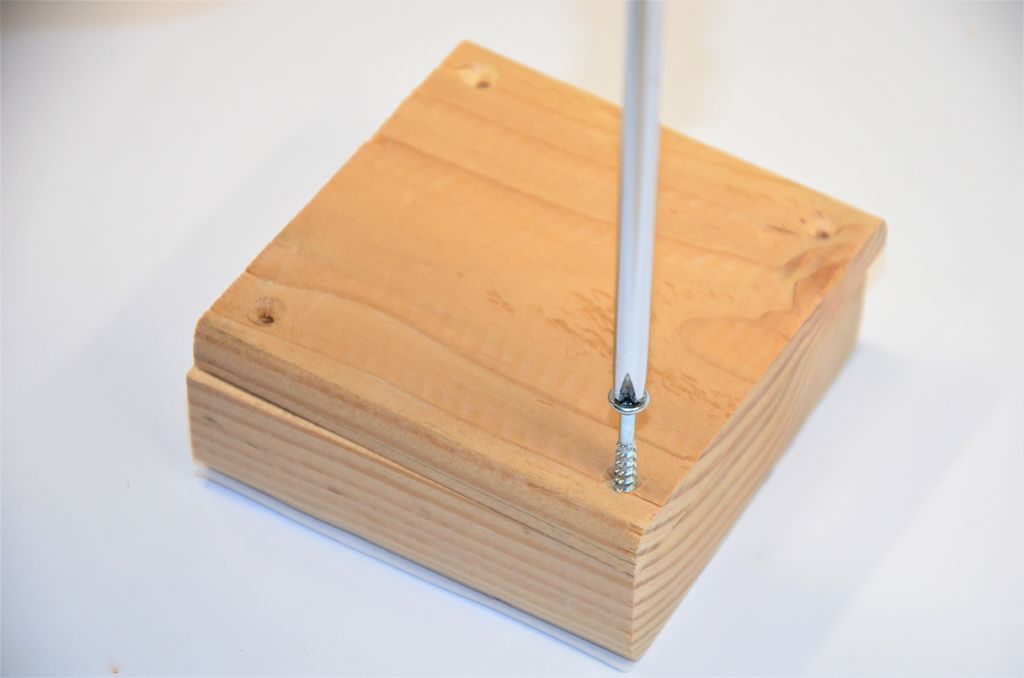
add screws for the box lid

Now you’re done using the pattern. Peel it off as cleanly as possible.

Take the lid and lay it on the bottom. Turn it around if you have to, you need it in the original orientation.

Next use the 7/64 drill bit to drill a hole about a quarter of an inch from each corner. Drill about a quarter of an inch deep; don’t drill through the front!

Use the screwdriver and screws to fasten the lid.

You don’t have to, but it makes the box look a whole lot better if you give it a good, through sanding.

Add Electronics To The LED Display Box

The LEDs should be arranged in two rings; a large green ring on the outside with a smaller red ring inside that.
add the leds to the display box

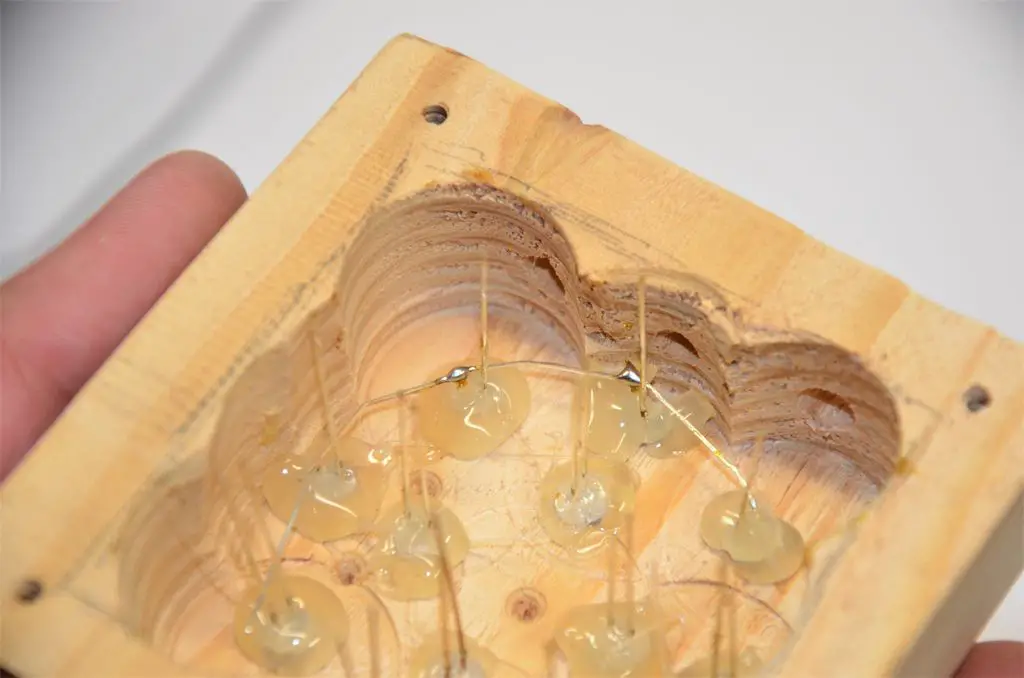
Take a LED and stick it in a hole. Align it so the cathode (shorter lead) is toward the outside. Then put a little hot glue around it!

Repeat this process until all the LEDs are in their holes. Be careful to put the right color in the right hole!
sand the LEDs flush with the box

For a more seamless look, sand the LEDs flush with the wood. It works best to sand before the wires are in.
solder the leds together

Bend the shorter lead on a LED and touch it to the short leg on the next LED. Solder these two together and continue around the circle. A needle-nose pliers is a big help!
solder resistors the the leds

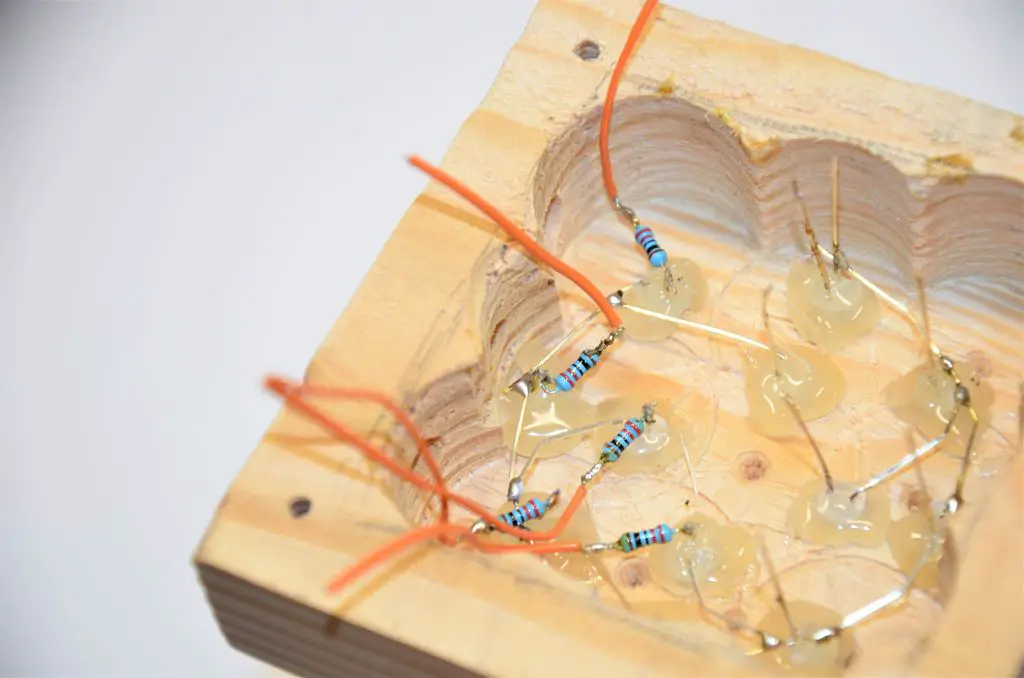
Cut a short length of wire, about two inches long, and strip it! Twist it around a leg of a resistor, it doesn’t matter which end. Use your soldering iron to make the connection permanent! Do this for all your resistors.

Next, grab a resistor-wire pair and carefully solder the free end of it to a LED. Be sure not to let the leads touch any other wires! Do this for each LED, and double-check for shorts.

Finally, solder a short length of wire to the leg that was left when you soldered the grounds.
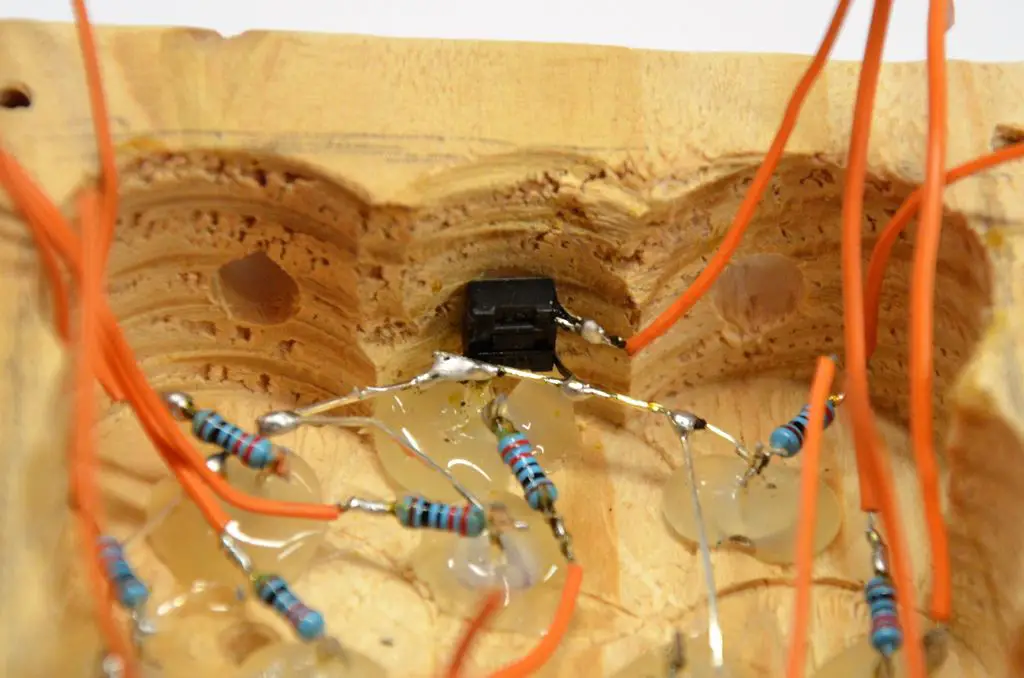
solder and install the button

Cut and strip another short length of wire, and solder it to one of the button’s leads. Then clip all the button’s legs off except the one adjacent from your solder joint.

Place the button in the box so you can push it from the outside through the hole. Solder the free lead of the button to the ground connections of the LEDs.

Finally, drizzle a bit of hot glue over the button to keep it in place!

Install And Solder The Arduino

The circuit diagram for the Arduino is shown below.
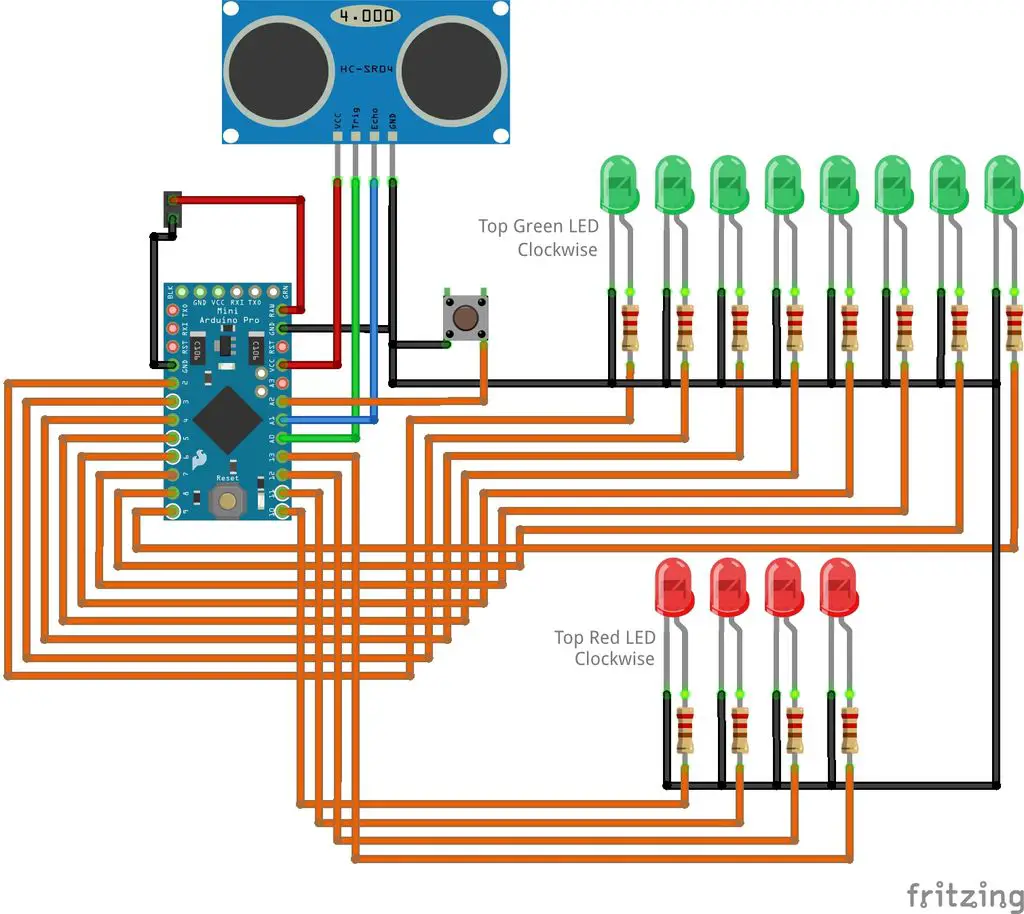
arduino parking assistant circuit

Solder the pin-headers to the programming port of the Arduino. Then push the two wires (from the power supply and the one for the sensor) through their holes and use a bit of hot glue to keep them from falling out.
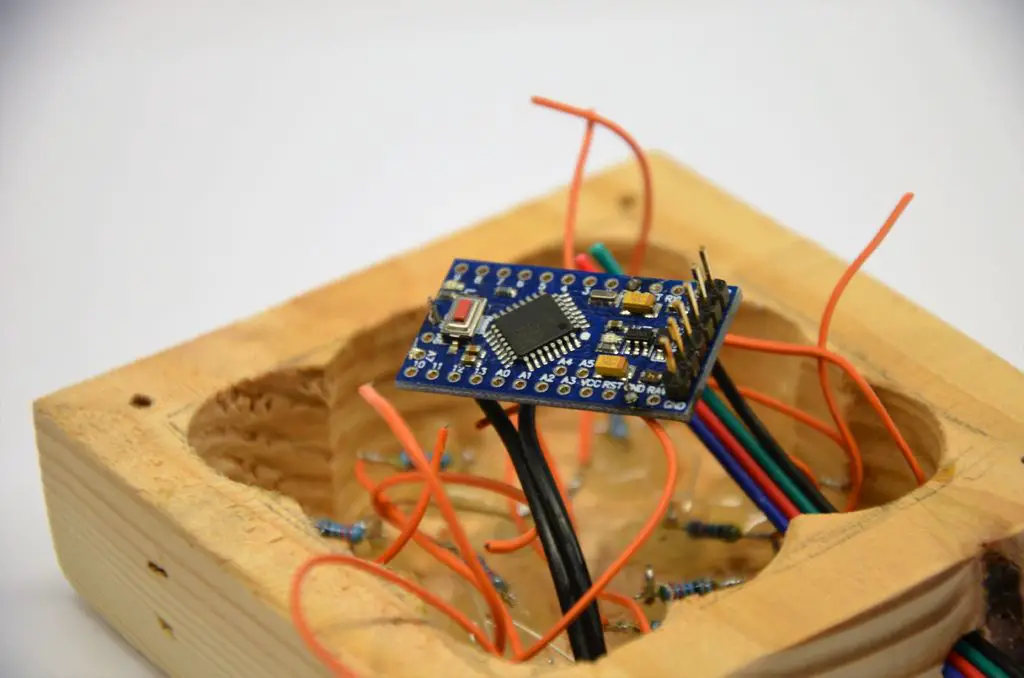
arduino soldered to the electronics

Strip the wires from the LEDs and button and solder them to the Arduino according to the wiring circuit diagram above.

Create The Parking Sensor Enclosure
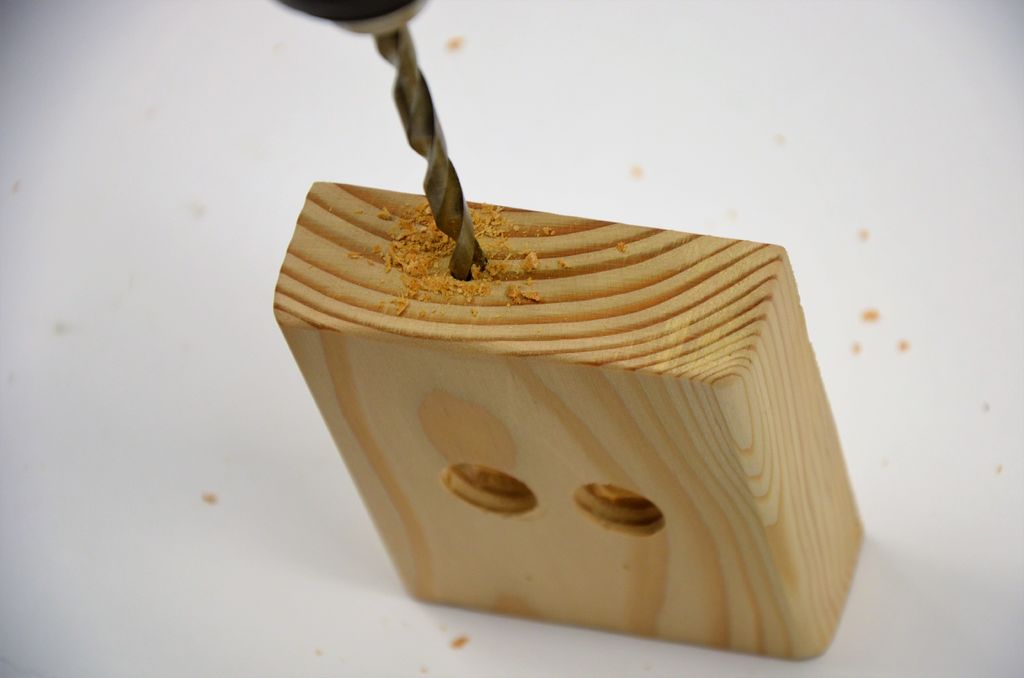
create the sensor enclosure

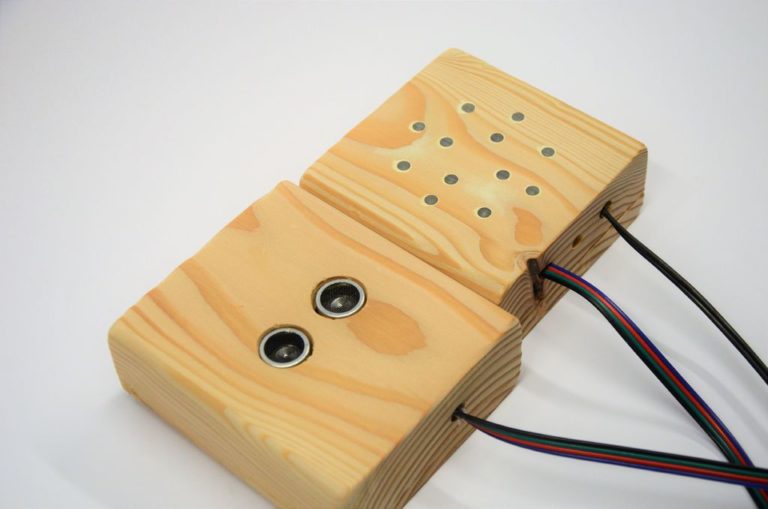
The sensor enclosure is made in the same way as the LED display enclosure. This time, instead of making holes for the LEDs, make holes for the ultrasonic sensors as per the template below.

Sensor Enclosure.
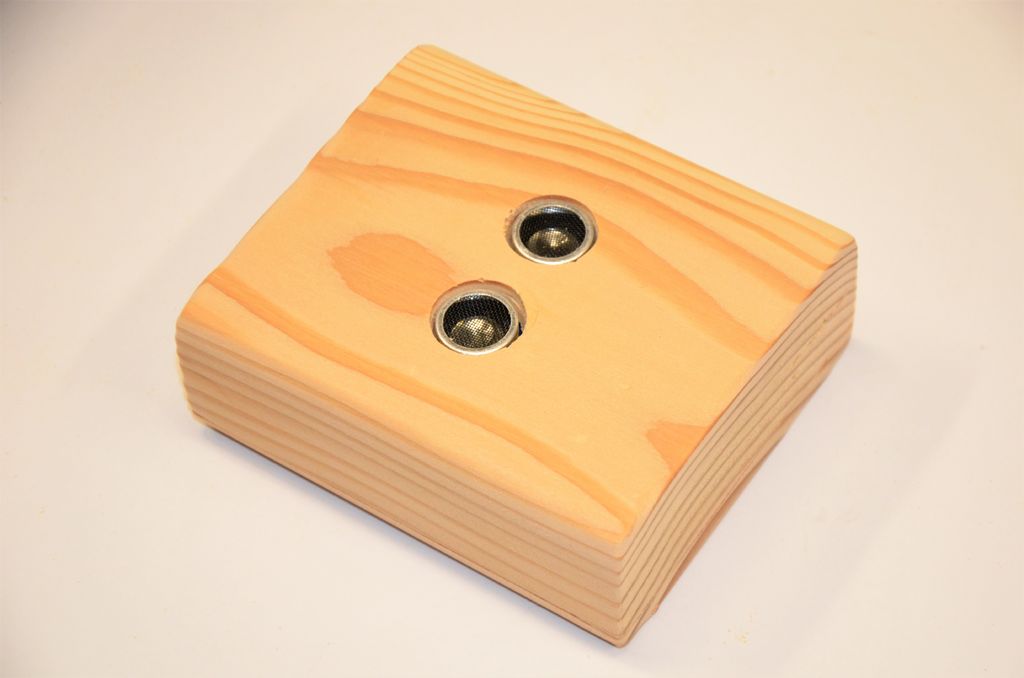
ultrasonic sensors in enclosure

Connect The Parking Sensor Box To The Display Box
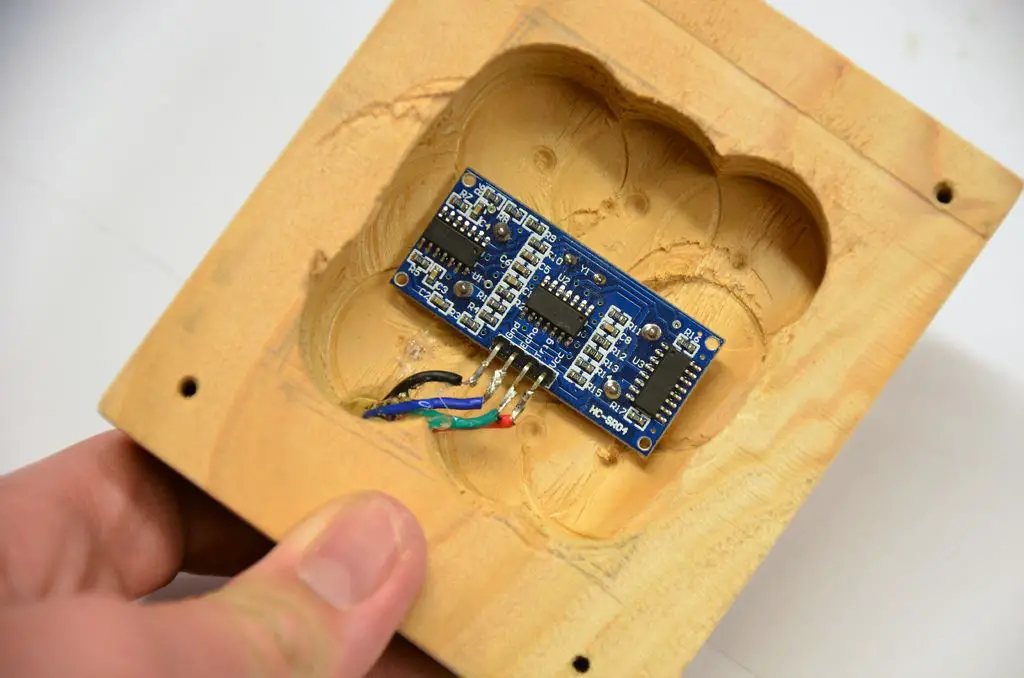
solder the sensor wires

Push the free end of the sensor wire through the hole in the box, then strip it and solder it to the sensor module as in the picture.

  • Black goes to GND
  • Blue goes to ECHO
  • Green goes to TRIG
  • Red goes to VCC

Use a bit of hot glue to secure the sensor in the case, then use another dab as stress relief for the cable. Screw the lid on, and you’re done!

Upload The Sketch

The Arduino is programmed using the FTDI Programmer which is connected to the Arduino using the jumpers and pins on the back. Once the programmer is connected to the Arduino, you can upload your sketch, if you haven’t uploaded a sketch before then follow this guide on getting started.
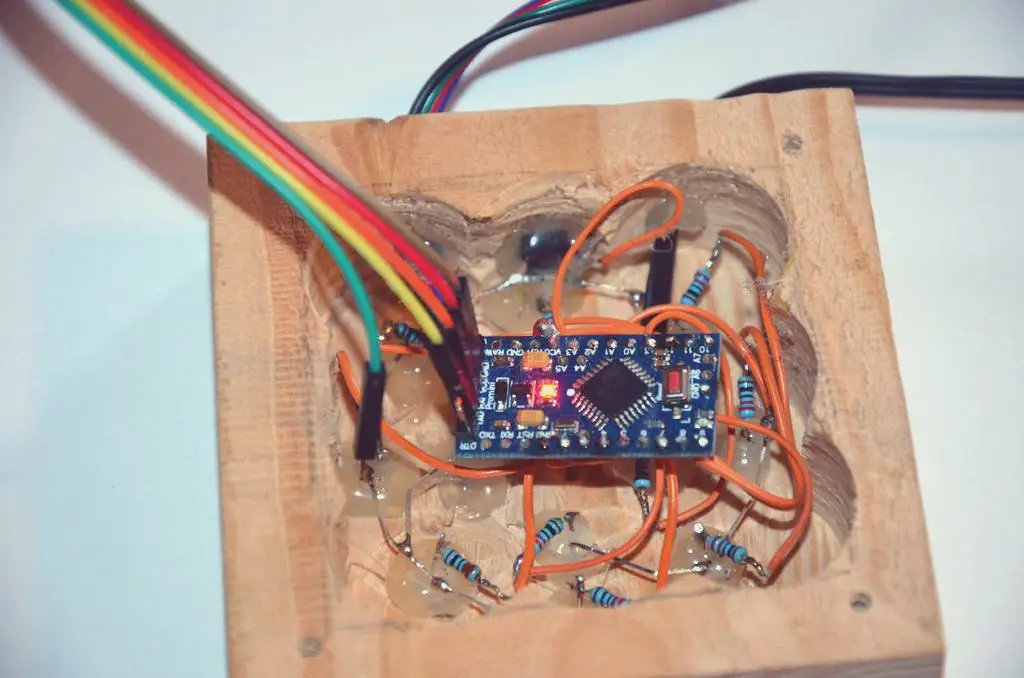
connections for programming the arduino

In order to read the sensor, we need the NewPing library. You can download it here, In the Arduino IDE, click on Sketch > Include Library > Add Zip Library… and point it the ‘NewPing.zip’ folder.
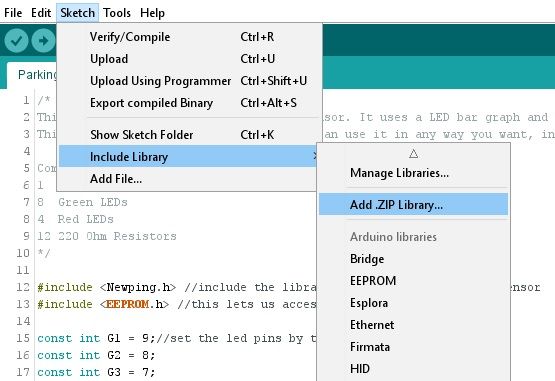
include the ping sensor library

Open the sketch in the Arduino IDE and upload it to the Arduino.

#include <NewPing.h> //include the library for the sonar distance sensor
#include <EEPROM.h> //this lets us access the memory

const int G1 = 9;//set the led pins by the color
const int G2 = 8;
const int G3 = 7;
const int G4 = 6;
const int G5 = 5;
const int G6 = 4;
const int G7 = 3;
const int G8 = 2;
const int R1 = 13;
const int R2 = 12;
const int R3 = 11;
const int R4 = 10;
const int trigPin = A0; //set the distance sensor trigger pin to A0
const int echoPin = A1; //the sonar echo pin
const int buttonPin = A2; //the button

NewPing sonar(trigPin, echoPin, 300); //start the distance sensor

const int minDeviation = 5; //the number of inches of movement required to count as moving
const int timeout = 10; //the number of seconds to keep the leds on after movement stops
const int ledDistance = 6; //the distance in inches each led covers

int idealDistance = 5; //this is the perfect distance to the car read from the memory
int rawSonar; //this is the raw data from the distance sensor
int distance; //the distance to the vehicle
int prevDistance = 0; //the previous distance to the vehicle
unsigned long lastMoved = 0; //the millis reading of the last movement


void setup() { //this runs once at startup
	pinMode(G1, OUTPUT); //set the leds to output
	pinMode(G2, OUTPUT);
	pinMode(G3, OUTPUT);
	pinMode(G4, OUTPUT);
	pinMode(G5, OUTPUT);
	pinMode(G6, OUTPUT);
	pinMode(G7, OUTPUT);
	pinMode(G8, OUTPUT);
	pinMode(R1, OUTPUT);
	pinMode(R2, OUTPUT);
	pinMode(R3, OUTPUT);
	pinMode(R4, OUTPUT);

	pinMode(buttonPin, INPUT_PULLUP); //set button as input with internal pull-up resitors

	if (EEPROM.read(0) != 255) { //read the memory, it will read 255 if it's never been written to
		idealDistance = EEPROM.read(0); //set the idealDistance from the memory
	}

	Serial.begin(9600);
}

void loop() { //this runs over and over again
	delay(100); //wait 100 ms to get accurate readings


	rawSonar = sonar.ping_median(5); //get 5 readings and average them
	if (rawSonar != 0) { //the distance sensor sends a 0 when nothing is in range
		distance = rawSonar / US_ROUNDTRIP_IN; //convert the raw data the inches
		distance -= idealDistance; //subtract the ideal distance from the reading, giving us the distance to go
	}
	else {//if the car isn't in range
		setLEDs(0, 0, 0, 0, 0, 0, 0, 0, 0, 0, 0, 0); //turn the LEDs off
	}


	if (abs(distance - prevDistance) >= minDeviation) { //if the car has moved since last read
		lastMoved = 0; //reset the sleep timer

		prevDistance = distance; //reset the distance last read

		if (distance < ledDistance * 9 && distance >= ledDistance * 8) { //if it's in the 1st led's range
			setLEDs(1, 0, 0, 0, 0, 0, 0, 0, 0, 0, 0, 0);
		}
		else if (distance < ledDistance * 8 && distance >= ledDistance * 7) { //if in range of the 2nd led
			setLEDs(1, 1, 0, 0, 0, 0, 0, 0, 0, 0, 0, 0);
		}
		else if (distance < ledDistance * 7 && distance >= ledDistance * 6) { //if in range of the 3rd led
			setLEDs(1, 1, 1, 0, 0, 0, 0, 0, 0, 0, 0, 0);
		}
		else if (distance < ledDistance * 6 && distance >= ledDistance * 5) { //if in range of the 4th led
			setLEDs(1, 1, 1, 1, 0, 0, 0, 0, 0, 0, 0, 0);
		}
		else if (distance < ledDistance * 5 && distance >= ledDistance * 4) { //if in the 5th led
			setLEDs(1, 1, 1, 1, 1, 0, 0, 0, 0, 0, 0, 0);
		}
		else if (distance < ledDistance * 4 && distance >= ledDistance * 3) { //if in range of the 6th led
			setLEDs(1, 1, 1, 1, 1, 1, 0, 0, 0, 0, 0, 0);
		}
		else if (distance < ledDistance * 3 && distance >= ledDistance * 2) { //if in range of the 7th led
			setLEDs(1, 1, 1, 1, 1, 1, 1, 0, 0, 0, 0, 0);
		}
		else if (distance < ledDistance * 2 && distance >= ledDistance) { //if in range of the 8th led
			setLEDs(1, 1, 1, 1, 1, 1, 1, 1, 0, 0, 0, 0);
		}
		else if (distance <= idealDistance) { //if in the stop position
			setLEDs(0, 0, 0, 0, 0, 0, 0, 0, 1, 1, 1, 1);
		}
	}
	else { //if the car isn't moving
		if (lastMoved == 0) { //if the timer hasn't been started
			lastMoved = millis(); //set the timer
		}

		if (lastMoved != 0 && millis() - lastMoved >= timeout * 1000) { //if the timer is set and past the timeout
			setLEDs(0, 0, 0, 0, 0, 0, 0, 0, 0, 0, 0, 0); //turn off the leds
			lastMoved = 0; //turn off the timer
		}
	}

	//this checks the button
	if (digitalRead(buttonPin) == LOW) { //if the button is being pressed
		rawSonar = sonar.ping_median(30); //get 30 readings and average them

		if (rawSonar != 0) { //the distance sensor sends a 0 when nothing is in range
			distance = rawSonar / US_ROUNDTRIP_IN; //convert the raw data the inches

			EEPROM.write(0, distance); //write the distance to the memory
			idealDistance = distance; //set the idealDistance

			flashGreen(); //show success
		}
		else { //if out of range
			flashRed(); //show error
		}
	}
}


void flashGreen() { //this flashes the green LEDs to show success
	setLEDs(0, 0, 0, 0, 0, 0, 0, 0, 0, 0, 0, 0); //clear the leds
	setLEDs(1, 1, 1, 1, 1, 1, 1, 1, 0, 0, 0, 0); //turn the green leds on
	delay(500); //wait
	setLEDs(0, 0, 0, 0, 0, 0, 0, 0, 0, 0, 0, 0); //turn all the leds off
	delay(500); //wait
	setLEDs(1, 1, 1, 1, 1, 1, 1, 1, 0, 0, 0, 0); //turn the green leds on
	delay(500); //wait
	setLEDs(0, 0, 0, 0, 0, 0, 0, 0, 0, 0, 0, 0); //turn the green leds off
}

void flashRed() { //this flashes the red LEDs to show success
	setLEDs(0, 0, 0, 0, 0, 0, 0, 0, 0, 0, 0, 0); //clear the leds
	setLEDs(0, 0, 0, 0, 0, 0, 0, 0, 1, 1, 1, 1); //turn the red leds on
	delay(500); //wait
	setLEDs(0, 0, 0, 0, 0, 0, 0, 0, 0, 0, 0, 0); //turn all the leds off
	delay(500); //wait
	setLEDs(0, 0, 0, 0, 0, 0, 0, 0, 1, 1, 1, 1); //turn the red leds on
	delay(500); //wait
	setLEDs(0, 0, 0, 0, 0, 0, 0, 0, 0, 0, 0, 0); //turn all the leds off
}


//this function simply sets the leds to the parameters you send it
void setLEDs(int led1, int led2, int led3, int led4, int led5, int led6, int led7, int led8, int led9, int led10, int led11, int led12) {
	digitalWrite(G1, led1);
	digitalWrite(G2, led2);
	digitalWrite(G3, led3);
	digitalWrite(G4, led4);
	digitalWrite(G5, led5);
	digitalWrite(G6, led6);
	digitalWrite(G7, led7);
	digitalWrite(G8, led8);
	digitalWrite(R1, led9);
	digitalWrite(R2, led10);
	digitalWrite(R3, led11);
	digitalWrite(R4, led12);
}

Download The Sketch – ParkingSystem

Screw on the lid, and your parking assistant is ready to be installed.

Using the Arduino Parking Assistant

Mount The Parking Sensor And Display

Mount the sensor on your garage wall where it can sense a flat surface on your car’s bumper, not the grill! Mount the control box higher up where it’s visible from inside the vehicle.

Calibrating The Parking Sensor

Park your car in the best position, and use a long object like a pencil to push the button on the bottom. This will calibrate it. Be sure you’re not standing in front of the sensor!

When you drive into your garage, slowly approach the parking assistant; the green LEDs show your distance to the ideal parking spot, red shows you when to stop to park in the perfect position!
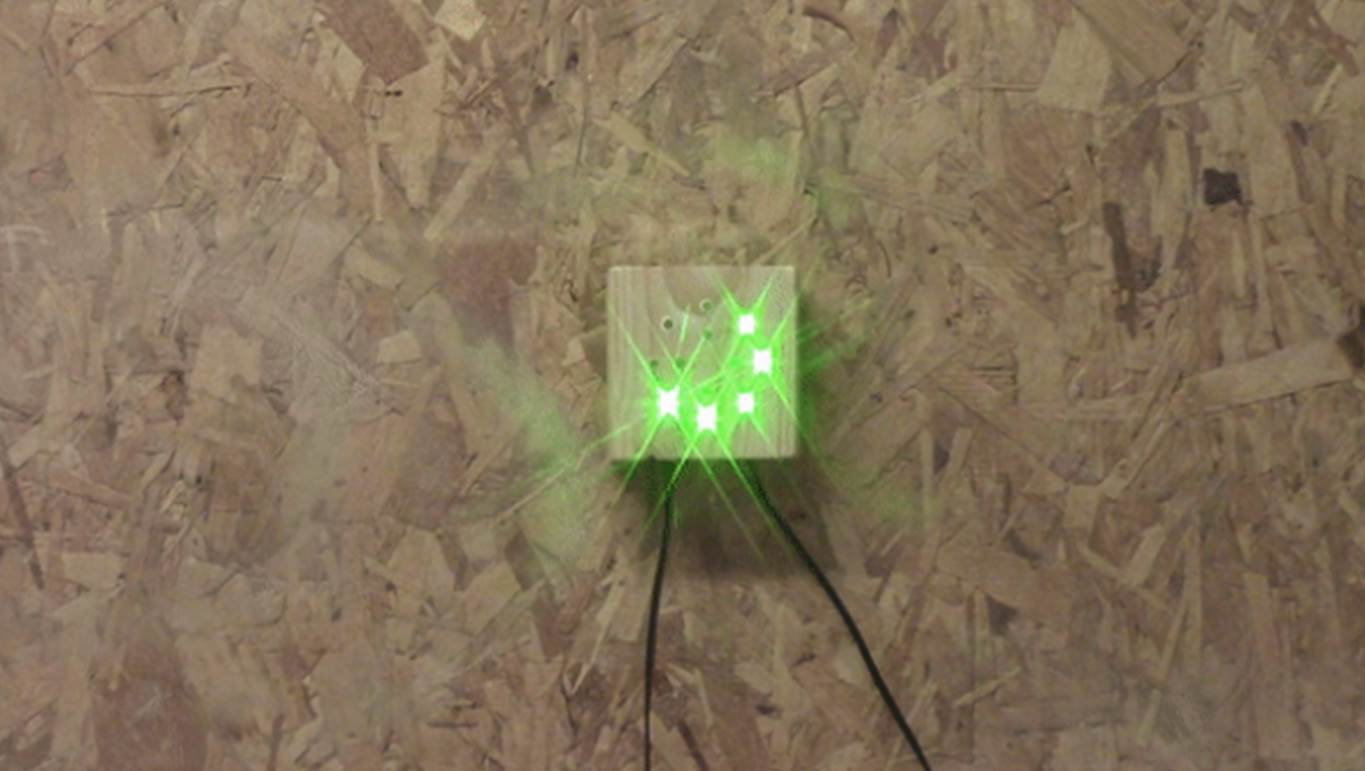
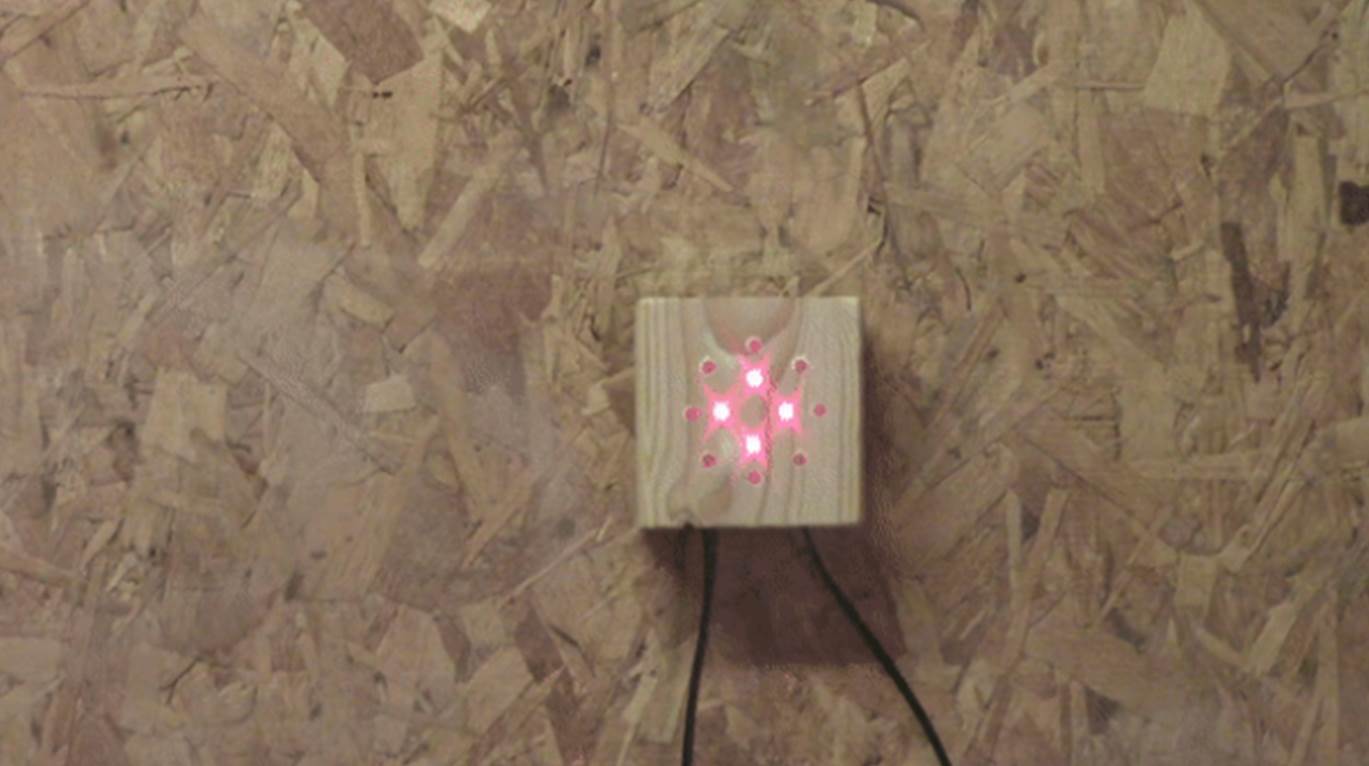
parking assistant in operation

parking assistant stopped

Have you built your own Arduino based parking assistant? Let us know in the comments section below.

This post is based upon Arduino Parking Assistant by addictedToArduino and is used and modified under the Creative Commons license CC-BY-NC-SA.

10 Easy DIY Upgrades To Do This Weekend To Increase Your Home’s Value

Going through a full home renovation is expensive, time consuming and often leaves you living with family or friends for a week or two. Skip the frustration and give your home an update without spending loads of money with these 10 easy upgrades which can easily be completed in a day or two.

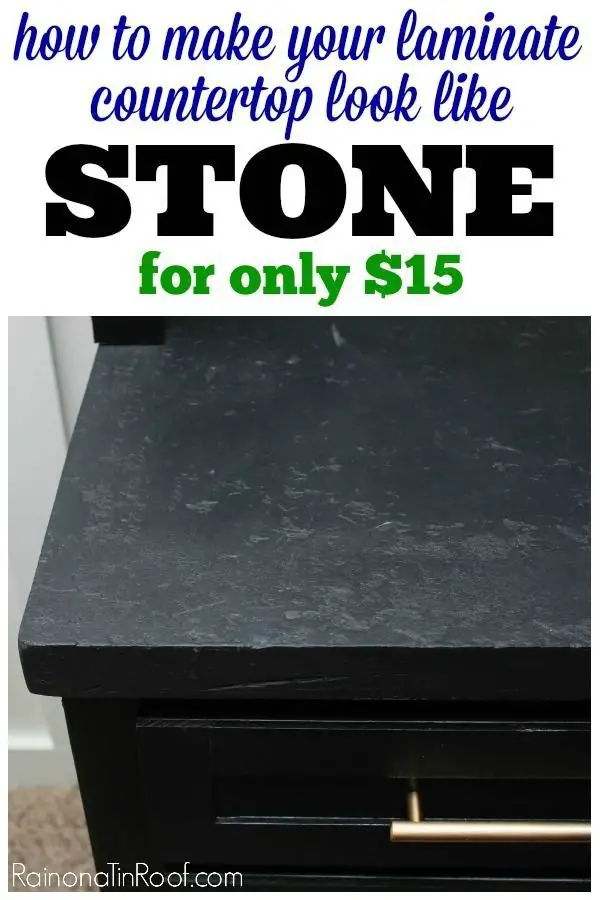
Make Your Laminate Counter Tops Look Like Stone

make your laminate countertop look like stone
From: rainonatinroof.com

With a bit of work and a coat of paint you can make your old laminate counter tops look like stone.

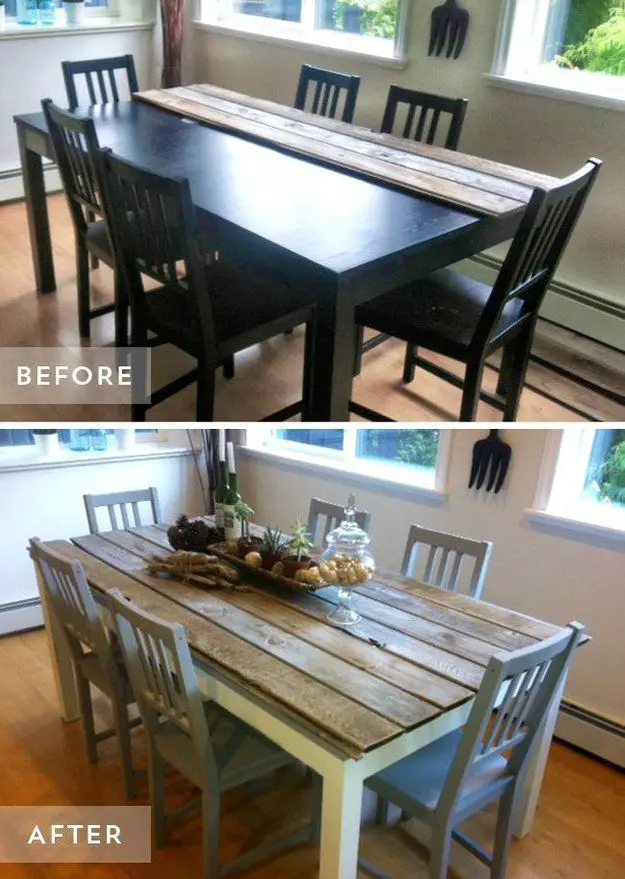
Give Your Dining Room Table A High End Update

update your dining room table with some wood planks
From: flutterflutter.ca

Make your dining room table look like a high end, hand made table by adding some raw wood planks onto the surface.

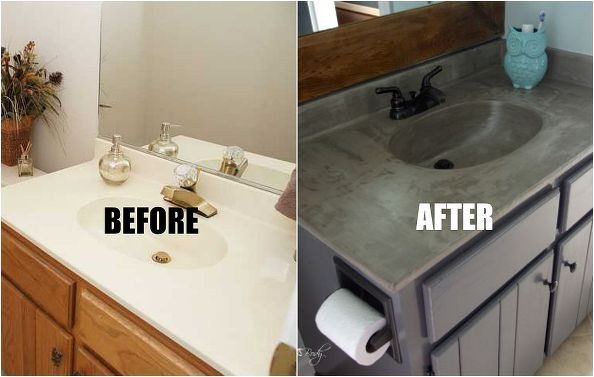
Update Your Bathroom Vanity In Less Than An Hour

update your bathroom vanity in 20 minutes
From: hometalk.com

Concrete is the in thing at the moment, give your bathroom vanity a concrete update in less than an hour with this tutorial.

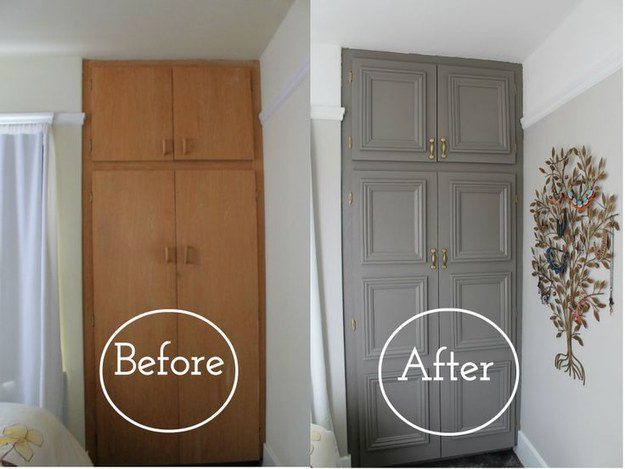
Make Boring Cabinets Look New With Moulding

make old cabinets look new with moulding
From: howfantasticblog.com

Add instant class to your cabinets with some inexpensive moulding and a coat of paint.

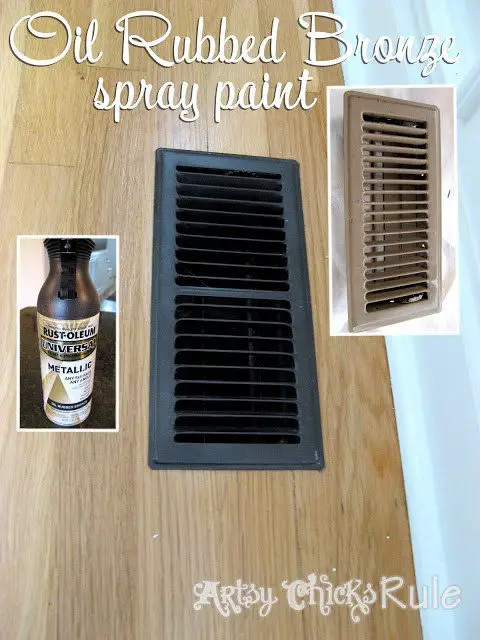
Make Old Air Vents Look New Again

make your old air vents look new again
From: artsychicksrule.com

Spray paint can work wonders to make old things look new again, your vents are no exception.

Liquid Stainless Steel Paint Is A Thing

Make your appliances look more modern with a coat of stainless steel paint.

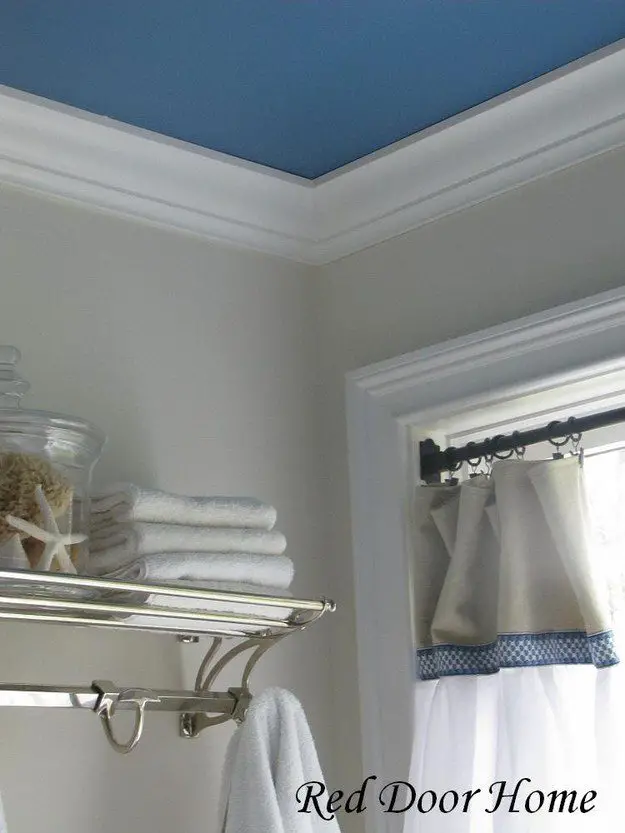
Accent Ceilings Are The New Accent Walls

accent ceilings are the new accent walls
From: reddoorhome.blogspot.com

An accent ceilings adds some depth and colour to a room without detracting from having bright, light coloured walls. Add an accent ceiling and make use of this new decor trend.

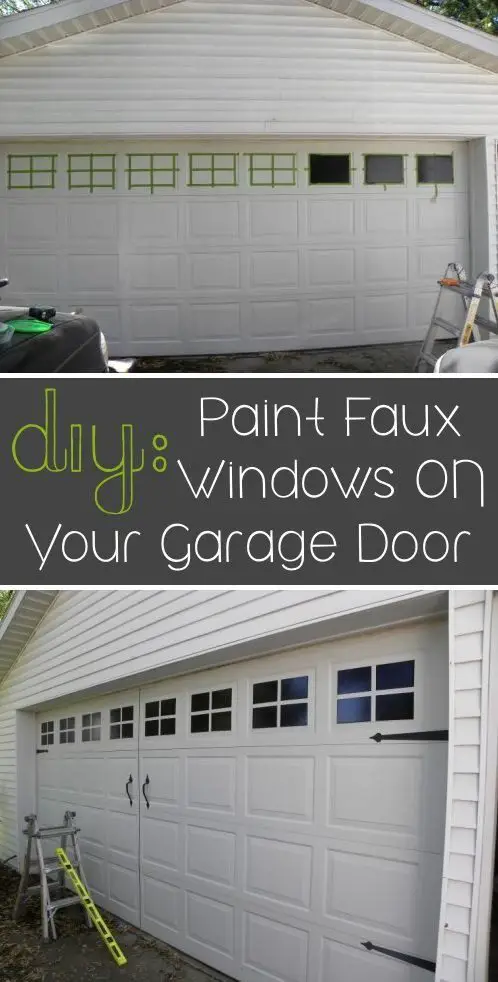
Give Your Garage Door Faux Windows

paint faux windows on your garage doors
From: twopeasinabucket.com

Paint these simple little windows onto your garage door to increase curb appeal.

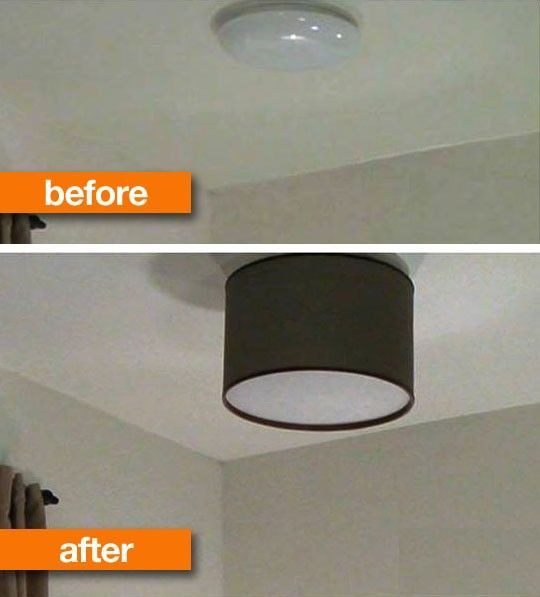
Replace Your Ceiling Light With A Modern Fitting or Lamp Shade

replace your old ceiling light with a lampshade
From: apartmenttherapy.com

Flush mount light fittings are ugly and definitely a thing of the past, give a room a quick and easy update by adding a lamp shade or swapping out the light fitting altogether.

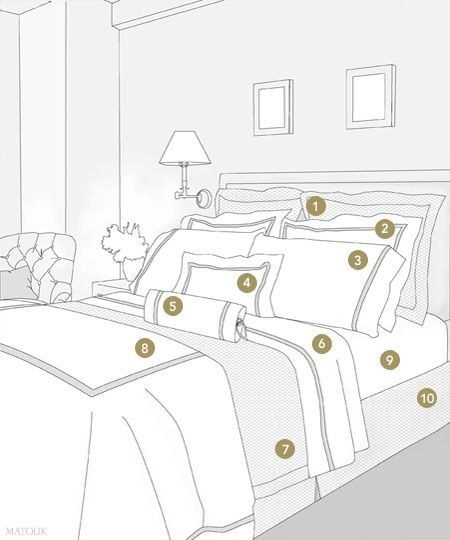
Dress Your Bed Like The Do In Hotels

dress your bed like they do in hotels
From: matouk.com

Dress your bed like they do in hotels for a fuller and more expensive look, now you just have to remember to make it every morning.

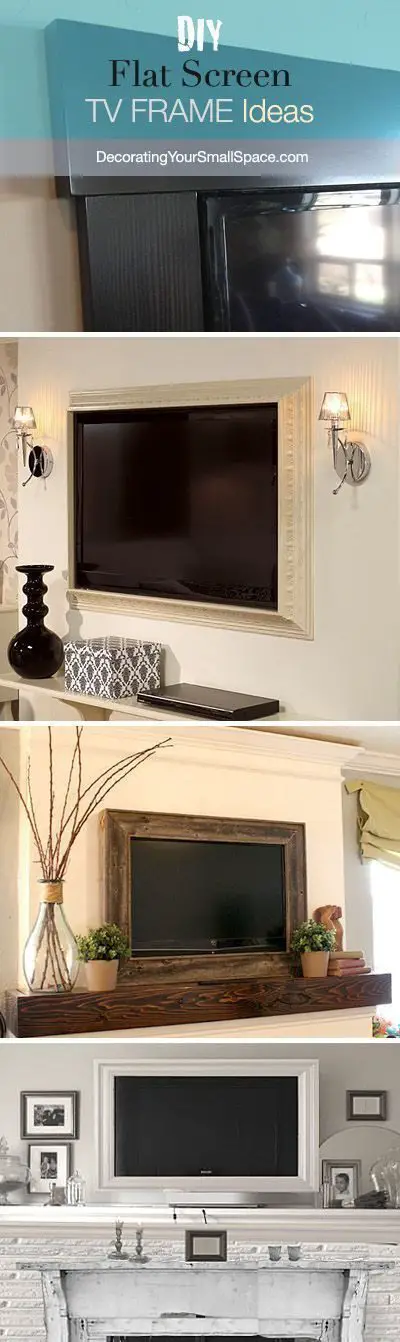
Frame Your Television With Moulding Trim

frame your tv with moulding trim
From: decoratingyoursmallspace.com

Turn your tv into a feature with some moulding trim and paint.


Make Your Own Concrete Planters Using Scrap Plastic Bottles

If you’ve been on Pinterest lately, you’ve likely seen a couple of fantastic concrete ideas including these little planters. They are super simple to make and are really cheap, an old plastic bottle is used as the mould and a small bag of cement is all that you need to buy. Here’s a guide to make your own small concrete planters.

What You Need To Make These Concrete Planters

  • An Old Plastic Bottle Per Planter
  • A Small Bag Of Dry Cement Mix – Buy Here
  • Vaseline – Buy Here
  • Craft Knife – Buy Here
  • Sand Paper (120-160 grit) – Buy Here
  • A Few Small Stones To Be Used As Weights

How To Make The Concrete Planters

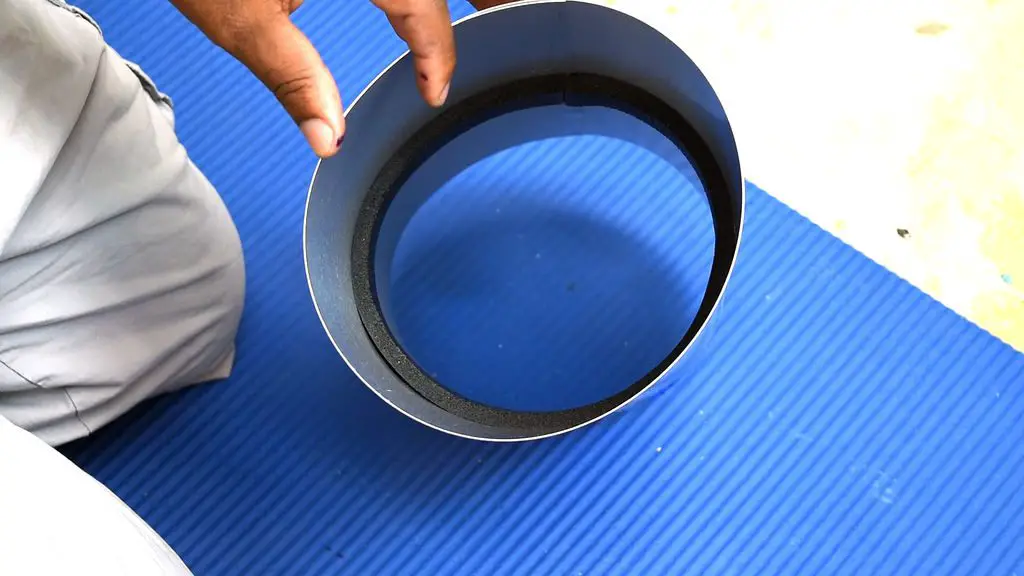
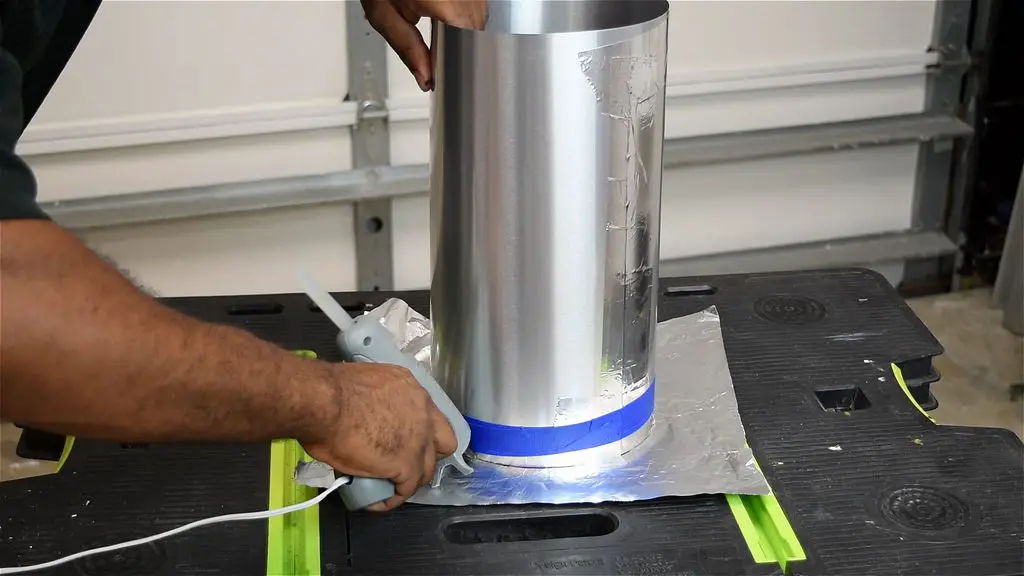
Cut the plastic bottle into three sections. Cut the bottom and the top of the bottle off of the middle section. The bottom section of the bottle is going to be the mould for the outside of the planter and the top section of the bottle will be the planter insert in which your plant will go.

cut the plastic bottle

Now rub the bottle top and bottom with Vaseline to make the plastic come away from the cement easily. Rub Vaseline on the inside of the bottom part and on the outside of the top part of the bottle.

rub vaseline on the inside

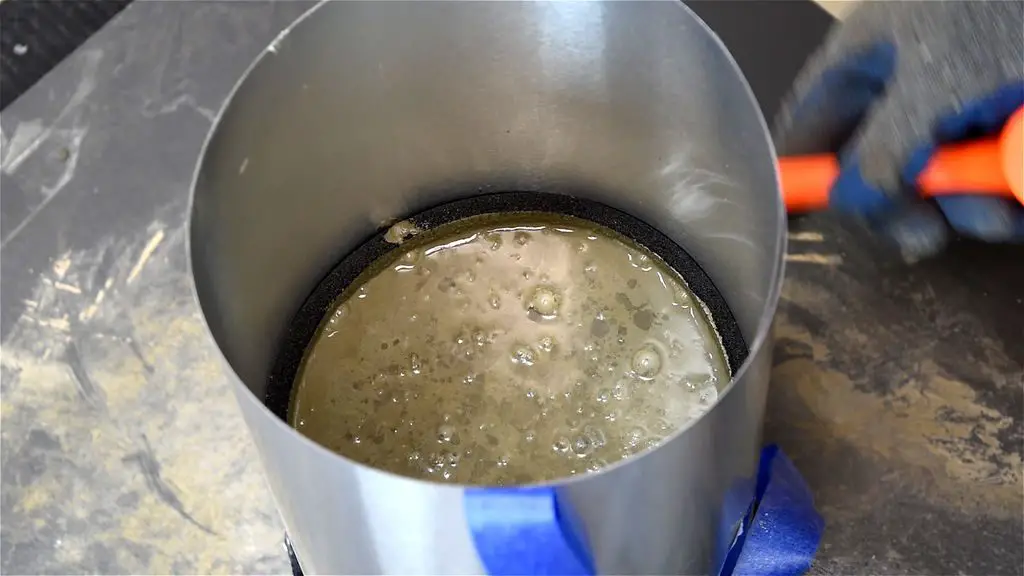
Now mix up the cement with water as per the instructions on the packaging. Mix a big batch if you’re making a number of planters or a portion of the bag for one or two planters. If you prefer a whiter look for your planters then use cement used for smoothing walls.

mix the cement and water

Pour the cement mix into the large container, the bottle base.

fill plastic bowl with cement

Gently press the small bottle top into the cement in the larger container. The bottle top should sit roughly in the centre of the cement mix (although it can be offset for an artistic look) and should be about a finger width from touching the bottom of the large container otherwise the cement may be too thin and will crack.

put smaller plastic insert into the cement

once you are happy with the position, place a stone or two into the bottle top to keep it in place.

add a stone weight to keep the insert in place

Now allow the cement to cure for a day or two as per the directions on the packaging.

allow the cement to cure

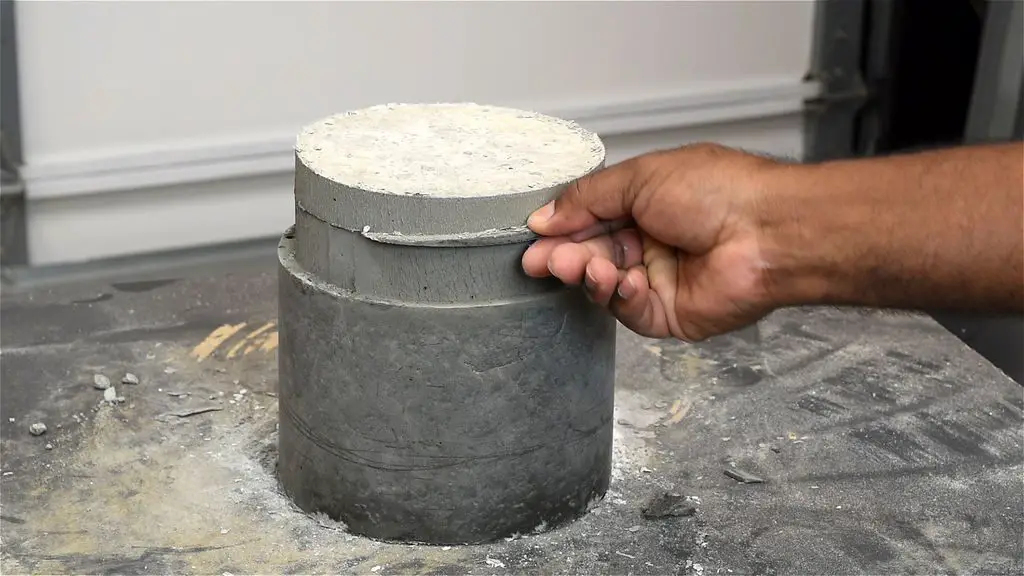
Once the cement has cured, press the cement out of the mould. It should come out quite easily because of the Vaseline.

remove the planter from the mould

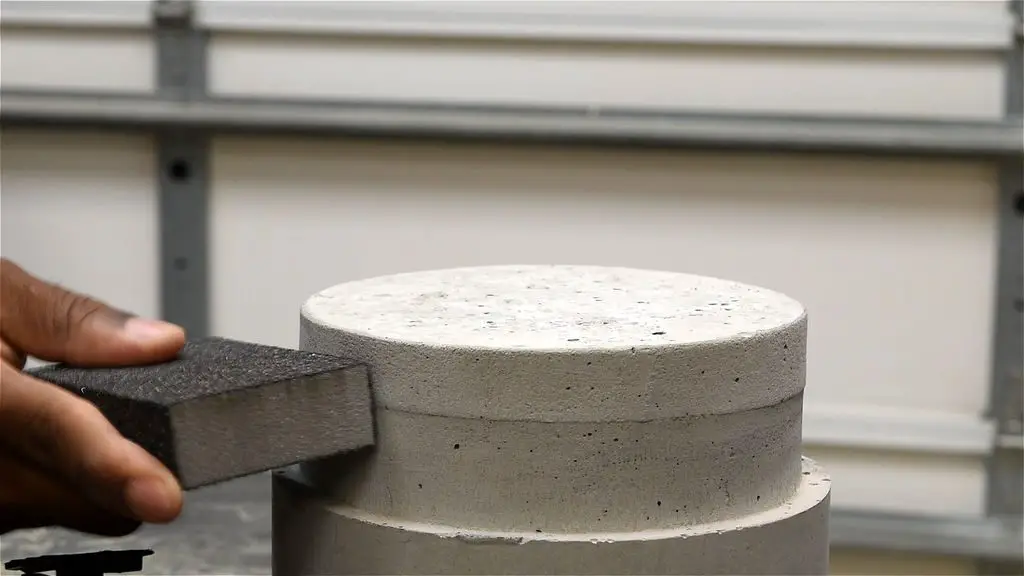
Take a small piece of sandpaper and clean up the edges.

sand the edges smooth

Now fill the planters up with some soil and place your plant inside, its that easy.

Have you made any interesting things with concrete? Let us know in the comments section below.

This guide is based on How to Make Concrete Planters by Inablue and has been modified and used under the creative commons license CC BY NC SA.
Make a Ring by Melting Pennies

Make this zinc based ring, which can be given as a gift or even used as a wedding band by melting a couple of pennies. Pennies minted after 1983 are made from zinc with a copper coating. The copper can easily be smelted off using a propane torch.
While a lathe helps with the shaping of the ring, it is not completely necessary. You can use a rotary tool or a couple of files to shape the ring by hand if you don’t have a lathe.

Caution: Melting pennies releases Zinc Oxide fumes which cause flu-like symptoms including fever, chills, nausea, headache, fatigue, muscle aches, joint pains, shortness of breath, chest pain, and cough. Use a well ventilated area with power assisted ventilation to avoid breathing these fumes.

What You’ll Need To Make A Ring From Pennies

  • About 10 Pennies Depending on the Ring Size
  • Steel Spoon
  • Propane Torch
  • 1/2″ Pipe Section – As A Mould

How To Make The Ring From Pennies

Place the 10 pennies onto a spoon and heat them with a propane torch. Hold the spoon with locking pliers or a clamp of some sort as it will become extremely hot. After a while, the pennies will start to liquefy, you can then use a metal probe to separate the copper from the zinc.

Now pour the molten zinc into the 1/2″ tubing to form a zinc ingot.

making the ingot

Allow the metal to cool down for about a half hour, it should then come out of the mould quite easily.

the pennie ingot

You’ll now need to work the ingot into the shape for your ring. Start off by rough shaping the outside, rounding the edges and removing any rough spots. You can do this with a lathe or a rotary tool. Once you’ve shaped the outside, drill a hole in the centre which is large enough to fit over the smallest section of your pry bar.

drill a hole in the centre

To expand the hole, gently hammer the ring over your pry bars, starting out with a small bar and moving up in size as the ring expands. Be careful not to increase the size too quickly as you may tear the metal. Keep hammering until the ring is the right size for your finger.

size the ring

Once you’re happy with the size, you can start with the final shaping. Use a rough sandpaper to shape the inside and outside edges of the ring, round the edges and remove and blemishes.

sand the ring to shape

A lathe helps with the sanding process but a rotary tool works fine and you can also do it by hand.

Finally, finish the ring off by polishing the surface with a light abrasive metal polish and a buffing wheel.

polish to a shine

Have you made a ring from commonly available materials? Let us know your tips and tricks in the comments section below.


Share This Guide

Make a ring by melting down pennies

LED Lantern From A Recycled Soda Can

If you love drinking soda then you’ll likely throw out a lot of cans. Here’s a creative way to recycle them by making a small LED lantern.

You could also replace the LED with a tea light however the LED has a few advantages, for one it is a lot safer as it doesn’t heat the can up and it also lasts a lot longer than the candles do.

What You Need To Build A LED Soda Can Lantern

How To Make The LED Lantern

Start off by cleaning out the soda can, rinse it out with fresh water and a bit of dish soap or alternately stick it into the dishwasher with your next load of dishes.

clean out the soda can

Now you need to mark the cut intervals on a piece of masking tape. Stick a strip down the length of a ruler and mark the tape with a marker or pen in 1cm (1/2″) intervals, you can increase or decrease the interval sizes to your liking.

mark the cut intervals on masking tape

Once you have finished marking out your tape, stick it onto the can. Stick the marked piece around the bottom of the can and an unmarked piece around the top of the can as shown.

stick the tape onto the can

Next, use a ruler and make light cuts along the interval lines between the masking tape. You don’t need to cut all the way through the can in this step, just make sure that the lines are well marked, a scratch through the paint finish is perfect.

make the straight cuts

Once you have finished marking all of the intervals, you can begin making the deep cuts through the sides. Work slowly and don’t apply too much pressure or you’ll dent the can. It may take a few runs to get through the metal.

To make this step a bit easier, you can fill the can with water and freeze it. Once the water is frozen, cut the lines through the sides. The ice will help keep the can in shape and prevent it from collapsing.

make the cuts all the way through

Once you have made all of the cuts, you need to bend the sides outwards to form the lantern. Apply pressure to both sides of the can and make sure that the strips move outwards and not inwards. Squash the can a little to create a gradual bend in the side strips. Don’t squash the can too much so that the bends become sharp, they should be rounded.

squash the can to form the lantern

Lastly prepare the LED by placing the button battery between the two terminals, the LED should then light up. If it does not light up immediately, flip the battery over between the terminals and try again. Wrap some tape around the terminals to keep the battery in place and the terminals in contact with the battery.

prepare the led

Place the LED into the can and your LED soda can lantern is now ready to be used. Place them around the house or down a lane, path or driveway in your garden.

The battery should last for about 8 hours and can easily be replaced for the lantern to be used again.

Have you made these lanterns? Let us know your tips and tricks in the comments section below.

This post is based on Recycled Soda Can LED Lantern by geekrex, it has been modified and used under CC BY NC SA