Home Blog Page 22

12 Home Design Trends Making Their Mark On Home Improvement In 2020

2020 is the start of a new decade, one which promises rapidly changing home improvement and DIY trends to keep up with the swift advances in manufacturing capabilities and technology. If you’re thinking about a home renovation project or designing your new home, we’ve put together a list of 12 design trends which we’ve seen a sharp increase in over the last few seasons, paving the way into the new decade.

Multi-function Kitchen Islands

Kitchen islands are definitely a popular home design trend in the last decade and people are now expanding on their functionality. It is not out of place to see a modern kitchen island with a built in hob, preparation sink/bowl, chopping surfaces, hidden garbage bins, a variety of storage and even wine and beverage coolers.

Two or Three Tone Cabinets

Two Tone Cabinets

Instead of the traditional single tone cabinets and islands, modern home design incorporates some variation by having a different colour for the above and below counter cabinets or making the cabinets around your kitchen island a different colour to the ones around the walls. This is a great way to add some variety and depth to your kitchen.

Cabinet Door & Handle Face-lifts

With modern kitchen cabinet prices and the good quality of traditional cabinets, people are simply choosing to replace the cabinet doors and sometimes just the pullers/handles as a means of giving their kitchen an update. It’s an easy update to do and can be a really effective way to modernise your kitchen.

Paint Makes Things Look Good Again

People are always looking at ways in which they can save money, and paint is a popular and effective tool for home renovations. Paint is relatively inexpensive and can be a great way to revive an old item of furniture, add colour to a room or even to update your old outdoor patio set (even the cushions!).

Chandeliers and Large Lighting Features

Home Design Around Lighting

Modern lighting has seen a return to the use of chandeliers and large lighting features to make a statement or create a focal piece in a room. People are considering lighting choices during the early home design phase and are even designing rooms around the lighting. And for good reason. Effective lighting is one of the best ways to make your home look and feel more designer and luxurious.

Double Vanities

Double vanities used to be exclusive to high end hotels and luxury residences but their practicality has lead to them become a popular addition to modern bathroom design and remodelling. Another great addition is to install floating vanities so that you can easily access and clean the floor around and underneath the vanities, while creating an illusion of more room.

Shower Ledges

Shower ledges are not necessarily new but they’re becoming increasingly popular in modern shower designs. They require a lot less building effort than a traditional niche and they mean that you don’t need to hang unsightly caddies or put up baskets or racks which inevitably start to rust.

Minimalist Living Rooms

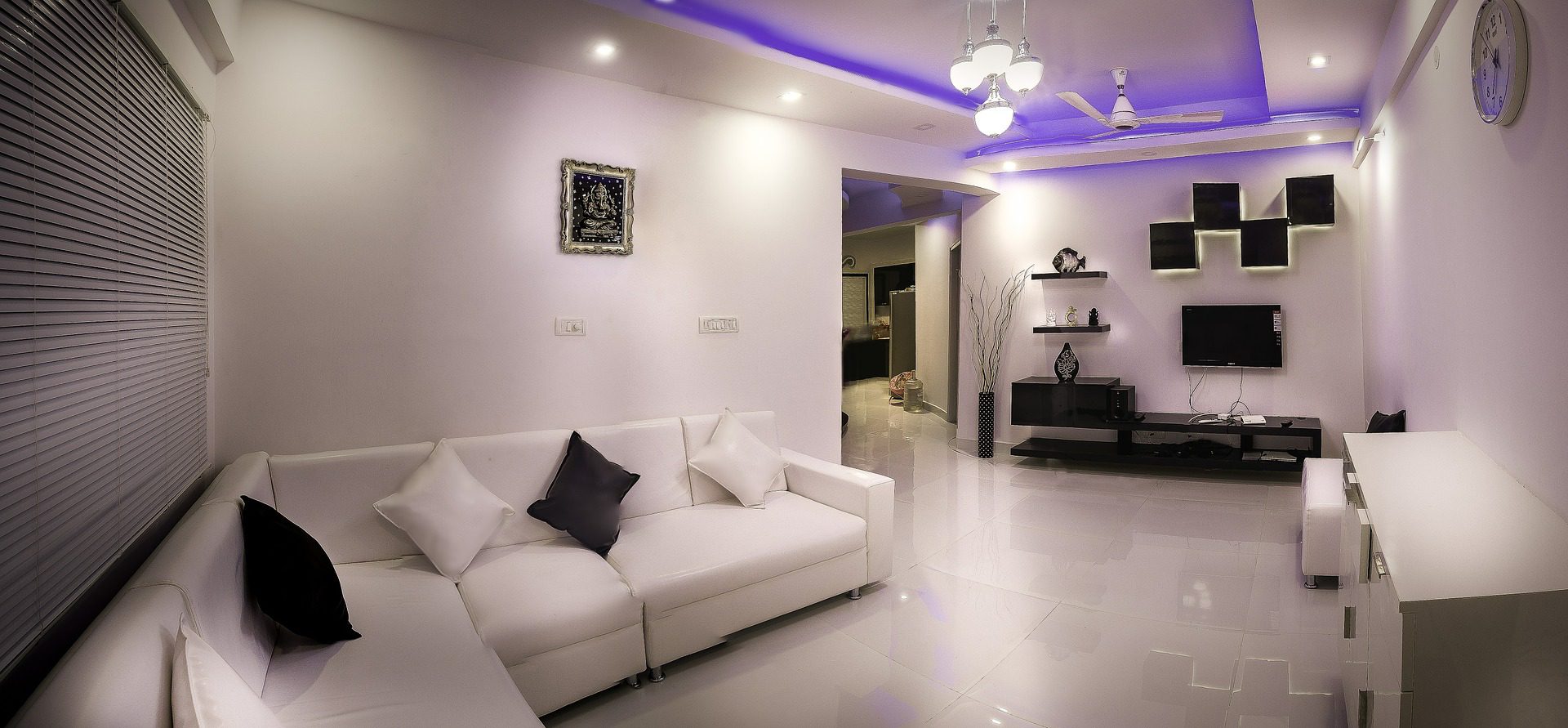
Minimalist Living Room Home Design

Living rooms used to feature a wall to wall array of cabinets housing your television, VCR and audio equipment as well as book shelves, drinks cabinets and storage for all of your vinyls, CDs, VCR tapes, DVDs etc. With the majority of these done away with in the last decade, living rooms have become far more basic. New decor trends centre around a good quality sofa and coffee table with a large, smart TV mounted on the wall over a simple and small TV unit.

Focus Around Energy Saving

Many home renovation decisions now involve looking at ways to save energy or save money in the day to day activities around the home. People are happy to spend more on a renovation project, such as by installing water tanks, grey water systems, solar panels or better insulation if it means that they will save money down the line and generally live a more environmentally friendly lifestyle.

Tech Is Becoming A Part Of Modern Homes

Tech around the home

Technology is rapidly finding a place in our homes. Smart lighting and home automation used to be reserved for tech enthusiasts and show homes and often provided more frustration than ease of use. This has since changed as companies have found affordable and easy ways to integrate modern technology into our homes with minimal disruption. Modern smart lighting doesn’t require your whole home to be rewired and smart vacuum cleaners are left to roam your home when you’re at work, while smart home hubs are becoming increasingly intelligent and are able to control everything from your lighting to locking your doors and ordering a pizza.

Create A Statement With Your Home’s Entrance

Your home’s entrance is often the first thing guests and passers by will see, so people are spending more money on making sure that this area looks good. Have a look at some of these great ways to upgrade your home’s entrance and improve your home’s curb appeal.

Competitive Markets Mean Luxury Is Becoming Commonplace

Competitive markets mean that there is always a gap for smaller companies to gain market share by capitalising on differentiation, usually by adding “luxury” features to existing products. Think of custom sized cabinets and soft closers on hinges and drawer slides, these were only found in high end custom renovation projects a few years ago but are now commonly available from a range of timber outlets and home or DIY stores.

What are some of the home design trends you’ve noticed or incorporated into your home? Let us know in the comments section below.

A Sliding Deck Pool Cover – A New & Stylish Way To Cover Your Pool

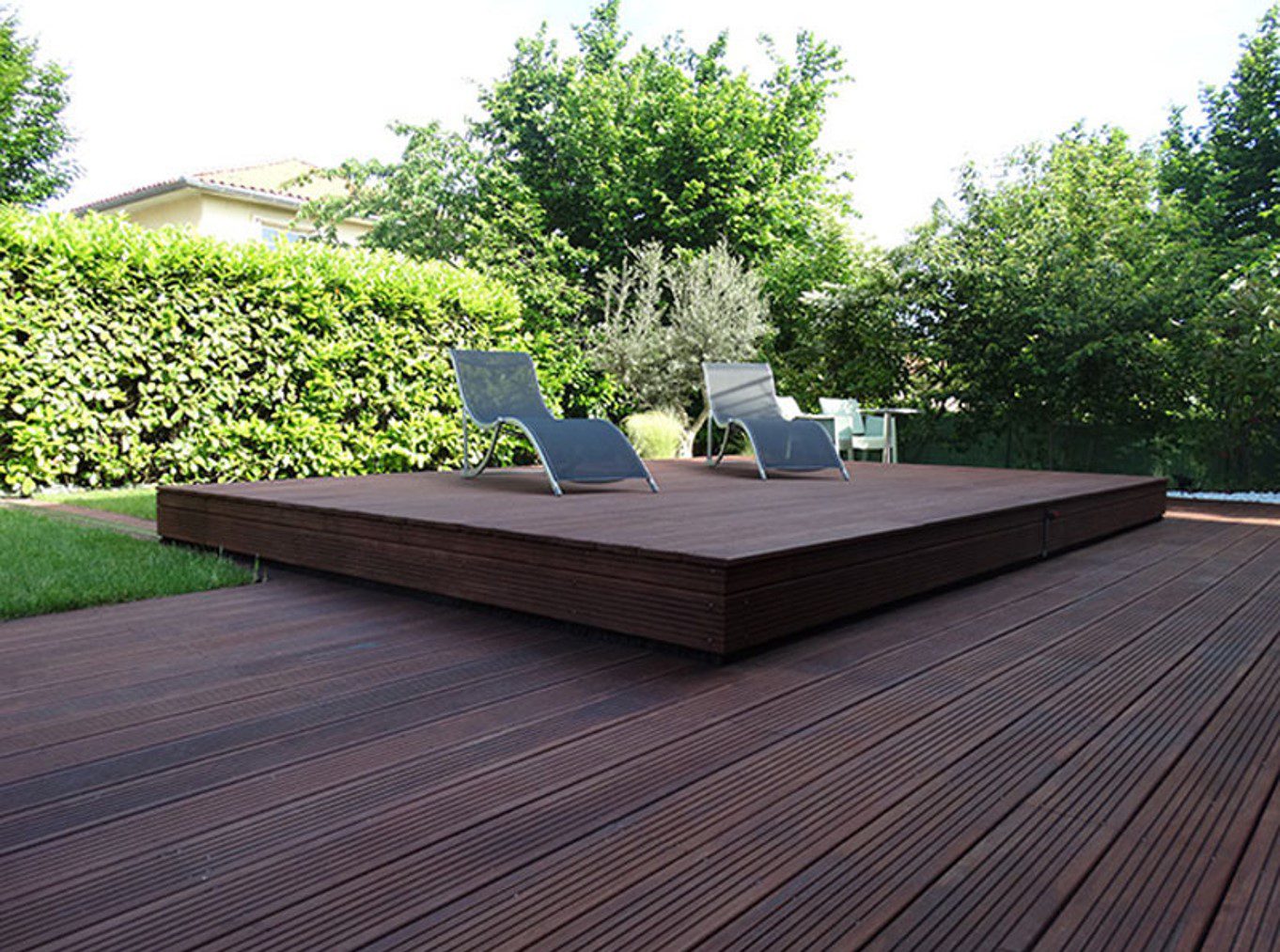
A quick search on the internet reveals a number of creative ways to keep your pool or built in hot tub covered, both for safety and for insulation and cleanliness. This new sliding deck pool cover, by a French company Octavia, is our favourite, it features an integrated raised deck to match your current deck and uses rails to easily allow the deck to be slid out of the way to open up the pool for use. The best part is that you can still use the deck for chairs and tanning while the pool is open.

Sliding Deck Pool Cover Closed Up

Sliding Deck Pool Cover Opened Up

Rails In Grass For Deck Pool Cover

Why Do You Need A Pool Cover

A pool cover has a number of benefits, besides being a safeguard for children and animals, here are some other reasons to consider installing one on your pool:

  • It helps to prevent leaves, dirt and debris from entering your pool. This allows you to run your filtration system for fewer hours, saving your money on electricity, and keeps the floor and surface cleaner for longer between sweeps and skims. Have a look at these tricks for maintaining your pool throughout the seasons.
  • A cover prevents heat loss. If you run a solar or electric water heating systems, you’ll want to keep the heat in as long as possible and a proper cover is key to this.
  • Reduce your chlorine and other chemical consumption. A cover prevents sunlight from entering the pool, reducing bacteria growth and preventing the UV light from degrading the chlorine.
  • Let’s not forget about safety. The WHO (World Health Organisation) states that drowning is the 3rd leading cause for unintentional injury deaths worldwide. A cover, especially a rigid one like this, goes a long way to prevent accidents, keeping the pool completely covered and potentially locked up.

Do you have a pool cover installed over your pool at home? What type of cover do you have and would you consider installing something like this?

Make Your Own Mechanical Watch Movement Cufflinks

In this project, I’ll be showing you how to make your own watch movement cufflinks using the mechanical watch movements from two old watches. There are loads of watch movement lookalike cufflinks available online, but these ones are made using real vintage watch movements taken out of an actual watch.

To start off, you’ll need to find two old mechanical movement, wind-up watches with identical mechanisms. A good place to start looking is to go down to your local watch repair shop or jeweller and ask them if they have any old movements or watches lying around. They don’t need to be working anymore, so they’ll likely be ones that the jeweller couldn’t repair and they will usually be happy to give you a few or sell them quite cheaply. You can also buy old damaged movements online from sites like e-bay.

Here’s a video of the assembly process, read on for detailed step by step instructions:

What You Need For This Project

  • 2 x Mechanical Watches, Movements or Inners
  • 2 x Cufflink Blanks – Buy Here
  • Gel Super Glue – Buy Here
  • Cufflink Gift Box (Optional) – Buy Here

How To Make Your Watch Movement Cufflinks

Watch Movements With Face

If the movements haven’t already been removed, you’ll need to take the movement, along with the face out of the watch. This is usually done through the back cover of the watch. Open up the cover and use a screw driver to pry the mechanism out. These old mechanisms are usually quite strong around the edges but be careful that you don’t scratch them.

Removing Hands From Watch

Hands Removed From Watch

Next use a flat tipped screwdriver or tweezers to remove the hour and minute hands from the face of the watch. These usually just pop off.

Back of Watch Face

Removing Movement From Watch Face

Now insert your screwdriver between the mechanism and face and gently pry the face away from the mechanism. It doesn’t really matter if you damage the face or part of the mechanism as you won’t be using the face, and this part of the mechanism is the back side of the cufflink.

Removing Hour Hand Cog

Once the mechanism is free, you’ll need to make the back face flat by removing the hour hand cog and the shaft which drove the minute hand. Pry the cog off with your screwdriver or tweezers and then use side cutters or clippers to cut the shaft off flush with the back face.

Removing Minute Hand Shaft

Feel the surface of the mechanism and make sure that it is completely flat so that the blank cufflink disc is able to be glued flat onto the mechanism.

Two Identical Watch Movements

Mechanical Watch Movement

Repeat this process for the second watch mechanism so that you have two identical mechanisms which are free of any protruding shafts, pegs or adjustment screws.

Blank Cufflinks

Next you’ll need to get some blank cufflinks. These are also widely available online. You’ll need a pair with at least a 6mm diameter blank plate although 10mm to 16mm ones work best to glue onto the mechanism. Try to find good quality ones and they’ll last a long time.

Gel Super Glue

Adding Glue To Blank Cufflink

Use superglue or epoxy to glue the blank cufflink onto the back of the mechanism. Apply a generous amount of glue and make sure that you choose an unobstructed flat surface on the back of the mechanism to glue it to in order to reduce the risk of it coming off. Glue both into the same area on each mechanism and make sure that they are the same orientation.

Gluing Movement onto Blank Cufflink

Allow the glue to dry or cure and your cufflinks are now ready to wear.

Holding In Place

Glued Onto Cufflink

They also make a great gift, which you can complete by putting into a small cufflink jewellery box. Small wooden boxes are great and are often able to be laser engraved to personalise them.

Completed Watch Movement Cufflinks

Mechanical Watch Movement Cufflinks on Shirt

Watch Movement Cufflinks Up Close


7 Ways Modern Technology Can Improve Various Industrial Sectors

Modern technology has brought forth numerous benefits for various leading industries. Things such as modern machinery, artificial intelligence, the IoT, blockchain, and extended reality make huge changes in the industries they manage to penetrate.

The technology itself experienced some significant innovations and will only continue to do so. That is why every business nowadays should look for ways to implement modern technologies in their offer. Otherwise, they risk becoming entirely obsolete. So, let’s see how modern technology can improve various industrial sectors of today.

The IoT

The IoT

The main idea behind the internet of things is to enable people to more easily connect to everything and everyone. As such, it is the perfect tool for businesses looking to improve their operations. For instance, the IoT can change the way products are being designed and created. Not only that but it can also greatly influence the way those products are being presented to the audience. When combined with machine learning, the IoT can help industries tailor their offers better which will increase the response and engagement those industries will receive.

Extended reality

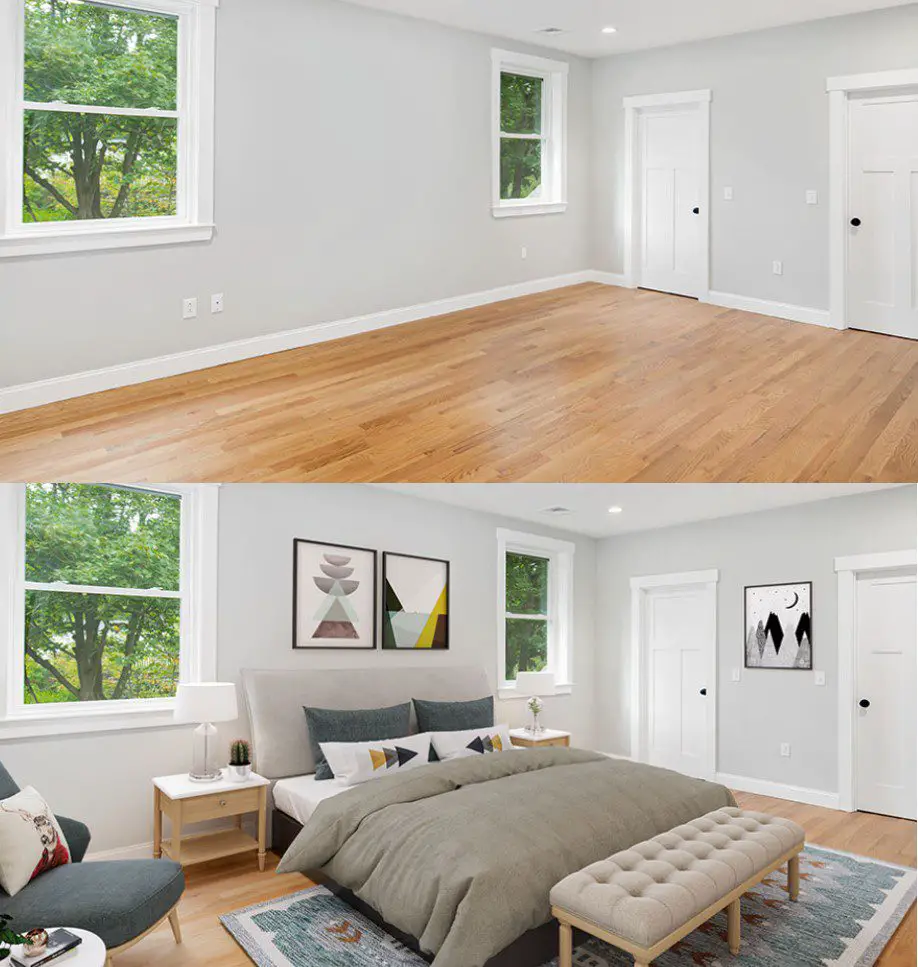
Virtual, augmented and mixed realities are already being implemented in various industries. From the entertainment industry and education to healthcare and home improvement industry. For instance, staging showing and even pretend-decorating a home has been made significantly easier thanks to VR and AR. Nowadays, thanks to virtual reality, you can view a property from the comfort of your own home, without necessarily having to drive all the way to the property’s location. On a similar note, you can use AR to virtually equip the space with different types of furniture, which is greatly useful for interior designers and decorators around the world.

B2B online marketplaces

Since the majority of businesses from various industries have already shifted their ventures online, it comes as no surprise that B2B online marketplaces have experienced such growth in 2019. This year, we can only expect them to grow and develop further. Aside from brick and mortar commerce, industries such as the gas and oil industry will also notice huge benefits this online market will present them with. Not only will it be easier for these giants to obtain the necessary working tools, such as high-quality oilfield equipment, but they can now do so from sellers located all around the world. Online marketplaces have become seriously effective nowadays, and with the use of AI-powered shipping software and streamlined transportation tools like drones, most of the local deliveries could be performed within hours.

Recognition software

Recognition Software

Recognition software is another piece of modern technology that found its place in various industries. Businesses dealing with security, fashion, construction and even autonomous vehicle production can greatly benefit from implementing some type of image or face recognition in their endeavor. For instance, the fashion industry embraced this trend by creating an app that recognizes outfit pieces worn by photographed individuals. Once you take and upload a picture of – let’s say – a certain pair of shoes, you can learn all the information necessary about the shoes in question, such as the manufacturer, where to buy them and how much they cost.

Blockchain

Blockchain-based currencies have been steadily gaining in popularity. That is just one of the reasons that this piece of technology will continue to rise steadily. More and more businesses will start using blockchain not just to offer their audience an alternative method of payment, but also to improve the overall security. Since blockchain is virtually impossible to hack and tamper with, it becomes quite obvious why more industries should embrace it.

Cloud computing

Cloud computing has became an integral part of a modern-day business world. Moreover, cloud computing jobs are among the most in demand tech jobs in the world. The simple fact that the cloud doesn’t need to be maintained and updated on a regular basis – at least not by its users – says a lot about this piece of modern tech. Thanks to cloud computing, businesses can nowadays group together and unify all of their business information and documents that can be easily accessible by anybody with proper authority – anywhere in the world. This, of course, eliminates the need for some other type of file and information sharing solutions. It also makes the entire process significantly faster. And since in the business world time is money, it’s understandable why so many industries choose to stop wasting it.

Drones

Drones

Finally, when they first appeared on the market, drones were mostly used for military purposes. Soon after that, they’ve become widely available and everyone could get themselves a flying, remote-operated set of eyes. Nowadays, drones are being used in various industries more than ever. Amazon, the leading online shopping giant, is working on implementing drones in their delivery services. Moreover, drones are also being used as an additional home security system. They’re also being used in the healthcare industry to deliver things to different sections of hospitals; in various warehouses not only to monitor the employees but also to ensure that everyone’s safe.

As you can see, modern technology truly has the power to bring the entire industrial sector to a whole new level. Therefore, no matter the industry you’re operating in, check out some of these pieces of modern technology and see how you can use them to better your business efforts.

Mechanical 7 Segment Display Driven By An Arduino Mega

I’ve always been fascinated with mechanical flip displays, like the ones used in airports, and mechanical 7 segment displays like those used in old ball game score boards. I came across a project online in which the builder had started putting together a single digit seven segment display which used solenoids controlled by an Arduino to actuate it. I have seen micro servos used in all sorts of robots and bionic arms, so I thought it would be a nice idea to try and actuate a 7 segment display using servos. The Arduino Uno, which I usually use for Arduino projects, only has 6 PWM outputs, so I had to get the Arduino Mega. The Mega has 15 PWM outputs, so it was perfect to duplicate some parts of the code and make a two digit display which could count down from 99 (or up to 99).

Here is a full guide with the Arduino code and the 3D print files to build your own mechanical 7 segment display using an Arduino Mega and 14 micro servos.

This guide assumes that you’ve worked with an Arduino micro-controller before and know the basics of programming an Arduino. If you do not, follow the linked guide for more information on creating and uploading your first sketch.

Here is a summary of the build and a video of the display in action. Continue reading for full step by step instructions along with the code and print files.

What You’ll Need To Build A Mechanical 7 Segment Display

How To Build The Display

Assemble The Display Components

To start off, you’ll need to print the segments and mount them onto the servos. The segment is identical on all servos, so you’ll need to print out 14 of them.

I measured up the servo arms to design a segment which could be glued directly onto these arms without requiring any other hardware.

Measuring Up The Servo Arm And Servos

I then 3D printed the 14 segments using translucent green PLA at 185C with an infill of 15%. This did lead to the fill pattern being visible through the segments in operation. I don’t mind this look but if you want them to look more solid then either use a solid coloured PLA or print them with 100% infill.

You can download the 3D print file here – 7 Segment Display Piece

3D Printed Mechanical 7 Segment Display Pieces

I started off by printing a single segment to check that it fitted the servo and to have a look at how it operated (that it was light enough) once glued to the servo. The segment was glued onto the servo arm using hot melt glue, epoxy will also work.

Single Segment Installed Onto Servo

Try to align the segments so that they stand flat when the servo is square on its base. I connected the single segment and servo to the Arduino to check it’s operation.

Arduino Mega Servo Connection

During this test, I saw that the edges of the segments would be quite visible even when they’re turned through 90 degrees, so I’d need to colour of the side of the segment to blend in with the back board. I decided to spray the back and sides of all of the segments in black to match the back board.

Spraying The Back Of The Segments Black

There is now a significant difference between the top face and the sides of each segment.

Mechanical 7 Segment Display Segments

Once I was happy with the segments, I glued them all onto the servos and added a small spacer block to each servo so that they are able to stand upright.

Assembling The Servos and Segment Pieces

I then mapped out which segments would be connected to which pins on the Arduino Mega so that I could build the wiring harness.

There are 12 PWM inputs sequentially from 2 to 13 and I then had to use pins 44 and 45 as additional PWM pins for the last two segments.

Pin Numbers Map For Segments

The Arduino Mega cannot supply enough power to all fourteen servos, so I used a battery elimination circuit module made for RC aircraft to supply power to them and the Arduino to drive the IO pins. There is a closed look at the strip board and pins in the video but essentially the strip board supplies the GND and 5V pins from the BEC and then connects the GND and all of the PWM pins to the Arduino.

Servo Wiring Harness For Power & PWM Inputs

After I built the wiring harness, I decided to test build a single digit in order to test the code. I laid the servos out in the configuration in which they would be used and then got the code working.

Testing The Mechanical 7 Segment Display

During this step I had to add a few lines to the code to move the segments adjacent to the middle segment out of the way when it way moving up or down so that they wouldn’t bump into them.

Once I was happy with this digit, I duplicated the code for two digits and then mounted the servos onto a black back board.

Upload The Sketch

This is the final version of the code, the code makes use of the servo library and relies heavily on arrays to store the calibration values and movements of the servos. There is a link to download the code provided after the code.

//Michael Klements
//The DIY Life
//8 February 2020

#include <Servo.h>

Servo myservo[14];

int segmentOn[14] = {90,88,81,80,90,78,98,90,88,65,75,90,78,98};      //Servo on position values for each servo
int segmentOff[14] = {0,0,180,180,0,180,0,0,0,155,180,0,180,0};       //Servo off position values for each servo
int digits[10][7] = {{1,1,1,1,1,1,0},{0,1,1,0,0,0,0},{1,1,0,1,1,0,1},{1,1,1,1,0,0,1},{0,1,1,0,0,1,1},{1,0,1,1,0,1,1},{1,0,1,1,1,1,1},{1,1,1,0,0,1,0},{1,1,1,1,1,1,1},{1,1,1,1,0,1,1}}; //Position values for each digit

void setup()
{
  myservo[0].attach(2);   //Assign all of the output pins
  myservo[1].attach(3);
  myservo[2].attach(4);
  myservo[3].attach(5);
  myservo[4].attach(6);
  myservo[5].attach(7);
  myservo[6].attach(8);
  myservo[7].attach(9);
  myservo[8].attach(10);
  myservo[9].attach(11);
  myservo[10].attach(12);
  myservo[11].attach(13);
  myservo[12].attach(44);
  myservo[13].attach(45);
  for(int i=0 ; i<=13 ; i++)    //Set all of the servos to on or up (88 displayed)
  {
    myservo[i].write(segmentOn[i]);
  }
  delay(5000);
}

void loop() 
{
  for (int g=9 ; g>=0 ; g--)    //Large loop counter to count the tens
  {
    int mustDelay1 = 0;
    if(digits[g][6]!=digits[g+1][6])  //Logic to move segments next to middle segment out of the way
    {
      if(digits[g+1][1]==1)
      {
        myservo[8].write(segmentOn[8]-30);
        mustDelay1 = 1;
      }
      if(digits[g+1][5]==1)
      {
        myservo[12].write(segmentOn[12]+30);
        mustDelay1 = 1;
      }
    }
    if(g==9)
    {
      myservo[8].write(segmentOn[8]-30);
      myservo[12].write(segmentOn[12]+30);
    }
    if(mustDelay1==1)
      delay(200);
    for (int h=6 ; h>=0 ; h--)    //Small loop counter to move individual segments  to make up the tens digit
    {
      if(digits[g][h]==1)
        myservo[h+7].write(segmentOn[h+7]);
      else
        myservo[h+7].write(segmentOff[h+7]);
      if(h==6)
        delay(200);
    }
    for (int i=9 ; i>=0 ; i--)   //Large loop counter to count the units
    {
      int mustDelay2 = 0;
      if(digits[i][6]!=digits[i+1][6])  //Logic to move segments next to middle segment out of the way
      {
        if(digits[i+1][1]==1)
        {
          myservo[1].write(segmentOn[1]-30);
          mustDelay2 = 1;
        }
        if(digits[i+1][5]==1)
        {
          myservo[5].write(segmentOn[5]+30);
          mustDelay2 = 1;
        }
      }
      if(i==9)
      {
        myservo[1].write(segmentOn[1]-30);
        myservo[5].write(segmentOn[5]+30);
      }
      if(mustDelay2==1)
        delay(200);
      for (int j=6 ; j>=0 ; j--)  //Small loop counter to move individual segments  to make up the unit digit
      {
        if(digits[i][j]==1)
          myservo[j].write(segmentOn[j]);
        else
          myservo[j].write(segmentOff[j]);
        if(j==6)
          delay(200);
      }
      if(mustDelay2==1)   //Delay logic to reduce delay if the side segments moved (adding an additional 200ms delay)
        delay(600);
      else
        delay(800);     //Delay between digits. 200ms delay already experienced in the code
    }
  }
  delay (2000);   //Delay after countdown to 0 before resetting
}

Download the code – 7SegmentDisplay

This is a high level breakdown of what happens in the code:

I initialise an array of 14 servo objects called myServo, these numbers correspond to the numerical sequence in the pin number diagram.

I then initialise three arrays of numbers. The first, called segment On, stores the on or up positions for each of the 14 servos as a sort of calibration to ensure that they are all perfectly vertical. The second, called segment Off, is the same but for the 90 degree off position. Some of these are 0 and some 180 depending on which direction the servo needs to move. The last is a 2D digit array which stores the segment positions for each digit from 0 to 9, where 1 is on or visible and 0 is 90 degrees or invisible.

In the setup code, the 14 servos are assigned to the correct pins and then a loop sets them all to on, the number 88 will be displayed. The code then waits 5 seconds before starting the countdown.

The countdown is done with four loops. An outer loop controlling the tens and an inner loop controlling the units. In each of these loops, a smaller loop cycles through the seven segments and sets them to the correct position, on or off, by looking up the value in the digit array.

The other logic in this section is purely to move the two segments adjacent to the middle segment out of the way by 30 degrees when this segment moves so that it doesn’t bump into it. This includes all of the mustDelay variables, the 200ms delays and the if statements which aren’t in the smaller loops.

Running The Mechanical 7 Segment Display

Upload your code to your Arduino and your display will be ready to run. It will automatically reset to 88, wait 5 seconds and then start to count down from 99 to 00. When it reaches 00 it will wait 2 seconds and then reset and start counting again.

You can change the number it counts down from by setting the counter in the outer loop g. You will always need to counter from the number 9 in the units digit (i) else each pass it will miss the digits higher than the number it is set to with the code in the way it is currently written. You can’t, for example, set 47 as the starting point, it will need to be 49. If you change it to 47 then it will go down 41, 40, 37, 36 etc.

Here are some pictures of the display in operation. The video has some good footage of the display in operation.

Mechanical 7 Segment Display Two Digits

Mechanical 7 Segment Display

Have you tried to build your own mechanical 7 segment display? What did you use to actuate and control it and how did it work? Let us know in the comments section below.
10 Easy Weekend Home Improvement Projects

We realise that not everyone has the time or money to tackle a big home renovation project, but most people can free up a weekend for a smaller project or two to add value to their home. Here are 10 easy and manageable home improvement projects to plan for a free weekend to really get your home looking great again.

Deep Clean Your Driveway and Pathways

When was the last time you gave your brick or cobblestone pathways a clean? This is something not many people give any thought to and it can actually be quite effective in making your home look newer and cleaner. Sidewalks, driveways and pathways slowly become stained by wet leaves, moss, mildew, dirt and leaks from your vehicles. Either buy or rent a power washer and give your pathways a deep clean, it doesn’t take a long time to do and you’re sure to be impressed with the results.

Wash The Outside Of Your Home

Remember how good your home looked when you first painted it? If you used a good quality paint then chances are that the paint still looks good a few years later, it’s just covered with dust and dirt. Use the same pressure washer you used in the previous tip to give the outside of your home a proper clean. You shouldn’t even need a ladder, the powerful jet will have no problem washing the built up dust and dirt from your walls, leaving your home look freshly painted again.

Make sure that you test it out on a small patch first to ensure that the paint is still well adhered to the underlying surface and won’t flake off.

Revive An Old Room With A Coat Of Paint, One Of The Most Effective Ideas For Home Improvement

Revive An Old Room With A Coat Of Paint

As far as home improvement goes, few things can transform a room as effectively as a fresh coat of paint. Repainting a room with a bright and modern colour can really go a long way towards making it look like it has been completely transformed.

If you don’t have the time or money to paint the whole room, consider painting just a single accent wall. Choose a colour to compliment your room’s decor. Don’t choose a colour which is too dark as you’ll have to spend a lot of time and money if in future you decide to cover it up or go back to a lighter or more neutral colour.

Install A Modern Programmable Thermostat

If your home still has an old fashioned dial thermostat, then its definitely time for an upgrade. Installing a programmable thermostat may cost a bit initially but you’ll save a lot of money month to month. Modern thermostats are much more effective at regulating your homes temperature and have the potential to vary your homes temperature throughout the day and while you’re not at home in order to save energy. Here are some other ways in which to drastically reduce your home’s energy consumption and save on your electrical bill.

Deep Clean Your Carpets and Furniture

Get the family together for a day to help you move the furniture and rent a carpet shampooer to give your carpets, sofa and upholstery on your chairs a deep clean. Once you’ve moved the furniture, it shouldn’t take you more than 15 to 20 minutes to shampoo the carpets, so you could get through your whole home in a morning. You’ll be surprised by how much brighter your carpets look and how much dirt is sucked up in the water.

Upgrade Your Cabinet Hardware

Upgrade Your Cabinet Hardware

Replacing your cabinet hardware is a great way to update your kitchen and bathrooms without spending a fortune. It usually requires nothing more than a screwdriver if your choose new hardware with the same mounting holes. If you’re replacing simple knobs with proper handles then you’ll need to drill an extra hole each and it saves time building a template first to make sure that all of your new handles are straight and in the same position.

Replacing the hinges also makes a big difference. Old hinges tend to sag and don’t offer as many adjustment opportunities as modern hinges. You’ll get all of your cabinet doors straight, aligned and not bumping into each other in no time. Here are some tips on getting your cabinet hinges properly adjusted.

Change Your Kitchen Or Bathroom Faucets

Old faucets not only look unattractive with a buildup of years of grime and mildew but also often drip or leak. Swap out your old faucet for a stylish and modern new design with an aerator, you’ll not only add visual appeal to the room but also save money on your water bill in the long run.

Upgrade Your Light Switches & Outlets

Replace your boring old beige light switches and cover plates with something more modern and decorative. Modern switches and outlets come in a wide range of designs and colours and often include additional features such as built in USB chargers.

If replacing your outlets and switches seems too expensive, you could also just remove the cover plates and give them a fresh spray of paint.

Add Smart Lighting To Your Next Home Improvement Project

Add Smart Lighting To Your Home

Nothing says designer home quite like soft and warm lighting. Smart lighting systems used to cost a fortune and involved a big home improvement project, requiring your whole electrical system to be rewired, but simple modern smart bulbs have completely changed the way in which you are able to control the lighting in your home. Get yourself a smart lighting system, like the Philips Hue starter set and you’ll be amazed at how effective an adjustable lighting solution can be at making your home look more designer. You’ll also be able to impress your family and friends by having your lights turn on and off automatically, have them voice controlled by your Amazon Echo or control them with your mobile phone.

There is a wide rang of smart indoor and outdoor globes and light fixtures for you to completely transform your home’s lighting.

Beat The Squeaks

A house sounds old and un-maintained if the doors squeak when you open and close them or the floorboards squeak when you walk on them. Restore the peace and quite in your home by giving your door hinges an oil with a quick spray of WD-40 and stop the squeak in your floorboards by sprinkling talcum powder over the problem areas and sweeping it into the cracks.

Have you tried any of these home improvement projects? Let us know in the comments section below. We would love to hear your tips, tricks and ideas.
Building A $5 Mini Tesla Coil Kit From Wish

In browsing through Wish for some electrical components for upcoming projects, I stumbled upon this DIY Tesla Coil kit advertised for $5. I’ve seen them online before on EBay and Aliexpress etc. but never given them much thought. But for $5, I thought I’d try one out. This was my first kit-form electronics project I’ve bought and while it presented a few challenges, it was relatively easy to get working and the quality of the components wasn’t too bad.

Here’s a video of the build and testing, read on for the write up.

What Was Delivered

I ordered the Tesla coil kit early in January. It took and about two weeks to be delivered, which wasn’t too long a wait but is certainly a lot longer than local products from Amazon or EBay.

Here is the link to the kit from Wish and an equivalent from Amazon if you don’t want to wait for it:

The kit came pretty well packaged in bubble wrap and included the components as shown below.

Tesla Coil PCB Components In DIY Kit From Wish

The PCB is pretty good quality and has all of the component locations clearly identified and component references marked. I didn’t have any issues with getting the components assembled onto the board.

Tesla Coil PCB

The secondary coil came pre-wound. I know that this should be the case, but with products from Wish, you never know just how much DIY work may be involved in assembling them.

Prewound Secondary Tesla Coil

Lastly, they included a small light bulb to test the Tesla coil kit with.

Small Test LED

The kit included an instruction sheet. Again, coming from Wish, this is not always the case. The trouble with the instruction sheet is that it was all in Chinese. It’s not an overly complex build and the components are all identified on the PCB, but I had no idea what the supply voltage was, how to assemble the primary coil or if there was anything else to look out for during the assembly process.

I landed up using Google Translate on my phone to translate most of the sheet into English. It wasn’t the greatest translation and included a few questionable lines about fire and electric shocks, but I managed to figure out that the supply voltage should be in the range of 9V to 30V and that anything above 15V provides the best results. I also found a line which mentioned something about a common problem being that the primary coil is wound in the wrong direction but couldn’t find anything about what the correct direction is.

Chinese Instructions For Tesla Coil Kit

Assembling The Components

Once I was fairly happy with what to do, I began soldering the components onto the PCB. There isn’t really anything tricky involved (other than the primary coil). I soldered all of the components onto the board, then glued the secondary coil in place.

Soldering Components Onto PCB

Gluing The Secondary Coil Onto The PCB

I then had to wind the primary coil. I started off by winding the coil as shown below. I figured out after switching it on, and having nothing happen, that this was obviously the wrong direction which they mentioned in the instruction sheet. So I had to remove it and remake it in the other direction. Also, although I wound it tightly to make up the coil shape, I then loosened it as the coil should be loose when soldered in place and there should be a gap between the primary coil leads and the secondary coil otherwise it also won’t work.

Making The Primary Coil On Tesla Coil Kit

I then finished it off by adding the screw on legs and the heat sinks. I stuck the heat sinks on with my own thermal tape rather than the included screws.

Putting Legs Onto The PCB

This was the final, fully assembled Tesla coil kit.

Assembled Components And Legs On PCB

Assembled PCB

Testing The Mini Tesla Coil Kit

As I mentioned before, the first time I powered it on, the LED came on but nothing else happened and the light bulb wouldn’t light up near the coil. I figured that this may have something to do with the primary coil as they had mentioned that this was a common problem in the instructions. I switched the coil direction around and it then worked perfectly.

I only have a 15V power supply, but this was enough to generate a high voltage discharge on the end of the secondary coil.

High Voltage Discharge From Small DIY Tesla Coil

The included light bulb lights up really well around the Tesla coil, even from a few centimetres away.

Lighting Up An LED With A Tesla Coil

I then played around with creating an arc between the tip of a screwdriver and the end of the coil. I also had some fun with the arc, burning the remaining plastic coating (insulation) off of the secondary coil wire.

Tesla Coil Arc

Overall, I really enjoyed building this little kit and had some fun playing around with it. Its a great starter electronics kit with larger components which are easy to solder. I’m sure that there’s a pretty high success rate with these, there really isn’t too much which can go wrong – aside from with the primary coil. So if you’re keen to build your own Tesla coil, have a look at the kits in the links above.

Have you assembled an electronics kit which you’ve bought online? Let me know in the comments section below. Also let me know if you have any other suggested kits to try out.
Your iPhone May Be Keeping A List Of Locations You Frequently Visit! Here’s How To Find Out.

You may not be aware of this, but your iPhone may be keeping a detailed list of locations which you frequently visit, and some which I’ve only visited once or twice. It also stores a surprisingly creepy amount of detail for each visit including the dates, times and duration of your visits, the address and GPS co-ordinates of the location and even details on which mode of transportation you take to get there.

According to Apple, this feature is used to learn which places are significant to you and it uses this information to provide suggestions on transport options and places which may be of interest to you. They also claim that the list of locations information is encrypted, stored only on your device and is not used without your consent. Apple isn’t the only one keeping track of your location information, the majority of smartphones make use of this information in some form. Google, for example, does this too, you can access a location history list through your Google account.

Here’s How To See List Of Locations Which Your iPhone Is Storing

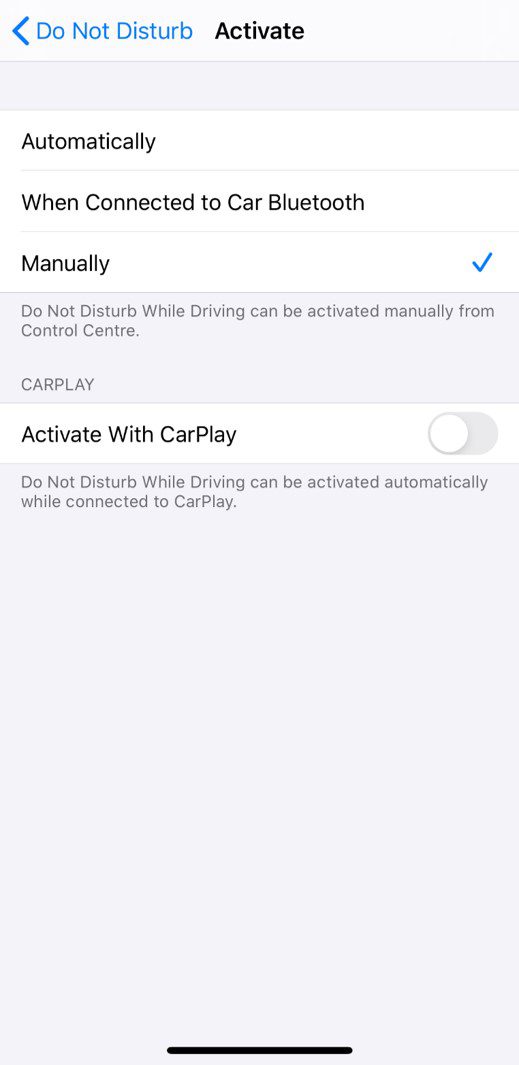
Open up your Settings app and then head down to Privacy.

iPhone Settings

Open up the first option, Location Services.

iPhone Privacy Settings

Here’s you’ll see a list of which apps are allowed access to your device’s location and when. Scroll down to the bottom and select System Services.

iPhone Location Services - System Services

Now you’ll see a list of system related functions which have access to your location and an arrow showing you when last the service accessed your location information. Scroll down to the bottom of this list and select Significant Locations.

Select Significant Locations

You’ll now see a pretty comprehensive list of everywhere your iPhone has recently been, organised by city.

iPhone Significant Locations - Clear History

You can open up each city to get more information on specific locations, how many times you’ve been to them, the dates, times and in some cases, how you got there.

For your saved locations in Maps, you can find a lot of information on your recent trips to and from Work or Home, for example.

iPhone Location Information Home

To turn this feature off, you’ll want to head down to the bottom of the list and clear your history first.

iPhone Significant Locations - Clear History

Then scroll up to the top and you’ll be able to toggle this feature on and off.

iPhone Significant Locations

Now that you know how your iPhones location services work, take a look at these 5 iPhone secret codes which you probably didn’t know about.

Have you found your location information stored on any of your other devices? Let us know in the comments section below.
How To Fake A Clean & Tidy Home In Under Fifteen Minutes

You’ve found yourself in a situation where your house looks like a mess and you’ve got friends or family coming over in fifteen minutes. How do you use the next ten to fifteen minutes to make the maximum impact in making it look like you have a clean and tidy home? We’ve put together this list of steps which you can work through. They’re in order of importance so don’t worry if you don’t manage to get through all of them, you’ll still get through the most important ones first.

Prepare Your Equipment

Spend a minute or two gathering your equipment and getting organised, this will ensure that you can quickly and effectively get through each task without wasting time wandering around looking for things.

You’ll need:

  • Air freshener spray, mist or a scented candle/melt pot
  • Large basket, box or bag
  • Handheld vacuum cleaner or broom
  • Cleaning wipes or a damp cloth and cleaning spray
  • Dishwasher or a sink full of soapy water.

Get The Air Smelling Good

Nothing puts guests off a home quicker than a strange smell or odour in your home, so get this out of the way first. Open up some windows and doors to get air movement through your home and give each room a quick spray of air freshener. Alternately, light a candle or melt pot in your main living room or kitchen.

You could also throw come cookie dough into the oven and you’ll fill your home with a freshly baked fragrance and you’ll have freshly baked cookies for your guests.

If you’ve got a few extra minutes, put on a simmer pot to fill your house with a homely aroma.

Get Rid Of The Clutter

Next, grab your large basket, box or bag and go around the main living areas and kitchen (anywhere your guests may go) and put anything which is lying around, out of place or just generally cluttering up your house into the basket. Don’t worry about packing them away for now, just get them into the basket and find a place to store the basket until they’ve left.

Once your guests have left, you can work on these simple rules to de-clutter your home.

Clean Up The Bathroom

If your guests are coming over for any period of time or have had a long drive, they’ll likely need to use your bathroom. Give your bathroom sink and counter a quick wipe, make sure that there is enough toilet paper and hand soap and give the toilet a quick flush. If you’ve got a toilet fizzy or some toilet cleaner handy, a quick squirt around the rim will help to freshen it up.

Clean Up The Living Room

This is probably where your guests will be spending most of their time. You’ve already got rid of the clutter and freshened up the air, now give the surfaces a wipe and quickly vacuum or sweep the main areas around the coffee table and walkways. A cordless vacuum cleaner is really handy to keep your home clean and tidy if you lead a busy lifestyle.

Fold any throws or blankets and put them into the cupboard or hang them neatly over the back of the couch.

Straighten any books or magazines and put them in a neat pile in the middle of the coffee table or on the shelf underneath the coffee table.

Sweep or Vacuum The Entrance

Give your home’s entrance a sweep or vacuum and wipe up any shoe prints or dirt spots on the floor.

Clean The Dishes

By now your home should be fairly clean and tidy. If you’ve got a minute or two to spare then pack the dishes into the dishwasher or give them a wash in the sink. Stack them neatly on the drying rack and then give your kitchen surfaces a wipe.

If you’ve got a pile of dishes and really don’t have time to clean them. Stack them neatly and put them into the refrigerator or oven, this way they’ll be out of sight. Just don’t forget that they’re in there.

If you’ve worked your way through the whole list then your house should now be guest ready. Now get yourself ready as well, you don’t want to be flustered when they arrive.

Have you got any tricks to quickly clean up and make it look like you’ve got a tidy home? Let us know in the comments section below.
Share These Tips

How To Fake A Clean & Tidy Home In Under Fifteen Minutes

Arduino Based RFID Door Lock – Make Your Own

This is a really easy RFID door lock mechanism which is based on the Arduino Uno and the RC522 RFID sensor, which allows you to use RFID tags or cards to lock and unlock a door, drawer or cupboard. You can load as many RFID tags as you’d like onto the Arduino and add or remove tags to provide more or fewer people with access. The lock is actuated with a micro servo, which can be used along with the 3D printed lock provided in this example, or any standard bolt type lock available from your local hardware store.

This guide assumes that you’ve worked with an Arduino micro-controller before and know the basics of programming an Arduino. If you do not, follow the linked guide for more information on creating and uploading your first sketch.

Here is a summary of the build, continue reading for full step by step instructions along with the code and print files:

What You Need To Make Your Own Arduino Based RFID Lock

How To Make Your RFID Door Lock

To start off, lets connect the RFID sensor, LEDs and servo to your Arduino using a breadboard. This will enable you to test the circuits and to read the serial numbers from your tags in order to load them into the array in your code so that they open the lock.

The Circuit

The RC522 sensor is going to be connected to our Arduino using the SPI interface. We are then going to connect a green LED which will flash to show that a tag has been read and access has been granted and a red LED which will flash to indicate that a tag has been read an access has not been granted. Lastly, a micro servo will be used to open and close the locking mechanism. The LEDs and micro servo are connected using typical Arduino circuits.

Here is the circuit:

RC522 RFID Sensor Connection to Arduino

Once you’ve got the circuit connected on your breadboard, you’ll need to print and assemble your lock mechanism.

RC522 Sensor Connection To Arduino

Assembled Circuit

Building The Lock Mechanism

If you’ve got a 3D printer, the easiest way to get started with an RFID door lock is to print out the below components and servo bracket. The lock mechanism is based on this sliding lock design by Sagittario which I have scaled down to 65% of the original size.

I 3D printed the lock mechanism and servo holder using white PLC at 185C and 20% infill.

3D Printed RFID Lock

Download 3D Print Files: RFID Lock 3D Print Files

Assembled RFID Door Lock Mechanism

If you don’t have a 3D printer, you can use any standard bolt type sliding lock available from your local hardware store. You’ll just need to attach one end of the servo push rod to the bolt to actuate it. You’ll also need to build a simple servo bracket to hold the servo in place behind the lock. You can just epoxy or glue the servo in place, but a screwed on bracket is usually a bit stronger.

Uploading The Code

Once you’ve assembled your lock mechanism, you’re ready to upload your code and load your tag numbers into the array.

Here is the code:

//The DIY Life
//Michael Klements
//27 January 2020

#include <SPI.h> 
#include <RFID.h>
#include <Servo.h> 

RFID rfid(10, 9);       //D10:pin of tag reader SDA. D9:pin of tag reader RST 
unsigned char status; 
unsigned char str[MAX_LEN]; //MAX_LEN is 16: size of the array 

String accessGranted [2] = {"310988016", "19612012715"};  //RFID serial numbers to grant access to
int accessGrantedSize = 2;                                //The number of serial numbers

Servo lockServo;                //Servo for locking mechanism
int lockPos = 15;               //Locked position limit
int unlockPos = 75;             //Unlocked position limit
boolean locked = true;

int redLEDPin = 5;
int greenLEDPin = 6;

void setup() 
{ 
  Serial.begin(9600);     //Serial monitor is only required to get tag ID numbers and for troubleshooting
  SPI.begin();            //Start SPI communication with reader
  rfid.init();            //initialization 
  pinMode(redLEDPin, OUTPUT);     //LED startup sequence
  pinMode(greenLEDPin, OUTPUT);
  digitalWrite(redLEDPin, HIGH);
  delay(200);
  digitalWrite(greenLEDPin, HIGH);
  delay(200);
  digitalWrite(redLEDPin, LOW);
  delay(200);
  digitalWrite(greenLEDPin, LOW);
  lockServo.attach(3);
  lockServo.write(lockPos);         //Move servo into locked position
  Serial.println("Place card/tag near reader...");
} 

void loop() 
{ 
  if (rfid.findCard(PICC_REQIDL, str) == MI_OK)   //Wait for a tag to be placed near the reader
  { 
    Serial.println("Card found"); 
    String temp = "";                             //Temporary variable to store the read RFID number
    if (rfid.anticoll(str) == MI_OK)              //Anti-collision detection, read tag serial number 
    { 
      Serial.print("The card's ID number is : "); 
      for (int i = 0; i < 4; i++)                 //Record and display the tag serial number 
      { 
        temp = temp + (0x0F & (str[i] >> 4)); 
        temp = temp + (0x0F & str[i]); 
      } 
      Serial.println (temp);
      checkAccess (temp);     //Check if the identified tag is an allowed to open tag
    } 
    rfid.selectTag(str); //Lock card to prevent a redundant read, removing the line will make the sketch read cards continually
  }
  rfid.halt();
}

void checkAccess (String temp)    //Function to check if an identified tag is registered to allow access
{
  boolean granted = false;
  for (int i=0; i <= (accessGrantedSize-1); i++)    //Runs through all tag ID numbers registered in the array
  {
    if(accessGranted[i] == temp)            //If a tag is found then open/close the lock
    {
      Serial.println ("Access Granted");
      granted = true;
      if (locked == true)         //If the lock is closed then open it
      {
          lockServo.write(unlockPos);
          locked = false;
      }
      else if (locked == false)   //If the lock is open then close it
      {
          lockServo.write(lockPos);
          locked = true;
      }
      digitalWrite(greenLEDPin, HIGH);    //Green LED sequence
      delay(200);
      digitalWrite(greenLEDPin, LOW);
      delay(200);
      digitalWrite(greenLEDPin, HIGH);
      delay(200);
      digitalWrite(greenLEDPin, LOW);
      delay(200);
    }
  }
  if (granted == false)     //If the tag is not found
  {
    Serial.println ("Access Denied");
    digitalWrite(redLEDPin, HIGH);      //Red LED sequence
    delay(200);
    digitalWrite(redLEDPin, LOW);
    delay(200);
    digitalWrite(redLEDPin, HIGH);
    delay(200);
    digitalWrite(redLEDPin, LOW);
    delay(200);
  }
}

Download the code: RFID Sensor Sketch

Before you upload your code, you’ll need to install the RFID library which is bundled with the sketch zip file. This is easily done in your Arduino IDE by clicking on Sketch -> Include Library -> Add .ZIP Library and the selecting the zipped library file.

In the code we first include the required libraries and then set up the sensor object and an array to return the read tag serial number.

The next array and its associated size is used to store the serial numbers for all of the tags which you’d like to grant access to. You’ll need to find and update these numbers using the serial monitor by uploading this code and then scanning your tags. The Serial monitor will display the tag’s serial number and then state that access is denied. Copy this number into the array accessGranted, update the array size (number of tags registered) and then re-upload the code. You could also write a short section to enable you to register a new tag by pushing a button inside the sensor component box or inside the door for example.

We then set up the servo object and it’s travel limits. You may need to make adjustments to these limits to get your servo to move through it’s full range without over-travelling in either direction.

In the setup code, we connect to the RFID sensor, define the LED pins and then run through a quick LED flash startup sequence before making sure that the lock is in the locked position. You can remove the Serial monitor output lines in the code in your final version, these are just useful for registering your tags and debugging the system when you first assemble it.

We then run through the loop which waits for a card or tag to be scanned, determines its serial number and then passes this serial number through to a function called checkAccess to verify whether the tag number can grant access or not.

The checkAccess function simply takes the read tag number and then cycles through the array of accepted numbers to see if it is an accepted tag. If a match is found then the green LED is flashed and the lock is either opened or closed, depending on the previous state. If the tag number is not found in the array then the red LED is flashed and the lock is not opened.

Adding or Removing Accepted Tags

As mentioned in the previous step, the array accessGranted is used to store the serial numbers of the accepted tags and the integer accessGrantedSize stores the number of entries in this array.

Accepted RFID Tag

To add a tag, you’ll need to scan the tag with the Serial monitor open on your PC. You’ll then get a message saying that the card has been read along with the serial number of the card and a message saying “Access Denied”. Simply copy this number into the array and update the size integer to reflect the new number of tags. Re-upload the code and you should now get an “Access Granted” message on the Serial monitor.

To remove a tag, find the tag serial number in the array (you may need to scan it as done previously) and remove it from the array. Update the array size for any tags which you remove as well.

It is fairly easy to include a push-button or two on the inside of the door or in the component box which will allow you to add or remove tags without having to update the code.

Using the Lock

You should now have a functioning RFID locking mechanism which can be easily installed onto a door, cupboard or container to restrict access to it. You can also put the sensor components into a simple container or housing to mount on the front side of the door, like this:

Assemble Components Into A Sensor Housing

RFID Card Authenticated

Sliding RFID Door Lock Mechanism

There are a couple of ways to make this lock a bit more secure if you’re actually going to be using it to secure a room or cupboard.

Start by replacing the 3D printed lock with a proper metal lock from a hardware store. Make sure that you have a solid connection between the lock and the servo and try to position the servo such that the arm is in line with the push-rod and the head of the slider when it is in the locked position. This will ensure that you can’t slip a thin object through the gap in the door and try to push the slider open, you’ll be pushing against the centre of the servo and not relying on the torque provided by the servo to keep the slider in place.

Next, place as few of the electronic components outside as possible. It is better to have the actual Arduino and servo connection inside the room or box and place only the RFID sensor and LEDs outside. It’s much more difficult to trick the Arduino into opening the lock using the RFID sensor connection than it is to simply provide a PWM signal to the servo to unlock the door.

Have you built your own RFID door lock using an Arduino? Is there anything you’d suggest doing differently?Let us know in the comments section below.